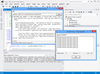
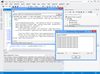
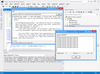
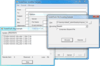
Twenty Internet communications components for Visual Studio. SocketTools .NET Edition is a collection of managed code classes, designed to simplify the integration of Internet functionality into applications built using the Visual Studio development platform. The SocketTools .NET Edition is ideal for the Visual Basic or C# developer who requires the ease of use and rapid development features of a component, without the complexities of the native socket classes and without requiring in-depth knowledge of how the various Internet protocols are implemented. SocketTools .NET includes nineteen class libraries and components which can be used to develop applications that meet a wide range of needs. Included are classes for uploading and downloading files, sending and retrieving email messages, remote command execution, terminal emulation and more.
.NET and ActiveX components to integrate file transfer functionality into your applications. File Transfer Control combines FTP and HTTP functionality into one component that supports both standard and secure connections. You can implement the standard protocols for sending and receiving files over the Internet and corporate intranets without using multiple controls or writing additional code to interface different components. File Transfer Control has no external dependencies on third-party libraries and can incorporates the standard SSL and TLS security protocols. Included with the package is a comprehensive on-line help file, technical reference and example programs.
Easily upload or download files from a remote host and perform a variety of remote file management functions.SocketTools FTP Toolbox enables you to create, rename and delete files and directories, list files and search for files using wildcards. The component provides both high level methods, such as the ability to transfer multiple files in a single method call, as well as access to lower level remote file I/O methods. SocketTools FTP Toolbox includes a .NET class, ActiveX control (OCX) and library (DLL).
Access web services, transfer files and submit data to server-side scripts using the Hypertext Transfer Protocol (HTTP). SocketTools HTTP Toolbox makes interacting with web services as simple as possible, with a single interface that offers all of the features that you need. Posting XML data, submitting form data using our virtual form methods and simply uploading and downloading files can all be done with just a few lines of code. This component supports both standard and secure connections using SSL and TLS.
Manage your mailboxes remotely using the Internet Message Access Protocol (IMAP). SocketTools IMAP Toolbox enables your application to access a mailbox on a mail server, review and search messages, move and and rename mailboxes and perform a variety of other functions. Unlike the Post Office Protocol, IMAP is designed for applications that leave the mail messages on the mail server rather than downloading them and managing them locally. This component supports both standard and secure connections using the SSL and TLS security protocols.
.NET and ActiveX components to send and retrieve email messages. Internet Mail Control provides a comprehensive interface for sending, downloading and managing e-mail messages on a mail server. This single component supports both the Post Office Protocol (POP3) and Internet Message Access Protocol (IMAP4) for accessing e-mail messages on a server, managing them remotely and downloading them to the local system. It also supports the Simple Mail Transfer Protocol (SMTP) for submitting e-mail messages for delivery, either directly to the recipient, or routed through a relay server.
Manage your mailboxes remotely using the Internet Message Access Protocol (IMAP). SocketTools IMAP Toolbox enables your application to access a mailbox on a mail server, review and search messages, move and and rename mailboxes and perform a variety of other functions. Unlike the Post Office Protocol, IMAP is designed for applications that leave the mail messages on the mail server rather than downloading them and managing them locally. This component supports both standard and secure connections using the SSL and TLS security protocols.
Download e-mail messages from your mail server using the standard Post Office Protocol v3 (POP3). SocketTools POP3 Toolbox lets you simply download all messages and remove them from the mailbox, or you can retrieve just the headers from specific messages, enabling your program to scan the mailbox for specific types of messages. This component supports both standard and secure connections using SSL and TLS, protecting your credentials and the contents of your messages. This component supports both implicit and explicit SSL, enabling easy integration with online mail services such as Google's GMail.
Add secure internet communications to your .NET applications. SocketTools Secure .NET Edition is a collection of managed code classes, designed to simplify the integration of Internet functionality into applications built using the Visual Studio development platform. It is ideal for the Visual Basic or C# developer who requires the ease of use and rapid development features of a component, without the complexities of the native socket classes and without requiring in-depth knowledge of how the various Internet protocols are implemented. SocketTools Secure .NET includes nineteen class libraries and components. Included are classes for Domain Name Services (DNS), File Encoding and Compression, File Transfer Protocol (FTP), Finger Protocol, Gopher Protocol, Hypertext Transfer Protocol (HTTP), Internet Control Message Protocol (ICMP), Internet Message Access Protocol, Multipurpose Internet Mail Extensions (MIME), Network News Transfer Protocol (NNTP), Post Office Protocol (POP), Remote Access Services (RAS), Remote Command Protocol, Simple Mail Transfer Protocol (SMTP), Telnet Protocol, Terminal Emulation, Time Protocol, Whois Protocol and Windows Sockets.
Send e-mail messages through your mail server using the Simple Mail Transfer Protocol (SMTP). SocketTools SMTP Toolbox enables your application to submit messages to a corporate server on your local intranet, such as a Microsoft Exchange server, through your Internet service provider's mail gateway, or directly to a recipient's mail server. The component also supports Extended SMTP (ESMTP) features such as client authentication, delivery status notification and secure, encrypted connections using the SSL and TLS protocols.