Publisher: LEAD Technologies Primary Category: Image Processing Product Type: Component / Add-In / ASP.NET AJAX (ATLAS) / .NET WinForms / .NET Class / .NET WCF / .NET WPF / Silverlight / .NET WF / DLL / VC++ Class Library
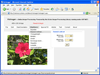
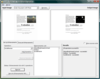
Build powerful document imaging and recognition into your applications. The LEADTOOLS Recognition SDK is a handpicked collection of LEADTOOLS SDK's and features designed to build end-to-end document imaging applications as part of an enterprise level document automation solutions that require capture, classification, forms processing, archival, annotation and view functionality. This powerful set of tools utilizes LEAD's image processing technology to intelligently identify document features that can be used to recognize any type of scanned or faxed form image.
Publisher: LEAD Technologies Primary Category: Imaging Product Type: Component / Add-In / ASP.NET AJAX (ATLAS) / .NET WinForms / .NET Class / .NET WPF / DLL / VC++ Class Library
Provide 2-D and 3-D vector imaging for loading, viewing, modifying and saving vector files to memory/disk in native vector format. LEADTOOLS Vector Imaging Pro SDK includes a low level API, and C++ Class library to add, edit, delete, rotate, translate, and scale objects. Group objects into layers. Change camera and lights. OpenGL, DirectX or GDI engines supported. Convert and save vector images to any of the over 150 raster file formats supported by LEAD.
Publisher: LEAD Technologies Primary Category: Imaging Product Type: Component / Add-In / ASP.NET AJAX (ATLAS) / .NET WinForms / .NET Class / .NET WPF / DLL / VC++ Class Library
Provide 2-D and 3-D vector imaging for loading, viewing, modifying and saving vector files to memory/disk in native vector format. LEADTOOLS Vector Imaging Pro SDK includes a low level API, and C++ Class library to add, edit, delete, rotate, translate, and scale objects. Group objects into layers. Change camera and lights. OpenGL, DirectX or GDI engines supported. Convert and save vector images to any of the over 150 raster file formats supported by LEAD.
Create, edit and manipulate a variety of image types to enhance your applications. ImageKit7 is a component that allows you to add image-processing functionality to your applications quickly and easily. Retrieve images from TWAIN scan devices; load and save image files; edit, display, and print images; draw shapes and text on images; display images as thumbnails or in slideshows. Most of the ImageKit7 functionality is available in DLL style API. The ImageKit7 ActiveX component can be used in Visual Studio .NET via COM wrapper. .NET sample programs are included.
Add object oriented image components to your .NET applications. MetaDraw for WinForms .Net is an easy-to-use, robust Object Oriented image component that lets you create user-friendly interfaces that meet your development needs. MetaDraw for WinForms .Net is the .NET version of MetaDraw ActiveX component. This product has been completely rewritten to take advantage of the infrastructure provided by .NET. MetaDraw for WinForms .Net includes the following features: OLE drag and drop, multi-step undo/redo support, JPG, PNG, EMF format support, save/load pictures to/from database fields, zoom, arrow head/end point symbols, support for lines, arcs, poly lines and more.
Add color picking to your .NET applications. SpringSys ColorPicker for .NET is an advanced color selecting control. It allows selecting Web Color, System Color or any Custom Color in very simple steps. Unlike the ColorDialog control, Alpha value can be specified by using this color picker control. The package contains two components: ColorPickerDialog - A dialog box component, similar to FileDialog or ColorDialog and ColorCombo - A drop-down color picker control, which allows selecting and displaying the selected color in combo box appearance.
Control color selection and conversion. GMSI.NET Color Toolkit provides the ultimate set of components for developers who want or need extensive control over color selection and conversion. Select colors using color wheels, color graphs, or color sliders all with or without numeric readouts. This control will add a rainbow of selection options to your color palette dialogs. A color conversion component provides robust color space conversion between the most common formats. Conversion formats included are; RGB, RGB/A, WEB/HEX, HSI, NTSC, YIQ, YUV, PAL, CMYK, LAB, YXY, XYZ, and all can be instantly converted to a WEB SAFE color palette. Now you can add custom color dialogs to give your applications a truly unique appearance with the GMSI.NET Color Toolkit.
Publisher: Guru Components Primary Category: Flow Diagramming Product Type: Component / .NET WinForms / .NET Class / 100% Managed Code
Add flowchart and shape drawing capabilities to your applications. Netrix Shapes is a sophisticated HTML driven drawing .NET WinForms component that can be used to create flow diagrams and workflow designs with advanced design elements. It provides advanced editing features like: inserting elements, accessing the Document Object Model (DOM), formatting text and comprehensive, object based, CSS support. It comes with basic HTML editing controls, like ColorPicker, FontPicker, and StyleEditor, which you can freely use independently of the basic control. With PropertyGrid support and a complete .NET like API this control provides you a .NET like interface and has many advantages over a Interop-DLL. It has a table cell width slider, custom glyphs and many other features.
.NET report and technical drawing generator. AceView is a reporting, drawing generator and print preview control written in fully managed .NET C#. You can use AceView to build graphics and text-based reports or technical drawings. Use AceView to display the results in a scrolling and zooming viewer on your form and then print it.
Add professionally designed Office 2007 styled color picker control to your applications. BinaryColorPicker .NET is an extended, feature-rich, highly configurable, out-of-the-box readily usable flat styled suite of Color picker controls. The control offers Office 2007 style Color picker window, Flat styled BinaryColorPickerComboBox control & BinaryColorPickerDropDown control, and configurable display styles. Your application users can pick colors of their choice in the most easiest and stylish way possible.