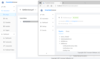
Send emails directly from your SharePoint Web site. Email Web Part allows users to send email messages directly from your Microsoft SharePoint site. You can notify assigned users of tasks or just send regular email messages. Email Web Part provides the useful ability to send email directly from a List Item. Email fields To, Subject and body can be auto populated with column item values.
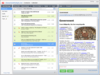
Transparent email archiving software for Exchange. Exchange Server Archiver is an email archiving tool that reduces the size of the Exchange information store by archiving emails and attachments to a dedicated server. The end-user experience is transparent with message preview, instant retrieval and an integrated search of both archived and non-archived emails.
Route & collect incoming e-mails from POP3 Servers. Virto Incoming Email Service allows you to collect mail from multiple POP3 servers and domains. You can also import information from emails into SharePoint lists of any type including custom ones. Fields including: EmailTo, EmailCc, EmailFrom, EmailSubject, EmailHtmlBody can be added to the List automatically and the original email message as well as all attachments are available through the List. Email Document Object Model (EDOM) for developers is supported and you can extract e-mail attachments from Outlook 'winmail.dat' files.
Include email functionality into your desktop, client/server, or Internet application. EasyMail Objects are a set of full featured COM objects for creating, sending, retrieving, displaying, editing and printing Internet e-mail. They were designed to allow you to quickly email enable your application because the EasyMail Objects handle all of the low-level details for you. The SMTP Edition includes a license for the SMTP component only, which will allow you to send email from your application, but not retrieve, parse, print, store or display email messages.
Include email functionality into your desktop, client/server, or Internet application. EasyMail Objects are a set of full featured COM objects for creating, sending, retrieving, displaying, editing and printing Internet e-mail. They were designed to allow you to quickly email enable your application because the EasyMail Objects handle all of the low-level details for you. Supported features include: SMTP, POP3, IMAP4, MIME, Base64, Uuencode, HTML, message printing, and much more.
Speed up e-mail delivery by offloading the delivery task from your application. EasyMail SMTP Express is an e-mail queuing and delivery system. It intercepts messages from the EasyMail SMTP object, EasyMail .Net Edition SMTP class, EasyMail Advanced API SMTP library or other source and sorts, queues, and reliably delivers the messages in the background. The professional version handles up to 256 simultaneous messages and is loaded with additional features.
Speed up e-mail delivery by offloading the delivery task from your application. EasyMail SMTP Express is an e-mail queuing and delivery system. It intercepts messages from the EasyMail SMTP object, EasyMail .Net Edition SMTP class, EasyMail Advanced API SMTP library or other source and sorts, queues, and reliably delivers the messages in the background. The standard version handles up to 64 simultaneous messages.
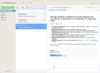
Advanced email automation, parse and extract data from form-based emails. Email2DB is a tool you can use to parse and extract data from form-based emails to integrate with your business data and send auto-responses. If you receive orders, invoices, support enquiries, feedback forms or any other form based data by email you will find Email2DB an invaluable tool. Email2DB can process emails from POP3, IMAP and Exchange Servers - plus directly from Microsoft Outlook 2003/2007 folders. You can also use Email2DB as a mail server and send emails directly to it for processing. The Enterprise Edition can also read messages from HTTP and RSS sources and from external databases.
Easy-to-use .NET service to deliver e-mails in the background. MailBee.NET Queue helps applications send e-mails faster by means of the background delivery. Instead of actual sending, your application can just write all the e-mails as .EML files into a certain folder, and MailBee.NET Queue will do the rest. Internally, Windows service of MailBee.NET Queue monitors that disk folder, picks up all .EML files other applications submit to it, and sends them out through SMTP server. To feed the pickup folder, you can use any tool capable of producing .EML files, including MailBee.NET Objects and MailBee Objects products.
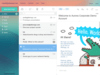
AfterLogic WebMail Pro offers an independent web mail front-end solution for your existing mail server. Available for Windows and Linux servers. It provides a fast AJAX webmail and innovative calendar with sharing. WebMail Pro ASP.NET and WebMail Pro PHP editions meet the demands of your existing users with a fast and modern-looking webmail user interface available in a number of different languages.