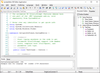
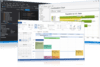
PHP IDE with refactorings, code completion, on-the-fly code analysis and coding productivity orientation. PhpStorm provides a rich and intelligent code editor for PHP with syntax highlighting, extended code formatting configuration, on-the-fly error checking, and smart code completion. PhpStorm is an IDE for HTML, JavaScript and PHP. PhpStorm code completion (Ctrl + Space) finalizes classes, methods, variable names, and PHP keywords, plus commonly used names for fields and variables depending on their type. PhpStorm editor respects PHPDoc in your code and provides appropriate code completion suggestions based on @property, @method and @var annotations. When you edit the PHPDoc for your code with PhpStorm, the variables names and types are auto-completed from the corresponding code blocks. PHP code refactorings also consider PHPDocs to keep them up-to-date. PhpStorm IDE allows to use Smarty template engine and offers productivity features for working with .tpl files. Thorough source code analysis allows PhpStorm to provide a sophisticated code completion even to an unannotated code.
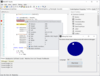
Python IDE with support for Django. PyCharm is a Python IDE with complete set of tools for Python development. In addition, the IDE provides capabilities for professional Web development using the Django framework. Code faster and with more easily in a smart and configurable editor with code completion, snippets, code folding and split windows support.
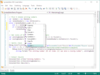
Professional IDE (Integrated Development Environment) for Web developers. WebStorm helps you to easily create Web sites by letting you edit HTML, CSS and JavaScript, navigate through files easily and use auto completion for everything in your code. WebStorm also notifies you about code problems on the fly and easily handles complicated languages mixtures e.g. HTML markup or SQL inside a JavaScript. WebStorm tracks any changes made to your source files, protecting you from any accidental losses or modifications, even if made by other applications. At any time you can inspect the history of either a particular file or directory and rollback to any of its previous versions with WebStorm. WebStorm can also set version labels.