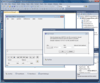
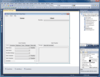
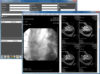
A feature-rich grid control for Silverlight. AgDataGrid Suite was developed to fully exploit the power and flexibility of Silverlight. AgDataGrid Suite includes a Silverlight Grid Control accompanied by data editors that can be used standalone or for in-place cell editing. AgDataGrid Suite advanced features include Microsoft Excel style data filtering, end-user column movement and resizing, AgDataGrid Suite features include data grouping, data sorting, comprehensive summary computation and more. AgDataGrid also offers row editing, row previews (with animation), template support (for cell content, cell editing, row preview and headers), auto height support for cells, headers, totals, multi-row and multi cell selection, cell text wrapping, vertical/horizontal lines, multiple column types/editors etc. AgDataGrid Suite can only be bought as part of DXperience Silverlight Subscription.
Publisher: ComponentOne Primary Category: Product Suites Product Type: Component / Silverlight / Web Part
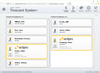
Create rich, interactive SharePoint sites. ComponentOne WebParts for SharePoint is a suite of Silverlight-enabled Web Parts for visualizing Microsoft SharePoint lists and libraries. ComponentOne WebParts for SharePoint enable administrators to easily add interactive and useful elements to their SharePoint sites. ComponentOne WebParts for SharePoint access both SharePoint lists and SQL Server data. ComponentOne WebParts for SharePoint are easily configurable by administrators and, if permissible, by end users alike. ComponentOne WebParts for SharePoint exploit the full capability of the Silverlight platform. These SilverLight-based web parts help users visualize data with grids, charts, and Microsoft Virtual Earth-based maps. Each web part has a intuitive designer, so users can configure their own views.
More specific data, less code written. With the Chart FX Extensions Pack developers are no longer required to spend hours configuring a generic charting component to specific data or behavior. Instead, Chart FX Extensions, which are .NET controls, can be added to Chart FX 7 to adapt to these data sources enabling organizations to quickly and economically develop solutions that meet unique business needs. Chart FX Extensions Pack provides four main components, Chart FX Financial, Chart FX OLAP, Chart FX Statistical and Chart FX Maps, as well as supplementary functionality including a Polar gallery type, Accessibility (Section 508), a Flash writer and PSS to maximize server performance in a web server environment.
A Silverlight Zoombar control. The Infragistics xamWebZoombar Silverlight Zoombar control provides you with an intuitive user interface for dynamically changing scale and scrolling through a range. These ranges can be regions on a chart or map, intervals along a timeline, or continuous data from any kind of zoomable control that implements the IZoomableControl interface. The Zoombar can magnify a preview area in which your end users are interested.
Learn from history, plan for the future. With the Infragistics xamWebTimeline Silverlight Timeline control you can empower users to quickly understand and visualize a sequence of events. Each timeline is a series of sequential event elements which may be historical events, steps in the narrative of some business process, project milestones, key frames in a video, or a representation of any kind of time-series data. Control templates allow you to design timelines that have compelling styling and interactivity.
Silverlight Map control. Now you can present end users with your business data in rich and interactive maps featuring panning, zooming, mouseover effects and tooltips with Infragistics xamWebMap. Extensibly designed with events and properties that enable you to customize its more sophisticated behavior and configurable options, the Silverlight Map control was modularly constructed around the following key components: Map Layers, Navigational panes, Color Swatch panes and Scale panes.
Silverlight Gauge control. With Infragistics xamWebGauge Silverlight Gauge control you can build relevant business scorecard-style applications and rich, informative dashboards leveraging Silverlight's rich media platform. Present users with crystal clear renditions of key performance indicators (KPI) empowering them to make decisions and take action. Cleanly separate design and development tasks with a declarative XAML user interface, allowing development to happen in parallel as designers style the gauge. Astonish your users with the many engaging new possibilities.
Animated charting for silverlight. Silverlight advances Web application development with its rich data visualization. In addition to the mapping applications this makes possible, Infragistics has developed the Silverlight Chart control (Infragistics xamWebChart) that can fit into any scene and take advantage of the dynamic graphics available to you on the Silverlight platform, like perspective and animation. xamWebChart includes 28 chart types to choose from including: Area, Bar, Column, Doughnut, Line, Point, Pie, Scatter, Spline and Stack.
Spell correctly the first time. Eliminate typos with Infragistics' spell checker for Silverlight (xamWebSpellChecker) with its support for multiple languages and user-defined dictionaries. As a library, it enables you to programmatically check the spelling of any text such as that you may have laying around in a string variable. As a control, the Infragistics xamWebSpellChecker's completely customizable dialog provides a spelling correction user interface to the end-user.
Data entry that is intuitively easy. The new Infragistics xamWebNumericEditor simplifies the entry and editing of numeric data to any number of decimal places, and confined to any range with programmable upper and lower bounds that reduce errorneous user input. With its spin buttons, end-users may serially increment or decrement the editor's value by an arbitrary amount. When your Silverlight application calls for formatted or text data with more stringent constraints, the introduction of the xamWebMaskedEditor couldn't be more timely. Its input mask support helps end-users fill-in the editor's value, intuitively matching the format your application requires.