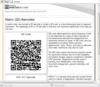
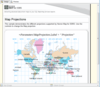
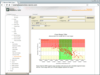
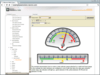
A completely customizable desktop alert window. Infragistics WinDesktopAlert allow you to add Pop-up "toaster" messages to your applications. Pop-up "toaster" messages on the desktop have become a popular means to alert users in instant messaging and mail clients when a message is received. With Infragistics WinDesktopAlert, you can now deliver these messages within a completely customizable desktop alert window. Infragistics WinDesktopAlert's window has everything users expect such as a close button, a push pin to keep the message displayed until the user decides to release it, and the ability to click on the message (as if it were a hyperlink) to get more info. Plus, you have the option of associating an image, a drop-down list of commands, and a set of miniature action buttons on the desktop alert window that can be specific to your application. Infragistics WinDesktopAlert offers the appearance and behavior of desktop alert windows for Windows Live Messenger or Outlook 2007
Virtually load millions of rows of data. Infragistics WinDataSource allows you to add Load-on-demand (or virtual data operations) to your Windows Forms applications. Infragistics WinDataSource is used by the Infragistics WinGrid and other controls to handle large amounts of data, while seamlessly allowing the UI to remain responsive as data loads into the non-visible client area of the control. Infragistics WinDataSource can be used with any databound control, and as an intermediary between a control and a data source. Infragistics WinDataSource can be bought as part of Infragistics NetAdvantage for .NET, NetAdvantage Win Client and NetAdvantage Select
Publisher: Infragistics Primary Category: User Interface Product Type: Component / .NET WinForms / 100% Managed Code / Managed/Unmanaged Code - without COM
Stand alone or embedded multi-column combo. Infragistics WinCombo component is a databound combo box .NET control providing a simplified version of the Infragistics data grid control in the form of a drop-down list. Infragistics WinCombo can be used on its own as an editor on a form, or it can be embedded in a Infragistics WinGrid column. Infragistics WinCombo is also known as Infragistics Windows Forms Combo Box Control.
Publisher: Infragistics Primary Category: Charting and Graphing Product Type: Component / .NET WinForms / 100% Managed Code / Managed/Unmanaged Code - without COM
Data visualization is critical to understanding the numbers. With Infragistics WinChart control you can easily create and customize the best visualization for your information to impress and enlighten your users. Infragistics WinChart offers intelligent Windows Forms charting and optimized settings so you can graph numerous 2D and 3D charts for .NET with incredibly rich, high fidelity. Infragistics WinChart includes all of the most familiar chart types such as bar, line, area and pie charts while at the same time making you just as productive when it comes to displaying more complex graphics such as financial candle, Gantt and radar charts. Infragistics WinChart Control includes over 50 2D and 3D Chart Types
Publisher: Infragistics Primary Category: Maths and Stats Product Type: Component / .NET WinForms / 100% Managed Code / Managed/Unmanaged Code - without COM
The power of Microsoft Excel in your smart client. Infragistics WinCalcManager adds Microsoft Excel formula support to NetAdvantage Windows Forms controls, including Infragistics WinGrid and Infragistics WinEditors. In Visual Studio 2008, native Microsoft controls including DataGridView can participate in a calculation network as well. This means no matter what type of control you are using on a form, Microsoft or Infragistics, your controls can include Excel-like formulas with Infragistics WinCalcManager. Infragistics WinCalcManager supports over 100 calculations.
Versatile Enterprise .NET Grid for Windows Forms. Infragistics WinGrid is a hierarchical data grid control with full support for bound and unbound data display that surpasses other .NET grids on the market and shifts your data-driven WinForms app into a new realm of more productive possibilities. Infragistics WinGrid supports complex data entry scenarios, row edit templates, custom layouts, rich printing and print preview, easy interop with Microsoft Excel and Adobe PDF file formats, and an almost unlimited array of look and feel options. Infragistics WinGrid is also known as Infragistics.Win.UltraWinGrid
Publisher: Infragistics Primary Category: Datagrids Product Type: Component / ASP.NET WebForms / ASP.NET AJAX (ATLAS) / AJAX
A fast, flexible & efficient ASP.NET grid control for data editing and presentation. Infragistics WebGrid is a full featured, search engine-friendly, hierarchical AJAX grid control for ASP.NET 2.0 (and up) that allows binding and professional display of your data in whatever style or manner best fits your needs. AJAX functionality built into Infragistics WebGrid provides benefits such as allowing the data grid to automatically and quietly send AJAX requests so that behind the scenes it can repaint the UI and provide a rich and responsive user experience. The many capabilities of Infragistics WebGrid make it ideal for users that need to work interactively with data exposed by your Web application. Infragistics WebGrid features include ASP.NET templates for rows and columns, sorting, filtering, group-by, scrolling columns while one or more other columns are fixed in place and many other features.
Publisher: Infragistics Primary Category: User Interface Product Type: Component / ASP.NET WebForms / ASP.NET AJAX (ATLAS) / AJAX
Standalone or embedded AJAX multi-column combo. Infragistics WebCombo (a.k.a Infragistics WebDropDown) can be used as a stand alone dropdown control on a page to display data in a single or multi-column view. With the embeddable editor capability of the Infragistics WebGrid, you can also easily embed the Infragistics WebCombo (a.k.a Infragistics WebDropDown) in a grid column to display data from related tables. Infragistics WebCombo is also know as Infragistics WebDropDown
Publisher: Infragistics Primary Category: Charting and Graphing Product Type: Component / ASP.NET WebForms / ASP.NET AJAX (ATLAS) / AJAX
Fast and effective data visualization. Infragistics WebChart lets you can easily create and customize the best visualization for your information to impress and enlighten your users. With intelligent ASP.NET charting and optimized settings you can graph numerous 2D and 3D chart types with incredibly rich, high fidelity. Infragistics WebChart includes all of the most familiar chart types such as bar, line, area and pie charts while at the same time making you just as productive when it comes to displaying more complex graphics such as financial candle, Gantt and radar charts. Infragistics WebChart includes over 50 2D and 3D chart types.
Publisher: Infragistics Primary Category: User Interface Product Type: Component / ASP.NET WebForms / ASP.NET AJAX (ATLAS) / AJAX
Create ASP.NET Web applications that don't require postbacks. Infragistics WebAsyncRefreshPanel (or WARP) groups your Web controls and content together in an AJAX control container that can work without postbacks. In the background, asynchronous callbacks to the server are triggered by its child controls only when needed to refresh the panel's content. WARP means high performance for your ASP.NET application by optimizing bandwidth utilization and speeding up response times. Infragistics WebAsyncRefreshPanel is a container control, which can be used to group content at design-time or run-time and to hide post back triggered by a child control.