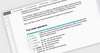
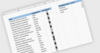
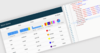
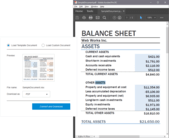
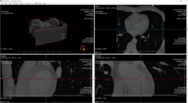
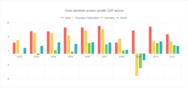
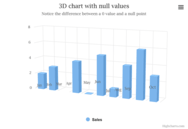
Screenshot Preview

BCGSuite for MFC

by BCGSoft - Product Type: Component / VC++ Class Library

A suite of more than 100 thoroughly designed, tested and fully documented MFC extension classes. BCGSuite for MFC includes a Grid and Report controls, Calculator , Planner (outlook style calendar), Gantt Control, Advanced Edit Control with IntelliSense, Syntax Highlighting, MDI Tab Control and many more controls and features like Office XP / 2000 / 2003 / 2007 Look and Feel, Vista Aero Support or Skinned Dialogs and Forms. BCGSuite for MFC is intended for Visual C++ 2008 with Feature Pack or later.

From
$587.02

Our regular prices are shown below. Please logon to see your discounted prices.

Price in

BCGSuite for MFC V17.10

Add to Cart $ 587.02 1 Developer Subscription License per Developer 1-4 Developers (Includes one year subscription for updates and email technical support) Download (27.3 MB)
Add to Cart $ 489.02 1 Developer Subscription License per Developer 5-10 Developers (Includes one year subscription for updates and email technical support) Download (27.3 MB)
Add to Cart $ 440.02 1 Developer Subscription License per Developer 11-20 Developers (Includes one year subscription for updates and email technical support) Download (27.3 MB)
Add to Cart $ 7,830.20 1 Corporate License (Allows unlimited developers inside a single company) (Includes one year subscription for updates and email technical support) Download (27.3 MB)

BCGSuite for MFC V17.10 - Renewal

Add to Cart $ 287.04 1 Developer Subscription Renewal Verify Download (27.3 MB)
Add to Cart $ 3,835.20 1 Corporate Subscription Renewal (Allows unlimited developers inside a single company) Verify Download (27.3 MB)

Our prices include ComponentSource technical support and, for most downloadable products, an online backup and a FREE upgrade to the new version if it is released within 30 days of your purchase.  All sales are made on our standard Terms and Conditions and subject to our Return Policy. Please contact us if you require any licensing option not listed, including volume licensing and previous versions.

Our regular prices are shown above. Please logon to see your discounted prices.

What's new in BCGSuite for MFC Version 17.10

New features

  • Added support for Visual Studio 11 Beta.
  • Added a new class which implements Microsoft Visual Studio 11 Beta look to upgrade your application look to a new Metro-style UI in one line of code
  • The library is fully tested on Windows 8 Consumer Preview operating system.


Chart Control implements new and updates existing features:

  • Missing data support - add empty data points and tell a series how to treat missing data (as values, skip, or don't paint).
  • Support for "smart labels" - This feature intelligently lays out data labels preventing overlapping.
  • Stock chart can display data as a line based on open, high, low, close or custom calculated value.
  • Added a new method enabling you to adjust sizes of split axes programmatically.
  • Added two new color themes: "Black and Green" and "Black and Blue".


Diagram Control implements new and updates existing features:

  • Added zoom support for diagram, all diagram shapes and connectors support proportional scaling.
  • Improved features for runtime editing of diagram.
  • Implemented copy/paste support for the diagram editors.
  • Added support for drag and drop connectors and shapes in edit mode.
  • Added shapes coloring.
  • Added connectors and connector arrows coloring.
  • Implemented new shape types: Image item and Table shape 
  • A new class implements custom shapes support.


New TreeMap control

  • The Treemap is a space-constrained visualization of hierarchical structures. It shows attributes of leaf nodes using size and colors. 


Message Box:

  • The look of the product message boxes was significantly improved


Progress Dialog

  • Implemented "infinite" progress: if you don't know how long the process can take, but wish to show some "working indication" without creating a custom animation
  • Improved dialog appearance.


Graphics Manager:

  • Added scaling support
  • Implemented printing support


Visual Control and Visual Container:

  • Added scroll support to visual container
  • Added "click and hold" support
  • Added printing support
  • Implemented user data support
  • Improved multiple-selection mode in CBCGPVisualContainer


Ribbon Bar

  • Added support for mini-toolbar tooltips
  • New virtual method if you wish filter-out command search results
  • New optional parameter allows you to filter-out disabled commands in the search result pane.


Visual Designer

  • The designer now supports both gauges and diagrams
  • Implemented multi-selection and element alignment operations.


Grid control

  • Added ability to disable grid lines in the grid
  • Added method to set text label for the grid check item.


Calendar (Planner) control

  • Added ability to scroll all-day events in the calendar header area.
  • Added multi-line (word wrapping) support for the multi-hour appointments. 

What's new in BCGSuite for MFC Version 17.0

New Diagram Control – features include

  • Ability to add unlimited number of diagram shapes and connectors.
  • Predefined diagram blocks, including circles, triangles, boxes, rounded boxes, parallelograms, trapezoids, stars and clouds.
  • Table diagram block.
  • Text labels inside diagram blocks.
  • Smart straight and curved diagram connectors with 5 types of customizable arrows.
  • Interactive diagram editing.
  • Ability to save and load diagram to/from XML.
  • Copy diagram image to the Clipboard.
  • Save diagram image to a file.

Chart Control – some new and enhanced features:

  • Axis scale breaks - Scale breaks can be generated automatically or added manually.
  • Added new chart category - Histogram.
  • Implemented two new technical indicators for Stock charts - Bollinger Bands and MACD.
  • Stock charts are optimized to handle very large data sets.
  • Added support for tooltips.
  • Add objects of fixed size to the diagram areaand specify object size and position in pixels.  
  • New method GetNearestScreenPoint, which calculates position for interactive markers.
  • Chart View correctly handles Windows 7 task bar interaction.
  • Pan mode correctly scrolls different series displayed on different axes.

Property Grid Control - new features:

  • Added new property classes for the brush, text format and line style compound properties.
  • Display context menu with predefined and custom options.
  • Added ability to display a built-in toolbar with predefined commands.
  • Added ability to display a built-in search box.
  • Added property copy/paste operations.
  • New method to dynamically modify the color palette.
  • Properties can be identified by property ID 
  • Added new methods that simplify the property grid usage:
    • CBCGPProp::SelectOption: selects property options by index
    • CBCGPProp::GetSelectedOption: gets a selected option
    • CBCGPPropList::GetPropertyValue: returns the property value
    • CBCGPPropList::EnableProperty: enables/disables property
    • CBCGPPropList::SelectPropertyOption: selects the property option

Ribbon Bar

  • Added "Clean up unused images" feature to the Ribbon Designer.
  • Added Recent File Form for Backstage View - This view includes recent file list and recent folder lists.
  • Enhanced Ribbon Bar backstage view support

New Tag Cloud Control.
This control is a visual representation for text data ("tags") and the importance of each tag is shown with font size or color. The control implements the following features:

  • Unlimited number of tags.
  • Alphabetical sorting.
  • Sorting by value.
  • Customizable text color.
  • Customizable text format.
  • Tooltip support. 

Toolbars and Menus

  • Added new virtual method CBCGPToolBar::OnLargeIconsModeChanged
  • Improved some issues in toolbar/menu bar accessibility support.
  • Added new virtual method CBCGPToolbarButton::OnClickUpOutside 

Visual Designer for Gauges

  • New WYSIWYG design tool
  • Arrange gauges on the design surface and change their properties.
  • Save your dashboard to XML and load it in a C++ application.

Grid control

  • New method CBCGPGridCtrl::EnableGridLines is used to disable grid lines in the grid control.
  • New method CBCGPGridCheckItem::SetLabel allows drawing a text label inside a checkbox-item.

BCGSuite is a product that extends Visual Studio 2008 MFC functionality. Some significant library components such as Grid, Calendar and Editor are not included in the latest MFC version. BCGSuite includes these components as well as many other professionally-designed GUI controls.

BCGSuite library has more than 100 thoroughly designed, tested and fully documented MFC extension classes. Our components can be easily incorporated into your application and save you hundreds of development and debugging hours. Please note that BCGSuite for MFC is intended for Visual Studio 2008 with Feature Pack or later.

BCGSuite includes among others:

Grid Control

  • MFC Document/View integration
  • Integrated Field Chooser
  • In-place cell editing
  • Single and multiple row and cell selection
  • Printing and Print Preview
  • Filters
  • Merged cells
  • and more

Report Control

  • MFC Document/View integration
  • Auto grouping (like grouping "by conversation")
  • Ability to "flag" a record
  • "Group By" box
  • Printing and Print Preview
  • and more

Edit Control

  • MFC Document/View integration
  • IntelliSense® support
  • Outlining (collapsible blocks) support
  • Line numbering
  • Syntax highlighting support
  • Color blocks (block selection support)
  • Markers support
  • Extended (customizable) undo/redo support
  • and more

Gantt Control

  • MFC Document/View integration
  • Unlimited time bar
  • Fully-customizable appearance
  • Different types of task objects such as regular tasks or milestones
  • Build-in resource grid
  • Zoom In / Zoom Out
  • and more

Planner (Calendar) Control

  • MFC Document/View integration
  • Daily, work week, weekly and monthly view
  • Appointment and scheduling
  • Appointment reminders
  • Recurring appointments
  • Concurrent appointments
  • Multi-resource views
  • Printing and Print Preview
  • and more

Advanced Controls and Dialogs

  • Vista  Aero Support
  • Visual Studio-style Toolbox
  • Date and Time Controls
  • Calculator
  • Skinned Dialogs and Forms
  • and more

Also included are components to provide Internet Explorer Look and feel, Custom Application Look, Ribbon, Microsoft Office XP / 2000 / 2003 / 2007 themes, Built-in roll-up buttons ( similar to CorelDraw ), Date/Time control for Toolbar, Explorer-style Toolbar, Visual Studio 2005 / 2008-style docking, MDI Tab Control and more


Product Search

Enter search words:

Award