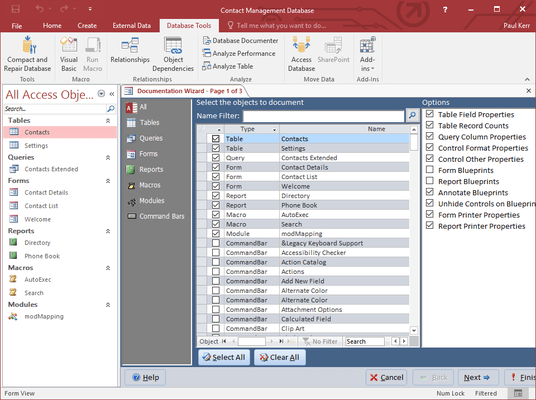
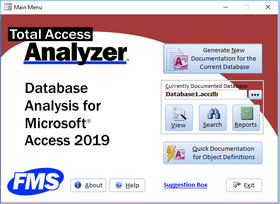
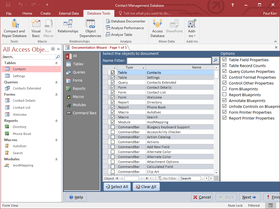
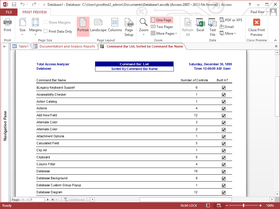
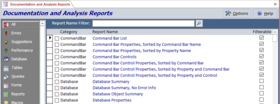
Screenshot Preview

Total Access Analyzer - Summary

by FMS - Product Type: Add-In

Summary

Total Access Analyzer by FMS

URLs: fms-total-access-analyzer, fms total access analyzer, fmstotalaccessanalyzer, fms

Document and analyze your Access databases. Total Access Analyzer let's you understand how your database works and helps you find errors and performance bottlenecks. It includes the ability to detect over 100 types of errors and includes suggestions and performance tips. The comprehensive database analysis and documentation finds problems before you ship and lets you understand what's really going on. Total Access Analyzer performs detailed analysis of your Access database objects individually and as a whole. By examining your entire database, it discovers complex relationships among objects, hidden problems and even unused objects.

Winner of Every Best Access Add-In Award Since 1994

Discover why so many Microsoft Access users and developers consider Total Access Analyzer the world's premier Access database analysis program. Total Access Analyzer analyzes all your database objects to provide extensive documentation, cross-reference, application and flow diagrams, with 295 presentation-quality reports. It also detects over 100 types of errors, suggestions, and performance tips, so you can improve your applications

Total Access Analyzer Comprehensive Database Analysis

Total Access Analyzer performs detailed analysis of your Access database to generate complete documentation of all objects and code. It examines your entire database to reveal complex relationships among objects, hidden problems, and even unused objects. Take control of your databases by understanding how they work. Total Access Analyzer not only generates cross-references between your objects, it also creates diagrams of your application and data flow to show multi-level relationships. Great for getting up-to-speed on databases created by others

Total Access Analyzer: Create Better Access Applications

Total Access Analyzer helps you apply the 'Best Practices' principles of FMS. Perform the same analysis on your databases to see what you can improve. For instance, eliminate potential data loss with the field consistency analysis that ensures identically named fields across tables are defined consistently. Find forms with duplicate hotkey letters, reports without a NoData event, unused objects and code, procedures that should be private, and much more

Total Access Analyzer: Simplify Your Development Efforts

As your databases grow in complexity, they becomes harder and harder to understand. Total Access Analyzer generates the information you need to maintain control and efficiency. From simple table structure lists, to field dictionaries (for a field name, see every table it is defined), to property listings, object cross-reference, flow diagrams, and code printouts, Total Access Analyzer gives you the data and reports you need to manage your systems

Don't Ship Without Running It

Total Access Analyzer detects errors that can cause your application to crash. For instance, you may have a form that references a table or field that was renamed. That form will crash when your user opens it. Total Access Analyzer catches these errors before you ship. Think of the time and embarrassment you'll save! Discover why so many organizations run Total Access Analyzer as part of their final quality assurance check before deploying their databases

What’s new in Total Access Analyzer for Access 2010?

Supports Access 2010, 32-bit and 64-bit versions

VBA module code parser supports conditional compilers

Optionally perform module cross-referencing for a subset of modules

Macro documentation with analysis and syntax validation

Enhanced macro dictionary report

TempVars documentation, cross-reference and validation

Find inconsistent timer event and timer intervals

Find conflicts with future SQL Server 2012 reserved words

Improved display of results and opening the current object in design mode

New reports

Set colors on the output reports' title, header, footer and groupings

New Access 2010 user interface with theme support

What's new in Total Access Analyzer?

Total Access Analyzer General Improvements

During module documentation, the VBA IDE no longer flashes on the screen.

Faster performance

All reported issues and errors for previous versions are resolved

When selecting tables for documentation, a new feature allows you to filter the table list by System tables or Regular tables

The documentation is optimized to run more efficiently than ever

A new "Suggestion Box" link on the Main Menu allows you to send product suggestions directly to the FMS development team

Documents only the Access options that apply to the database type: MDB or ADP

Documentation Enhancements in Total Access Analyzer

Documentation can run on databases that are not complied, although module cross referencing may be incomplete for these databases

Blueprint reports for form and report layouts are now available for databases that are in Access 2002-2003 format. Previously, an Access/Jet bug prevented us form generating these blueprint reports

Improved documentation of form and report controls, and their associated labels

Documentation of Hyperlink and Subhyperlink addresses is enhanced

Issue Filter form displays only issues that exist in the current documentation results

Improved documentation of CommandBar controls

After documentation is complete, the Documentation Summary form displays a count of issues by object type

New Reports available in Total Access Analyzer

Two new reports are available to show Relationships and support filtering

Two new reports show controls with their associated labels

Two new reports show table field lists in Landscape mode to better display long table names, field names, and field descriptions

Module XRef reports with Functions now displays control and property information

The Blueprint Detail report displays the source object name for subform/subreport controls

Two new reports for Table Fields, Sorted by Data Type. One with the summary of fields by data type and size, and the other showing the details of fields of every data type and size

Total Access Analyzer includes now new Error Detection

Report references to broken hyperlinks

New Suggestions

Procedure names that conflict with reserved words

Combo boxes on tables and forms that display the default number of 8 rows. Displaying more rows allows users to see more items at one time

Suggestions for improving primary key fields:

Tables with primary keys not in the first set of fields

Tables with more than one field as their primary key

Tables that use non-numeric fields as their primary key

For MDBs, tables that do not use autonumber field as their primary key

For ADPs, tables that do not use Identity fields as their primary key

Modules without Option Compare specified

New Performance Tips

Form and report RecordSources that should be a saved query

Action queries that maintain a transaction log

Tables linked to old Access database formats

The use of the slow Domain functions in forms, macros, and reports. Previously, it only documented their use in modules and queries

Reporting Enhancements in Total Access Analyzer

On the Report Options form, a new feature allows you to reset all options to their default values

The Hyperlink report (under Object XRef) now contains a check box to show code references to a hyperlink address that’s a variable or constant

Document and analyze your Access databases.

Pricing: Total Access Analyzer - for Access 2010 1 Developer License, Total Access Analyzer - for Access 2010 5 Developer License, Total Access Analyzer - for Access 2010 1 Developer Upgrade License from previous version, Total Access Analyzer - for Access 2007 1 Developer License, Total Access Analyzer - for Access 2007 5 Developer License, Total Access Analyzer - for Access 2007 1 Developer Upgrade License from previous version, Total Access Analyzer - for Access 2003 1 Developer License, Total Access Analyzer - for Access 2003 5 Developer License, Total Access Analyzer - for Access 2003 1 Developer Upgrade License from any previous version, Total Access Analyzer - for Access 2003 1 Developer License Upgrade to version X.8 within the Same Version, Total Access Analyzer - for Access 2002 1 Developer License, Total Access Analyzer - for Access 2002 5 Developer License, Total Access Analyzer - for Access 2002 1 Developer Upgrade License from any previous version, Total Access Analyzer - for Access 2000 1 Developer License, Total Access Analyzer - for Access 2000 5 Developer License, Total Access Analyzer - for Access 2000 1 Developer Upgrade License from any previous version, Total Access Analyzer - for Access 97 1 Developer License, Total Access Analyzer - for Access 97 5 Developer License, Annual Premium Support Subscription 1 Support License, Annual Premium Support Subscription 1 Support License Renewal, Annual Premium Support Subscription 5 Support License, Annual Premium Support Subscription 5 Support License Renewal

Evals & Downloads: Read the FMS License Agreement, Read the Total Access Analyzer for Access 2010 help file, Read the Total Access Analyzer for Access 2007 help file, Read the Total Access Analyzer for Access 2003 help file, Read the Total Access Analyzer for Access 2000 help file, Read the Total Access Analyzer for Access 2002 help file, Read the Total Access Analyzer for Access 97 help file

Operating System for Deployment: Windows XP, Windows ME, Windows 2000, Windows 98, Windows NT 4.0, Windows 95, Windows NT 3.51

Architecture of Product: 32Bit

Product Type: Add-In

Compatible Containers: Microsoft Office 2010, Microsoft Office 2007, Microsoft Office 2003, Microsoft Office XP, Microsoft Office 2000, Microsoft Office 97, Microsoft Access 2010, Microsoft Access 2007, Microsoft Access 2003, Microsoft Access 2002, Microsoft Access 2000, Microsoft Access 97

Product Class: Component Development Tools

Keywords: total access analyzer, fms total access analizer

FMS

Database DB Management

Part numbers: PC-513560-449202 513560-449202 PC-513560-449203 513560-449203 PC-513560-449204 513560-449204 PC-513560-449186 513560-449186 PC-513560-449188 513560-449188 PC-513560-449190 513560-449190 PC-513560-449178 513560-449178 PC-513560-449182 513560-449182 PC-513560-449184 513560-449184 PC-513560-449192 513560-449192 PC-513560-449172 513560-449172 PC-513560-449174 513560-449174 PC-513560-449180 513560-449180 PC-513560-449168 513560-449168 PC-513560-449170 513560-449170 PC-513560-449176 513560-449176 PC-513560-449164 513560-449164 PC-513560-449166 513560-449166 PC-513560-449194 513560-449194 PC-513560-449196 513560-449196 PC-513560-449198 513560-449198 PC-513560-449200 513560-449200

Mfr. Part No: TAAN10 TAAN10-5 TAAN10-U TAAN11 TAAN11-5 TAAN11-U TAAN8 TAAN8-5 TAAN9 TAAN9-5 TAAN9-U

Product Search

Enter search words:

Award