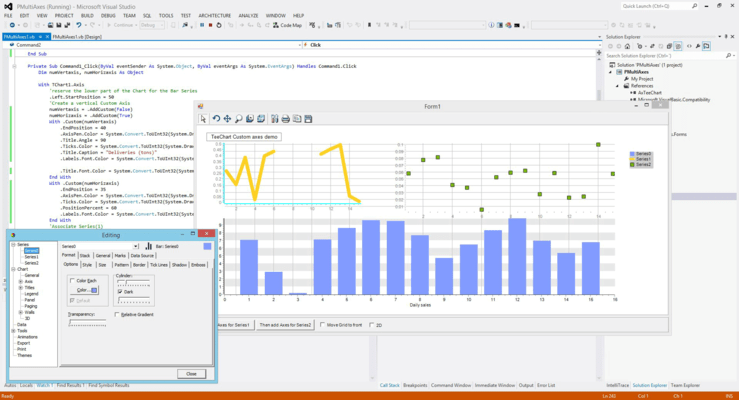
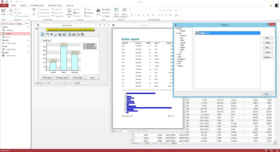
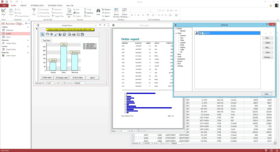
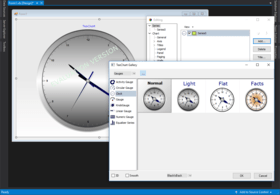
Screenshot Preview

TeeChart Pro ActiveX - Summary

by Steema Software - Product Type: Component / ActiveX OCX

Summary

TeeChart Pro ActiveX by Steema Software

URLs: teechart-pro-activex, teechart pro activex, teechartproactivex, steema

Create high performance dashboards and charting solutions. TeeChart Pro ActiveX is a charting control for ActiveX aware programming environments such as Microsoft Office, Visual Studio's VB, VC++ and ASP, including Visual Studio.NET (VB.NET, C#). TeeChart ActiveX charting architecture and feature set has been built through years of interactive development with customers to create a charting component that offers an effective intuitive and timesaving programming interface. Steema TeeChart ActiveX Pro v2010 includes advanced features like create a Windows AVI standard video file from a Chart, playing videos (AVI,MPEG,DivX,etc) inside a Chart background, automatic map drawing, IsoSurface Series to draw a 3D surface mesh from a grid of XYZ points and many more. TeeChart ActiveX offers 25 Editor languages and is Unicode compliant for multi-characterset support, including double-byte languages, for true global application development. TeeChart ActiveX renders in most popular Graphics formats including JPEG, PNG and WMF/EMF and also generates Flex compiled code for on-the-fly Flash image generation, live with inline animations. TeeChart ActiveX also includes Gauges and Maps that can be used to create multi-task dashboards.


TeeChart Pro ActiveX is a 32-bit COM Control suitable for all ActiveX enabled environments. TeeChart Pro ActiveX charting component library offers hundreds of Graph styles in 2D and 3D, 33 mathematical and statistical Functions for you to choose from together with an unlimited number of axes and 14 toolbox components. You can also use TeeChart ActiveX to create dashboards.

TeeChart ActiveX includes Server and Client components

Use the full power of the TeeChart ActiveX Control on the server: Database enabled and with all export formats for use in your ASP, ISAPI, CGI or MTS application. Direct stream output as a browser independent format or the lightweight ActiveX client control for ActiveX aware Browsers, with a fully navigable, event driven Chart to work interactively with server sourced data.

TeeChart ActiveX ASP/IIS Support

TeeChart ActiveX offers a now even stronger support for ASP and ASPX. Export formats include: JPEG, GIF, PNG, EPS, PDF, Native Tee, BMP, WMF, EMF and, of course, live Charts on the browser with the tab. Charts may be streamed directly to the browser to avoid maintenance of temporary files. TeeChart ActiveX includes extensive code examples to guide the way.

TeeChart ActiveX ADO Support

Inbuilt support for Microsoft's ActiveX Data Objects. Plug in to external Recordsets or create them with the Chart Editor.

TeeChart ActiveX Output formats

TeeChart renders in most popular Graphics formats including JPEG, PNG and WMF/EMF and also generates Flex compiled code for on-the-fly Flash image generation, live with inline animations.

TeeChart ActiveX offers Fast speed and small memory size consumption.

TeeChart graphical code speaks directly to Windows GDI API. Data is stored in dynamic arrays that are very closely mapped to memory which makes access and modifying the arrays almost as fast as the computer processor. The code is streamlined as much as possible to increase internal speed, especially when re-drawing.

TeeChart ActiveX is Easy to use at design and run-time.

TeeChart includes powerful and complete editor dialogs, for almost every component and sub-component. These editors are available at design-time and also at run-time. The TeeCommander component (a toolbar with charting specific buttons) provides one-click access to TeeChart editors and common features.

Huge documentation and examples

The help file and documentation include a reference guide, a user guide, tutorials with detailed "how to" explanations, end-user help and a comprehensive example project (with complete sources) that contains nearly 400 forms. Pressing F1 gives context help for almost all screens and source code elements.

Translations into several languages and Unicode support.

TeeChart offers 25 Editor languages and is Unicode compliant for multi-characterset support, including double-byte languages, for true global application development.

Create a DashBoard with TeeChart ActiveX

TeeChart ActiveX can be used to create a multi task dashboard.

Features:

32-bit ActiveX component

Supports Visual Studio, IIS, Microsofts .net framework and other COM programming environments

Data aware - Direct access to ADO data sources

Direct access to URL addressable Charts

Series Gallery

2D, 3D plus OpenGL 3D

Direct high-speed, add of Array data to Chart. Very quick!

Zoom, scroll and real time

Multiple Axes

Transparency and Anti-alias

Stream export/import capability for BLOB storage and direct output to client (e.g. browser)

Image export as bitmap, metafile, JPEG, PNG, GIF, EPS, PDF, PCX & native Chart format

Data export as Excel, XML, HTML, CSV (Text) & native Chart format

Royalty free in compiled desktop applications

12 Chart add-on tools including annotation and color banding with transparency

Multi-page Charts

Custom drawing Canvas

Custom printing

Extensive demos in ASP/IIS, Visual Studio, MS Office and PowerBuilder

Design time integrated Chart and Series editor

Multi-language support at design and run-time

Online help

Electronic reference (Online help and HTML)

Extended Statistical functions

Extensive demo code

Runtime Chart Data Grid and Navigator

Runtime Chart Editor and Print Previewer

Runtime Editor and Previewer Form Panels

Runtime Series List Box and TeeCommander control bar

Runtime Chart Page Navigator

Standard level no-charge technical support

What's New in TeeChart Pro ActiveX 2011 (2011.0.0.5)

General Features

Transparent Unicode support

TeeChart ActiveX version now supports unicode input/output for all versions. Languages may changed for all single and double-byte charactersets at design and/or runtime.

New Series types

KnobGauge Series

Rose Series

Ternary Series

Treemap Series

ErrorPoint Series

ErrorPoint3D Series

New Tool components

Custom Legend

Clustering

New Functions

PercentageChange function y = (y2-y1)/y1

Slope function y = (y2-y1) / (x2-x1)

MoneyFlow Skewness

Kurtosis

Smoothed Moving Average

ATR (Average True Range)

RVI (Relative Vigor Index)

AO (Awesome Oscillator)

AC (Acclerator/Declerator Oscillator)

Alligator

Gator Oscillator

New Components

GDI+ component

New in Chart Legend

Text-Symbol gap

Legend max. rows

New in Series

Marks Font Series Color

Marks on Bar

YOrigin for Histogram

Org Series with HTML Format

Smoothed Series

Embedded Numeric Gauge

Embedded Linear Gauge

Custom Embedding

ArrowSeries Transparency

New ArrowSeries Pointer Gradient

Polar Series Zoom

New Style option for DrawAllPoints property

Candle Series configurable Open and Close Tick Pen

CircularGauge Total displayed segment size option

Editable CircularGauge 3 part Frame

2D Bar and Horiz.Bar with rounded corners.

New in Axes

Axis Grid zones

Axis Labels behind

GridCentered with GridBand

Axis Labels now retrievable after discarding Custom Labels

New in Components

Editor Options

TeeCommander RotateInertia (similar to TRotateTool.Inertia property)

New in Canvas

Flash export using Flex compiler. Includes animation options

New in Functions

y = mx + b, Curvefitting normal coefficient

Slope & Y-Intercept

New methods

TTeeCanvas and TTeeCanvas3D "GetArrowPoints" function. Returns a TPoint array bounding a given set of arrow parameters.

TSeriesStatsTool new functions: Mean, StdDeviation, Skewness and Kurtosis

TGLCanvas.StretchDraw

Miscellaneous

TArrowSeries improved Clicked method.

Improved Point / Line series Clicked method when points overlap.

TeePolar.pas unit "TeePolarDegreeSymbol" global string variable, moved to TeeConst.pas unit to allow internationalization.

Improved OpenGL support for Picture properties.

New editor dialog for TDraw3D control (TeeDraw3DEditor.pas)

Support for transparent textures in OpenGL TGLCanvas.

BigFlatFile demo project moved inside TeeNew (Big_FlatFile.pas unit)

New Chart Themes

What's New in Steema Teechart ActiveX v2010?

Unicode support: TeeChart ActiveX 2010 now supports unicode input/output for all versions. Languages may changed for all single and double-byte charactersets at design and/or runtime.

Create a DashBoard with TeeChart ActiveX: TeeChart ActiveX can be used to create a multi task dashboard.

New Series types: KnobGauge Series, Rose Series, Ternary Series, Treemap Series,

New Functions: PercentageChange function, Slope function, MoneyFlow Skewness, Kurtosis, Smoothed Moving Average, ATR (Average True Range), RVI (Relative Vigor Index), AO (Awesome Oscillator), AC (Acclerator/Declerator Oscillator), Alligator, Gator Oscillator

New Components: GDI+ component

New in Chart Legend: Text-Symbol gap, Legend max. rows

New in Series: Marks Font Series Color, Marks on Bar, YOrigin for Histogram, Org Series with HTML Format, Smoothed Series, Embedded Numeric Gauge, Embedded Linear Gauge, Custom Embedding, ArrowSeries Transparency, New ArrowSeries Pointer Gradient, Polar Series Zoom, New Style option for DrawAllPoints property, Candle Series configurable Open and Close Tick Pen, CircularGauge Total displayed segment size option, Editable CircularGauge 3 part Frame, 2D Bar and Horiz.Bar with rounded corners.

New in Axes: Axis Grid zones, Axis Labels behind, GridCentered with GridBand, Axis Labels now retrievable after discarding Custom Labels, New in Components: Editor Options, TeeCommander RotateInertia (similar to TRotateTool.Inertia property)

New in Canvas: Flash export using Flex compiler. Includes animation options

What's New in Steema Teechart ActiveX V8?

New Series types

IsoSurface Series:The IsoSurface series draws a 3D surface mesh from a grid of XYZ points, filling each grid cell using an array of Levels expressed in Y coordinates.

VolumePipe Series:Draws values as segments of a "pipe" with proportional volume based on their percentage of total data.

Darvas financial boxes:Financial indicator based on OHLC (Candle) data.

HighLowLine series:Two points (High and Low) connected with an optional vertical line.

PolarGrid series:A mix of a Custom3DPalette and CustomPolar series. Data is organized in "sectors" and "clusters".

Organizational series: Create simple Parent --> Child relationship diagrams. For more flowcharts or diagrams use the free included TeeTree components.

World series: Enables automatic map drawing with color palettes and allows customization of each "country" polygon. Includes maps for World, Africa, America, Asia, Australia, Europe, USA States, etc.Easily load your custom ESRI(c) *.SHP maps like USA Counties with a single call.

TagCloud series:Webify your applications with this series style. Each XLabel has a YValue that define the text color and size.

Kagi and Renko series:Financial chart styles.

New Tool components

DataTable tool:Displays a table grid with data from series, inside the chart embedded at any position.

SeriesStats tool:Makes easy to add basic functions to series, like Average, Trend, etc. Also shows a report with basic statistical information about the selected series.

VideoCreator tool:Allows creating a Windows AVI standard video file from a Chart, frame by frame.You control when to start recording and when to stop.

VideoPlayer tool:Allows playing videos (AVI,MPEG,DivX,etc) inside a Chart background, annotation, legend, etc.

Visual image filters can be applied to individual frames (contrast enhancing, rotation, zoom, etc)

TransposeSeries tool:Swaps all values of all Series in a Chart (exchanges rows by columns)

SeriesRegion tool: Fills the region between an arbitrary "Origin" value and values of a Series.For example can be used to fill the space between a value and Line series.

Fader tool: Hides or shows a Chart using animation, from a given fixed color (ie: from black, or to white, etc)

AntiAlias tool:Replaces the default Canvas with a TAntiAliasCanvas to smooth diagonal line and polygon edges. Also allows adding visual imaging "filters", like changing the panel brightness, soften pixels, grayscale and more.

Frame Tool: Displays a decorating frame around Chart boundaries. Includes several predefined frame styles.

Magnify Tool: Displays a magnified portion of a chart inside a draggable and resizeable rectangle or circle tool.

Legend Palette tool: Displays 3D color palettes as a legend.

Banner tool: Scrolling marquee and blinking text.

Text 3D tool: Transparent annotation with 3D font that rotates together with chart.

SubChart tool: Add multiple charts inside another chart, with design-time persistence, editor dialog and object inspector support.

New Translation: Croatian language at TeeCroatian.pas unit.

Image Filters

AmountFilter (abstract)

SoftenFilter

BevelFilter

BlurFilter

BrightnessFilter

ColorFilter ( RGB )

ContrastFilter

ConvolveFilter (abstract)

CropFilter

EmbossFilter

FlipFilter

GammaCorrectionFilter

GrayScaleFilter

HueLumSat ( HLS )

InvertFilter

LightFilter ( TLightTool uses this filter )

MirrorFilter

MosaicFilter

ResizeFilter

ReverseFilter

RotateFilter

ShadowFilter

SharpenFilter

TileFilter

ZoomFilter

New Export format: XAML

What's New in Steema Teechart ActiveX V7?

Chart Axes Alternate labels - Axis labels can now be displayed in "alternate" mode to show more text in the same space. Suitable for horizontal axis and non-rotated labels

Bar, Bar3D and Horizontal Bar series Tick lines - New TChartPen property to draw lines around Bar series points at default axis grid positions

All Series Series marks can display symbols next to each mark. The symbol color is the same as the chart legend

TeeListBox Radio buttons - The listbox control can now display series with "radio" buttons instead of check-boxes. This can be useful in cases where only a single series needs to be visible. OnChangeActive event - This event is called when the end user clicks the checkbox or radio icon to show or hide a Series. The event includes the Series

Chart Themes "Themes" provide an easy single-click way to alter many of the Chart formatting and color properties. Included themes are TeeChart, Microsoft Excel®, Business, Classic and Web. End users can change the selected "theme" at runtime either using the chart editor dialog new Themes tab. Themes can also be selected programatically

TColorBand tool New OnClick event, and Clicked and BoundsRect functions. The color band object now provides an OnClick event, Clicked function and BoundsRect function that returns the color band rectangle in pixels

TCommander Editor and Previewer - The commander control adds two new properties to show customized chart editor and print preview dialogs, using your preferred TChartEditor and TChartPreviewer components: TeeCommander1.Editor = TeeEditor1, TeeCommander1.Previewer = TeePreviewer1, TeeEditor1.EditorTitle = "My custom Editor Dialog", TeePreviewer1.PreviewTitle = "My custom Preview Dialog"

Custom Chart Color Palettes The default color palette is now a dynamic array that can be replaced by code. Several predefined palettes are available at runtime

Chart Legend Radio groups - Legend can now display "radio" buttons alongside series to let the user choose a single visible series

Scrollbar tool New tool to add scrollbar facilities to Chart Legend. The scrollbar editor dialog provides many formatting properties like colors, sizes, etc.

Legend Title The Chart Legend provides a new property "Title" of class TTeeShape. Legend Title text and formatting can be fully customized

Miscellaneous New LastValue (Integer) read-only public property. Returns the value index of the last visible item in legend. This complements the already existing FirstValue property

New 2D Lighting Tool The new ILightTool class enables "2D lighting" effect to charts. Several properties can be customized using the Light tool editor dialog

New SurfaceNearest Tool The SurfaceNearest tool can be used to highlight a surface cell when moving the mouse over a surface series

New Functions Mode - The Mode function calculates the value with highest count of duplicates inside the source series data. Includes the option to ignore null source values. Median - Calculates the value located in the middle of sorted source series values. Correlation - Calculates the factor, from 0 to 1, of X to Y relationship of source series values. Variance - Calculates the average spread of source series values

Chart Editor Tree mode - The Chart Editor dialog can now be displayed in "tree mode", using a left-aligned treeview control as the main manager of the many editor dialogs

Pie and Donut series Gradient 3D property - Pie and Donut slices can now be filled in 3D mode, using a Gradient property

Point3D series Lines to floor - New iChartPen property to optionally draw lines from 3D xyz points to chart floor

Chart Canvas Full 360 degree rotation in GDI mode - Last released version 6 provided 180 degree rotation in normal Windows GDI mode. Version 7 now delivers full 360 degree rotation, thus allowing viewing charts from back perspective

Chart Series Groups Series can now be "grouped" in logical sets. Any Series can be assigned to pertain to zero, one or more groups. Series Groups are optionally displayed at Chart Editor dialog and ChartListBox control

Exporting Formats SVG (Scalable Vector Graphics) - New exporting format available to export charts to SVG format. Note: For the link below to display properly you'll need to install in your machine either the free Adobe SVG Viewer, Corel's viewer, JASC WebDraw or use Microsoft Internet Explorer. PDF improvements - The TPDFCanvas object now provides several enhancements to PDF exporting. A partnership with DynamicPDF company offers server PDF charting and more. GIF and LZW compression Unisys patent. According to Unisys at http://www.unisys.com/about__unisys/lzw , patent on LZW compression has expired worldwide except in some particular countries. Check the above link to verify your license rights to use LZW compression in your location. The TeeChart version 7 now permits usage of LZW

All Series with "Pointer" property The IPointer class now includes a Transparency property. Many series styles like Line, Area, Point, Point3D, Polar, Bubble, Gantt, Bezier, etc have a Pointer property. Candle and Arrow series, although providing a Pointer property, do not support Transparency as they draw points using their own method

Chart SeriesList property New ClearValues method to remove all values from all series in chart, thus leaving all series empty

ISmoothingFunction and TBSpline class Removed limitation on number of source points to calculate smooth points. (Fixed size arrays have been converted to dynamic arrays). Warning: Smoothing more than 500 points can be a very slow operation

New Series styles Bubble3D, derived from IPoint3D series. New bubble series that adds a "Z" value for each bubble point. Requires OpenGL rendering to correctly visualize solid 3D bubbles

Fixed bugs Canvas Custom drawing - Custom drawing could sometimes display text with shadows or outlines. Zoom pen - The tChart1.Zoom.Pen.Style = psSmallDots property did not work. Canvas EllipseWithZ and Pie3D methods - Improved distortion on big (ie: printed) Pie and Ellipse drawings. Legend - When the legend is behind the chart (using Legend HorizMargin or VertMargin properties), TChart1.OnClickSeries was not working correctly

Create high performance dashboards and charting solutions.

Pricing: TeeChart Pro ActiveX 2011 1 Developer License with One Year Subscription, TeeChart Pro ActiveX 2011 1 Developer License with One Year Subscription plus One Year Pro-Support, TeeChart Pro ActiveX 2011 2 Developer License with One Year Subscription, TeeChart Pro ActiveX 2011 2 Developer License with One Year Subscription plus One Year Pro-Support, TeeChart Pro ActiveX 2011 5 Developer License with One Year Subscription, TeeChart Pro ActiveX 2011 5 Developer License with One Year Subscription plus One Year Pro-Support, TeeChart Pro ActiveX 2011 10 Developer License with One Year Subscription, TeeChart Pro ActiveX 2011 10 Developer License with One Year Subscription plus One Year Pro-Support, TeeChart Pro ActiveX 2011 Web Server Runtime Licenses 1 Web Server Runtime License (Please note requires a valid developer license), TeeChart Pro ActiveX 2011 Web Server Runtime Licenses 2 Web Server Runtime License (Please note requires a valid developer license), TeeChart Pro ActiveX 2011 Web Server Runtime Licenses 5 Web Server Runtime License (Please note requires a valid developer license), TeeChart Pro ActiveX 2011 Web Server Runtime Licenses 10 Web Server Runtime License (Please note requires a valid developer license), TeeChart Pro ActiveX 2011 Upgrades 1 Developer Upgrade License from V8.0 (Includes One Year Subscription), TeeChart Pro ActiveX 2011 Upgrades 1 Developer Upgrade License from V7.0 or earlier (Includes One Year Subscription), TeeChart Pro ActiveX Subscription Renewal 1 Subscription Renewal License for current subscriptions

Evals & Downloads: Read the TeeChart Pro ActiveX Tutorials help file, Read the Teechart ActiveX License Agreement, Download the Teechart ActiveX 2011 evaluation on to your computer - Displays Nag Screens

Operating System for Deployment: Windows 7, Windows Vista, Windows XP, Windows 2000, Windows 98

Architecture of Product: 32Bit

Product Type: Component

Component Type: ActiveX OCX

General: Includes Digital Signature, Marked as Safe for Scripting, Marked as Safe for Initialization, Supports Apartment Model Threading, Microsoft Transaction Server Compatible (MTS)

Compatible Containers: Microsoft Visual Studio 2010, Microsoft Visual Studio 2008, Microsoft Visual Studio 2005, Microsoft Visual Studio .NET 2003, Microsoft Visual Studio .NET, Microsoft Visual Studio 6.0, Microsoft Visual Studio 97, Microsoft Visual Basic 2010, Microsoft Visual Basic 2008, Microsoft Visual Basic 2005, Microsoft Visual Basic .NET 2003, Microsoft Visual Basic .NET, Microsoft Visual Basic 6.0, Microsoft Visual Basic 5.0, Microsoft Visual Basic 4.0, Microsoft Visual C++ 2010, Microsoft Visual C++ 2008, Microsoft Visual C++ 2005, Microsoft Visual C++ .NET 2003, Microsoft Visual C++ .NET, Microsoft Visual C++ 6.0, Microsoft Visual C++ 5.0, Microsoft Visual C# 2010, Microsoft Visual C# 2008, Microsoft Visual C# .NET 2003, Microsoft Visual C# .NET, Microsoft Visual J++ 6.0, Microsoft Visual J++ 1.1, Microsoft Visual InterDev 6.0, Microsoft Visual FoxPro 8.0, Microsoft Visual FoxPro 7.0, Microsoft Visual FoxPro 6.0, Microsoft Visual FoxPro 5.0, Microsoft Office 2010, Microsoft Office 2007, Microsoft Office 2003, Microsoft Office XP, Microsoft Office 2000, Microsoft Office 97, Microsoft Access 2010, Microsoft Access 2007, Microsoft Access 2003, Microsoft Access 2002, Microsoft Access 2000, Microsoft Access 97, Microsoft Office Outlook 2010, Microsoft Office Outlook 2007, Microsoft Office Outlook 2003, Microsoft Outlook 2002, Microsoft Outlook 2000, Microsoft Internet Information Server 7.0, Microsoft Internet Information Server 6.0, Microsoft Internet Information Server 5.0, Microsoft Internet Information Server 4.0, Microsoft Internet Explorer 8.0, Microsoft Internet Explorer 7.0, Microsoft Internet Explorer 6.0, Microsoft Internet Explorer 5.5, Microsoft Internet Explorer 5.0, Microsoft Internet Explorer 4.0, Microsoft Internet Explorer 3.0, Mozilla Firefox 3.6, Mozilla Firefox 3.5, Mozilla Firefox 3.0, Sybase Power++ Pro 2.0/2.1, Sybase PowerBuilder 11.0, Sybase PowerBuilder 10.5, Sybase PowerBuilder 10.0, Sybase PowerBuilder 9.0, Sybase PowerBuilder 8.0, .NET Framework 4.0, .NET Framework 3.5, .NET Framework 3.0, .NET Framework 2.0, .NET Framework 1.1, .NET Framework 1.0

Product Class: User Interface Components

Keywords: teechart activex, teechart pro activex, teechart ocx, teechart asp, teechart pro 2010, teechart pro 8, teechart pro 7, tchart activex, teechart vb6, buy teechart activex, teechart activex upgrade, order teechart activex, purchase teechart activex, teechart activex subscription, teechart activex reseller, teechart activex distributor

teeMach Steema Software

Chart Charting Charts Graph Graphing Graphs

Part numbers: PC-511136-437008 511136-437008 PC-511136-437032 511136-437032 PC-511136-437038 511136-437038 PC-511136-437041 511136-437041 PC-511136-437020 511136-437020 PC-511136-437035 511136-437035 PC-511136-437023 511136-437023 PC-511136-437047 511136-437047 PC-511136-437017 511136-437017 PC-511136-437044 511136-437044 PC-511136-437026 511136-437026 PC-511136-437029 511136-437029 PC-511136-437011 511136-437011 PC-511136-437014 511136-437014 PC-511136-437050 511136-437050

Product Search

Enter search words:

Award Award