
 (2)
(2)
 (1)
(1)공식 공급 업체
200 이상의 소프트웨어 개발처와 판매 계약을 맺은 공인 디스트리뷰터로서 합법적인 라이선스를 제공합니다.
모든 브랜드 보기.
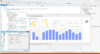
릴리스 노트: Added a new Tornado Series ITornadoSeries A Tornado chart, based on horizontal bars, is useful to show relativities as a scaled set between two categories. Added a new SubMinorTicks property (of type IGaugeSeriesPointer) for ICircularGauge and ILinearGauge series. Combined with the also new ... 더 읽기 본 제품에 관한 더 많은 결과 보기
릴리스 노트: Improvements in ChartListBox performance. Derived Series Editor not updating changes instantly, now fixed. ActiveX bug fixes and related VCL/FMX bug fixes. 0 ... 더 읽기
릴리스 노트: Resize errors in Excel Form VBA have been fixed. 0 ... 더 읽기

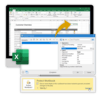
릴리스 노트: objects for your report templates such as gauges, data graphics, checkboxes and PDF files. Charts: Create ... of page numbers. Column width: Well-proportioned data export – the Excel function for automatic column ... width adjustment is now used as a standard feature for data export. Password protection: Use a password ... 더 읽기 본 제품에 관한 더 많은 결과 보기
릴리스 노트: as memory usage continues to increase with data volume. For substantial data exports, executing the process ... is installed. ADO data provider schema caching was changed from static to instance-specific to improve stability ... 더 읽기
릴리스 노트: toolbar, the "Save As" button now includes embedded files as well as "PDF with Data" ... (the former default PDF export), and "PDF" (without data). Print: Option ... WRD: Data structure updated to support PDFs as a field type through AutoDefineField..NET: The Web ... 더 읽기
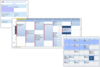
설명: Calendar, Multi Column Day View, Multi Column Resource View and Week View, and 4 data points; Appointment, ... Titles / Sub-Titles, Page Numbers and Viewing Margin. Multi Column View- Time Guide. Data Points ... 더 읽기 본 제품에 관한 더 많은 결과 보기
설명: data points; Appointment, Contact, Location and Task. Calendar COM 64- Key Features Four Calendar Views ... Data Points Appointments. Contacts. Date. Location. Tasks. Multi-Column Day View Sorting Sort ... 더 읽기
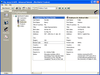
설명: 작성할 수 있습니다. Janus GridEX 2000 에는 다국어 소트 기능이 구성되어 있습니다. Data Access Objects (DAO V3.6) 또는 ActiveX Data ... Data Access Objects (DAO 3.6) 나 새로운 ActiveX Data Objects (ADO 2.x) 를 사용해서 데이터베이스에 직접 접속합니다. 이러한 컨트롤에서는 ... 더 읽기 본 제품에 관한 더 많은 결과 보기
호환성: 소프트웨어: 컴퓨터 설치가 왼료된 Microsoft Visual Basic 6.0 (SP1) 런타임 라이브러리 및 Microsoft の Data Access Components MDAC ... 더 읽기
기능: 셀, 열, 행 레벨의 포맷 – 버전 1.6 에는 많은 고도의 포맷 기능이 있습니다. 버전 2.0에는 이러한 기능이 유지되며, 포맷 서비스의 새로운 세트가 추가되었습니다. 프로그래머는 데이터 표시 방법을 완전하게 제어할 수 있습니다. 통지와 기준을 사용하여 각각의 셀, 열, 행을 포맷할 수 있게 되었습니다. 포맷 작업을 용이하게 하기 위하여 새로운 툴, FormatStyles이 추가되었습니다. FormatStyles은 폰트, 색, 이미지 등의 포맷 정보를 유지하는 별개의 객체입니다. 워드 램프 셀과 직전 행의 서포트 데이터는 단일의 ... 더 읽기
스크린샷: 0 ... 더 읽기 본 제품에 관한 더 많은 결과 보기
릴리스 노트: Also supported is zero-copy WData, along with X, Y, and Z data pointer sharing. Added support ... for ComputeShader and polygon data. Pesgo added a new ComputeShader plotting method, RectHeatmap. Applicable only ... 더 읽기
릴리스 노트: This allows fastest possible 2d scatters as well as now mixing lines, areas, bars and points within big data ... legend to match the Direct3D data rendering, along with improving support for the tinted and masked ... 더 읽기
설명: creates attachment data in memory, there is no need to save attachment file before sending an email. ... AddEmail is able to read attachment data from memory, and your application can specify file name ... 더 읽기 본 제품에 관한 더 많은 결과 보기
설명: creates attachment data in memory, there is no need to save attachment file before sending an email. ... AddEmail is able to read attachment data from memory, and your application can specify file name that the ... 더 읽기

설명: any side or all sides Data Aware Absolute Aligned Tabs- absolute positioning and alignment: left, ... 더 읽기 본 제품에 관한 더 많은 결과 보기
호환성: Operating System for Deployment Windows 2000 Windows NT 4.0 Windows 95 Windows NT 3.51 Windows 3.X Architecture of Product 16Bit 32Bit Product Type Component Component Type ActiveX OCX VBX Built Using MFC V4.0.NET Ready/Tested with.NET RCW No General Includes Digital Signature Microsoft Transaction ... 더 읽기
설명: Paragraph Borders- Single, Double, Shaded, any side or all sides Data Aware Absolute Aligned Tabs- absolute ... 더 읽기
설명: any side or all sides Data Aware Absolute Aligned Tabs- absolute positioning and alignment: left, ... data ... 더 읽기 본 제품에 관한 더 많은 결과 보기
호환성: Operating System for Deployment Windows 2000 Windows 98 Windows NT 4.0 Windows 95 Windows NT 3.51 Windows 3.X Architecture of Product 16Bit Product Type Component Component Type VBX Built Using MFC V4.0.NET Ready/Tested with.NET RCW No General Microsoft Transaction Server Compatible (MTS) ... 더 읽기
설명: Paragraph Borders- Single, Double, Shaded, any side or all sides Data Aware Absolute Aligned Tabs- absolute ... able to handle HTML data ... 더 읽기

설명: any side or all sides Data Aware Absolute Aligned Tabs- absolute positioning and alignment: left, ... 더 읽기 본 제품에 관한 더 많은 결과 보기
호환성: Operating System for Deployment Windows 2000 Windows 98 Windows NT 4.0 Windows 95 Windows NT 3.51 Windows 3.X Architecture of Product 32Bit Product Type Component Component Type ActiveX OCX Built Using MFC V4.0.NET Ready/Tested with.NET RCW No General Includes Digital Signature Microsoft ... 더 읽기
설명: Paragraph Borders- Single, Double, Shaded, any side or all sides Data Aware Absolute Aligned Tabs- absolute ... 더 읽기
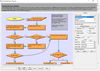
설명: Add work flow diagrams to your applications. MindFusion.Diagramming for ActiveX helps you create and present work flow, algorithm, and process diagrams, database entity-relationship diagrams, object hierarchy and relationship charts, graphs and trees. MindFusion.Diagramming for ActiveX Standard ... 더 읽기 본 제품에 관한 더 많은 결과 보기
릴리스 노트: Multiple labels per node- Allows multiple captions to be displayed for a single flowchart node. You can customize node labels including display and positioning. Miscellaneous The bhMoveLabels behavior now lets user move link and node labels interactively. HorizontalOffset and VerticalOffset now ... 더 읽기
릴리스 노트: Adds support for built-in mouse wheel handling. Mouse wheel- The control now provides built-in mouse wheel handling. By default, rotating the wheel scrolls the view vertically. Users can scroll horizontally by holding down the Shift modifier key while rotating the mouse wheel. The Control modifier ... 더 읽기
전화 : 00798 14 800 6332
팩스 : +1 770 250 6199


