What is a .NET component? .NET components are pre-built pieces of software that you can re-use within the Microsoft .NET Framework (pronounced dot net framework) to help you create your application faster and hopefully with fewer bugs. By re-using .NET software components you not only save time and money, but you also get the opportunity to use other people's expertise and knowledge that will give your app extra functionality and features - fast. In this filtered view of our product catalog you will only find .NET compatible products, these products include both .NET Components and .NET Controls as .NET downloads for you to try and buy.
What is a .NET Control? A .NET Control has a visual aspect and can be used on a form or Web page to control the behavior of the user interface, so the user of the app can use a .NET UI Control to: enter data, click on a button, select from items displayed on a drop down list, draw a chart or graph based on data that they have entered into a .NET datagrid control etc.
What is the difference between a .NET Component and a .NET Control?
A .NET Component does not always have to have a visual interface, for example a .NET Component could work behind the scenes on a server and be used to calculate the tax due on an invoice for goods sold to a customer or to create a PDF version of that invoice and then email it to the customer's email address. .NET Controls are User Interface (UI) controls and they are a subset of .NET Components and as such all .NET Controls are therefore .NET Components, however, the reverse is not true, a .NET Component is not also a .NET Control, as a .NET Component does not have to have a visual or visible interface and it does not have to appear on a Windows form, Web Form or Web page as part of the UI.
In this .NET Components marketplace you will find both .NET Controls and .NET Components - available as commercial grade, quality .NET software component products. You will find ASP.NET controls that you can use as an ASP.NET developer for your latest Web site or Intranet project, VB controls for your Visual Basic app and there are numerous VB .NET control products listed here as VB.NET Controls. If you are a C# developer looking for a C# component or C# controls you will also find a wide selection of C# .NET controls, C# .NET component products and .NET custom control products that will meet your needs.
The range of .NET Component and .NET Control products includes: .NET WinForm Controls, ASP.NET Controls, ASP.NET AJAX Controls, .NET Class Components or .NET Class Libraries, .NET Web Services, .NET Compact Framework (.NET CF) products for mobile & hand-held device apps, .NET LINQ Classes for data access, WPF Controls or Windows Presentation Foundation Controls and Silverlight Controls for the latest .NET Framework 3.0, 3.5 and 4.0 environments. Finally you will also find a special form of ASP.NET server control that can be used inside SharePoint, these are called Web Part Controls.
Our .NET component product range will give you a choice of controls for .NET, whether you are using them as a control in C# or as VB NET controls for your next VB project or in any other .NET development language or .NET based IDE that supports the use of .NET software components. There are well over 1,000 commercial grade, high quality .NET component based products available in this .NET component product gallery that you can search for, compare, download, review, try and buy!
Add linear gauges to your .NET apps. Linear Gauge can be configured with the click of a button. It incorporates scales, tics, handles, bitmaps, shapes, and digital read-outs for configuring virtually any kind of sliding gauge, meter, or mechanism. Programmers fully control scales, needles, fonts, captions, annular, and tics.
Publisher: Dundas Data Visualization Primary Category: Instrumentation Product Type: Component / ASP.NET WebForms / .NET WinForms / .NET Class / Silverlight / 100% Managed Code
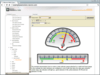
Visualize your data. Dundas Gauge includes a full assortment of gauge types, including circular, linear, angular, thermometer and more to help developers add a new dimension of visualization and analysis to Windows Forms and ASP.NET applications. With full customization ability and full integration into Visual Studio .NET, you can get the exact look and feel you need for your application.
Publisher: Software FX Primary Category: Instrumentation Product Type: Component / ASP.NET WebForms / .NET WinForms / .NET Class / 100% Managed Code / AJAX
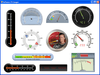
Monitor your critical real-time data using gauge and digital panel representations. Chart FX Gauges is a set of .NET components that allow developers to quickly and effectively integrate gauges into their client-server and web-based applications. Chart FX Gauges includes WinForms & WebForms ( ASP.NET) Radial gauge, Linear gauge, Digital Meter and LED Panel components optimized for real-time with realistic look and adaptive styles for your environment. Chart FX Gauges is AJAX enabled. It can also update images without refreshing the entire page using a combination of client JavaScript and server side bit-streaming.
Monitor realtime data in a flexible gauge. Angular Gauge .NET Component creates a graphical gauge for displaying real-time data. It utilizes double-buffering technology for the speediest screen updates possible. Built-in property pages for 100+ properties, organized by functionality, are extremely easy to use, and very powerful. Optionally they are even available at run-time if desired.
Add data driven gauges to your WPF applications. Syncfusion Essential Gauge for WPF allows the use of XAML and C# code to draw gauges of various designs (circular, digital and linear). Syncfusion Essential Gauge for WPF comes with sophisticated customization support (tick marks, labels, scales, pointers, state indicators etc). With Syncfusion Essential Gauge for WPF, users can display several data points or data ranges in a concise and compact area; data in the control can be easily depicted and quickly understood by users of any level.
Add Silverlight gauges to your business dashboards. Syncfusion Essential Gauge for Silverlight contains circular, digital and linear gauge controls. The circular gauge control represents values by visualizing them in a circular scale. It can be used to create applications with a rich look and feel, such as automotive dashboards. The linear gauge control represents values in a linear scale. The digital gauge control is used to display values as segments. The data given in the control is clearly depicted in an alphanumeric manner. Syncfusion Essential Gauge for Silverlight is very easy to use and very customizable. All elements in the gauge including scales, ticks and labels can be fully customized.
Create stunning gauges for your ASP.NET MVC dashboards. Syncfusion Essential Gauge for ASP.NET MVC includes circular, digital and liner gauges. Each has a highly appealing appearance and can be easily customized. Syncfusion Essential Gauge for ASP.NET MVC can be used in a variety of applications, including dashboards, and they come with various features that make them easy to use. Syncfusion Essential Gauge for ASP.NET MVC allows ASPX and C# code to be incorporated for drawing gauges of various designs.
Create stunning gauges for your dashboards. Syncfusion Essential Gauge includes circular, digital and liner gauges. Each has a highly appealing appearance and can be easily customized. Syncfusion Essential Gauge can be used in a variety of applications, including dashboards, and they come with various features that make them easy to use. Syncfusion Essential Gauge allows C# code to be incorporated for drawing gauges of various designs. Syncfusion Essential Gauge includes ASP.NET MVC, WPF and Silverlight components.
A gauge control for the display of KPIs (Key Performance Indicators). Syncfusion Essential BI Gauge provides users with the ability to display Key Performance Indicators (KPI) from OLAP cubes. KPIs can be displayed with goals and status visualizations (Traffic Light, Road Signs and Standard Arrow types are supported) to help create executive dashboards.
Add gauges and digital dashboards to your Windows Forms applications. XtraGauges Suite ships with over 150 built-in presets and is extremely easy to use; all you need to do is drop a control onto a form. You won't have to manually create elements, customize their appearance, size or layout. Simply choose the template you like best, bind your control to data and you are ready to go. With XtraGauges Suite You can place multiple gauges into one container and enable automatic arrangement. The container will determine the best possible gauge layout for its current size and proportions. If you resize your form, gauges are proportionally resized and their layout is updated so that they use form space most efficiently. XtraGauges Suite ships with comprehensive documentation together with demo applications so you can hit the ground running and deliver stunning gauges with your next WinForms application.