Visual Studio 2008 (Controls & Components, Tools & Add-ins)
Microsoft Visual Studio 2008 (MS Visual Studio 2008) allows Visual Studio 2008 programmers to create Windows applications for their end users fast. Visual Studio 2008 developers can extend the standard functionality available inside the Visual Studio 2008 IDE with a variety of Visual Studio 2008 add-ins and Visual Studio 2008 tools. The extensibility of Visual Studio 2008 software is one of the main reasons it has proved to be so popular with developers, as Visual Studio 2008 software engineers can find Visual Studio 2008 downloads from other companies or other developers to act as a Visual Studio 2008 extension to their Visual Studio 2008 IDE.
The versatility of Visual Studio 2008 also extends to various forms of Visual Studio 2008 software components. Visual Studio 2008 controls can be used to create feature rich Visual Studio 2008 user interfaces on forms and Web pages for Visual Studio 2008 apps. These Visual Studio 2008 UI controls are augmented by non-visual Visual Studio 2008 components or Visual Studio 2008 libraries that can help a developer add many hidden features in Visual Studio 2008 applications running in the background. These non-visual components are commonly available as a Visual C++ library, Visual C++ Class library, Visual Basic library, Visual Basic Class library or as a Visual Basic custom control or ActiveX/OCX component.
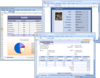
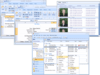
An example of a visual Visual Studio 2008 control is Janus GridEx for .NET, a .NET UI control that allows you to create an MS Outlook style or look and feel to your latest Visual Basic project. A non-visual .NET component example is a Visual Studio 2008 compatible product that allows you to create and output files in different formats, such as: PDF, XPS, PostScript, RTF, HTML, XML to help solve file conversion and document storage needs.
Other examples of a visual Visual Studio 2008 control is BCGControlBar Professional, a Visual C++ Class Library that allows you to create an MS Office Ribbon style or look and feel to your latest Visual C++ project. A non-visual Visual C++ Class Library component example is a Visual C++ compatible product call IP*Works! C++ Edition that allows you to send emails via SMTP and POP or to transfer files reliably using HTTP or FTP Internet protocols from within your Visual C++ program.
The Visual Studio 2008 software products listed in this Visual Studio 2008 product gallery will allow you to save a lot of time and effort in creating your new Visual Studio 2008 app. Whether you are looking for a Visual Studio 2008 plug-in or Visual Studio 2008 utility, or you are looking for a Visual Studio 2008 control or a Visual Studio 2008 component, you will be able to find a wide variety of Visual Studio 2008 tools to help you finish your project faster.
We also have other Visual Studio product galleries for: Visual Studio 2010, Visual Studio 2005, Visual Studio .NET and Visual Studio compatible products.
Organize, edit and display data in hierarchical form. Hierarchical DataGridView is a .NET WinForm grid control that organizes, edits and displays data in hierarchical form. Hierarchical DataGridView is compatible with Visual Studio 2005 and Visual Studio 2008. It is aimed at developers looking for a .NET grid control with data relation, self-referencing hierarchy, datastructure, multilevel data, master-detail, parent-child, category-subcategory, tree or recursion functionality.
Visualize and track changes in data over time. The VantagePoint Trend control can be used to visualize and track changes in data over time from a given data source or set of data sources. Along with tracking live data changes, VantagePoint Trend is also capable of displaying historical data when used in conjunction with generic binding in Status Vision Designer.
Publisher: OnLine ToolWorks Corporation Primary Category: System Administration Product Type: Component / Application / ASP.NET AJAX (ATLAS) / .NET WinForms / .NET WCF / .NET WPF / .NET Web Service / 100% Managed Code
Advanced Job Scheduling to automate your applications. SmartBatch is an easy-to-use advanced job scheduler for the Windows environment. The SmartBatch functionality is geared toward automating your applications. It is a completely integrated solution that makes sure your processing runs and it is successful. Operators are notified of any errors so you know immediately if something has gone wrong.
Publisher: Dundas Data Visualization Primary Category: OLAP Product Type: Component / ASP.NET WebForms / .NET WinForms
Make the most of your company's multidimensional data. Dundas Chart for .NET OLAP Services lets you take full advantage of the new features within SQL Server Analysis Services. Use Dundas Chart for .NET OLAP Services to extend the Enterprise Editions of Dundas Chart for .NET and begin analyzing and charting OLAP data in a matter of seconds with just a few lines of code. Dundas Chart for .NET OLAP Services also includes a grid control and a toolbar for added end-user control. The built-in AJAX features offer improved performance and usability with the inclusion of on-demand loading, the elimination of post-backs and more. Easy-to-use, point-and-click user interfaces allow users to build new data queries and immediately chart the results, graphically and numerically, with simple drag-and-drop operations.
Create intuitive and compelling screens. VantagePoint WPF Controls is a suite of user interface components designed for use by software developers and designers using Microsoft .NET 3.5 as the platform for their software products. VantagePoint consists of Buttons, Sliders, Gauges, LEDs, and other user interface controls that can be used in WPF (Windows Presentation Foundation) Windows or Web applications. VantagePoint controls are highly customizable with dozens of properties for configuring their look and feel.
Take your web application UI design to the next level with VantagePoint Controls for Silverlight. VantagePoint Silverlight Controls has everything designers and developers need to create high quality web user experiences. Using the scalable and highly-customizable user-input and data visualization controls included with VantagePoint Silverlight Controls you will be able to build dashboards for any line of business. VantagePoint Silverlight Controls can be used to create executive dashboards for monitoring key performance indicators for any line of business. By giving them access to vital information through visually compelling interfaces, users will be able to make decisions and respond to business-critical situations without delay. Using XAML as its native file format allows designers and developers to work from the same files making UI development a streamlined process.
Comprehensive set of MIL-STD-2525B military symbols. Military Icon is a single WPF control that can be used to configure 1,200+ military war fighting symbols based on MIL-STD-2525B. This control is intended for use by developers creating WPF application projects targeted for Windows.
Interactive map of the United States for .NET WPF applications. VantagePoint Maps is a single WPF control comprised of a United States composite and 50 child controls representing the individual states. This control is designed for use in .NET 3.5 Windows or Web applications and are compatible with Mobiform's design products or Expression Blend and Visual Studio 2008 by Microsoft. VantagePoint maps allow a developer to animate various regions and change dependency properties on the control.
Publisher: Telerik Primary Category: User Interface Product Type: Component / ASP.NET WebForms / ASP.NET AJAX (ATLAS) / 100% Managed Code
Add rich tooltips to your ASP.NET AJAX applications. RadToolTip is a context-sensitive tool for displaying rich content, detailed information, overlaid forms, or just about anything that should appear over a given element OnMouseOver. The tooltip area is completely customizable and can be loaded on demand with ASP.NET AJAX using different animations.
Publisher: Telerik Primary Category: User Interface Product Type: Component / ASP.NET WebForms / ASP.NET AJAX (ATLAS) / 100% Managed Code
Add a smooth or step-based slider to your ASP.NET AJAX applications. Telerik RadSlider is a flexible UI component that allows users to select a value from a defined range using a smooth or step-based slider. The control is completely customizable in terms of appearance and offers numerous configuration options like orientation, click offset, mouse wheel support, etc.