AnyViewer
Securely access, control and manage remote computers from anywhere.
- Connect to remote computers for work, administration and IT support.
- Transfer files, monitor devices and manage remote desktop sessions.
- Protect remote connections with encryption and two-factor authentication.

Prices from:
| Available as | Our Price |
|---|---|
| AnyViewer Teams | Loading |
| AnyViewer Enterprise | Loading |
Remote Desktop Access
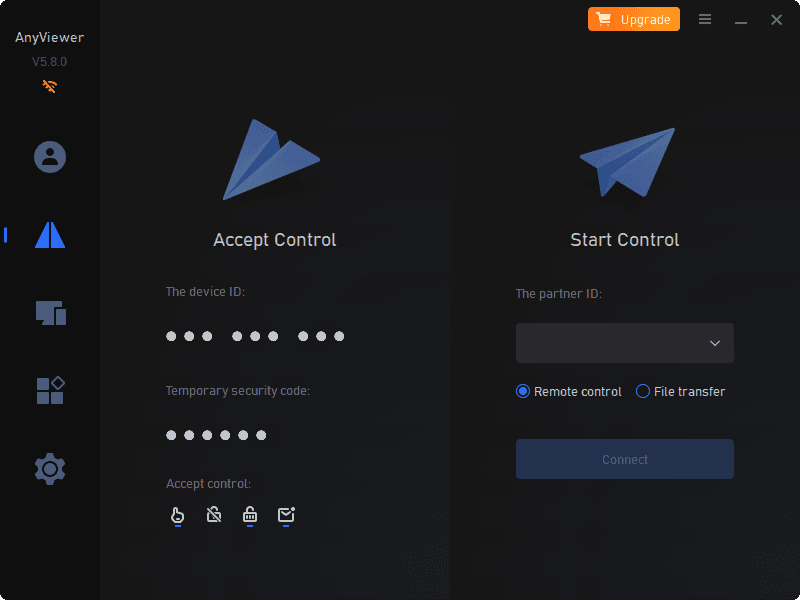
Connect to remote computers over the internet and operate them from another supported device. AnyViewer supports unattended access to assigned devices as well as interactive connections that require the remote user to approve a control request.
Remote IT Support
Provide technical assistance without physically visiting the remote computer. IT staff can connect to systems to investigate issues, perform administrative tasks, install or update software, change Windows settings and communicate with the person at the remote endpoint.
File Transfer and Management
Move files between local and remote computers during remote workflows. The File Transfer Manager provides access to files on remote computers, while drag-and-drop functionality offers another way to move files between connected systems where supported.
Multi-Monitor Viewing
Work with computers that use multiple displays by viewing remote monitors together, separately or individually, depending on the available functionality. Adaptive display capabilities can also resize the remote screen automatically to fit the current viewing window.
Device Monitoring and Management
Organize managed computers into groups and use a hierarchical device list with search options to locate systems. Screen Wall functionality provides real-time monitoring of multiple computers and enables administrators to begin unattended remote access to a selected device.
User and Access Management
Add users to a team and control how they interact with managed devices. Available business management capabilities include custom roles, configurable permissions, user identification notes, and blacklist and whitelist controls based on accounts or device IDs.
Remote Access From Mobile Devices
Access and operate remote computers from supported mobile devices when working away from a desktop system. Mobile access includes customizable shortcuts and key combinations designed to make more complex computer operations practical from a mobile interface.
Screen Mirroring and Communication
Mirror supported mobile device screens to a computer for scenarios such as remote presentations and IT guidance. AnyViewer can also transmit sound from the remote device and provides chat functionality for communication between people at each end of a connection.
Remote Session Privacy and Security
Protect remote sessions using end-to-end encryption and two-factor authentication. Privacy mode can black out the physical screen and disable remote-side input during supported sessions, helping limit local visibility and interaction while a computer is accessed remotely.
Centralized Software Deployment
Deploy AnyViewer across managed computers using deployment codes or supported centralized deployment methods. For applicable environments, administrators can use an MSI installation package with Active Directory domain deployment to install the software across multiple computers.
Product Compatibility
Review the details below to ensure this product is supported within your environment.
Operating System
- Windows Desktop
- Windows Server
Windows Desktop Version
- Windows 11
- Windows 8.1
- Windows 8
Windows Server Version
- Windows Server 2022
- Windows Server 2019
- Windows Server 2016
- Windows Server 2012
About AnyViewer
AnyViewer is a remote desktop software brand developed by AOMEI Technology, a software company established in 2010 in Hong Kong. It focuses on secure remote access technology for individuals and businesses, with software supporting Windows, macOS, iOS, and Android devices. Its AnyViewer remote desktop software covers remote computer access, remote support, remote work, and device control, alongside capabilities such as file transfer and screen mirroring. The brand emphasizes connection stability, accessible interfaces, and data security, including end-to-end encryption based on 256-bit Elliptic Curve Cryptography.


As official and authorized distributors since 2026, ComponentSource supplies you with legitimate licenses directly from AnyViewer.