FlashBack Screen Recorder SDK
Embed powerful screen and video recording into Windows applications.
- Capture screen activity, webcam video, and audio directly within applications.
- Record user interactions including cursor movements and clicks.
- Add overlays or watermarks to recordings for branding or instructional content.

Prices from:
| Available individually | Our Price |
|---|---|
| FlashBack Screen Recorder SDK | Loading |
Screen Recording Integration
Capture screen activity directly within applications, enabling developers to embed recording functionality for tutorials, demonstrations, and user activity tracking.
Webcam Capture
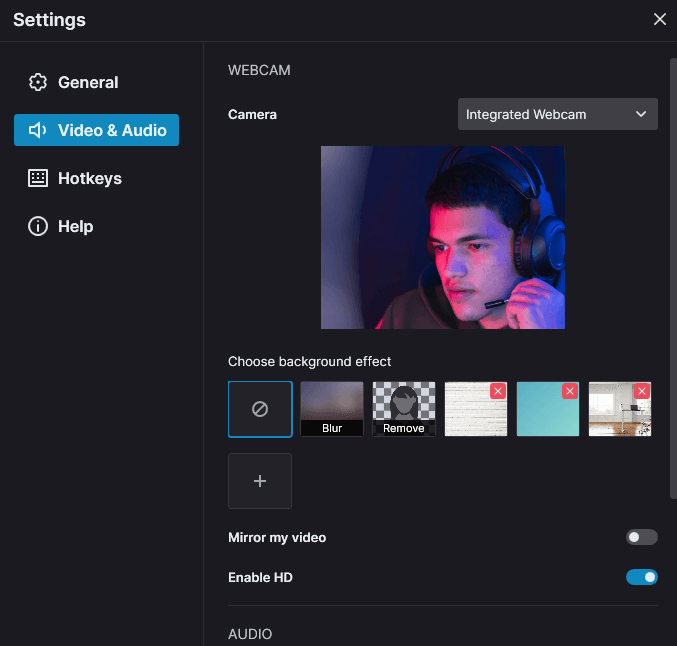
Record webcam video alongside screen recordings, allowing applications to include presenter footage or video overlays in recorded content.
Audio Recording Support
Capture audio from microphones and system sound sources, enabling synchronized audio and video recording for complete multimedia content.
High-Performance Recording
Utilizes hardware acceleration to enable smooth recording performance while reducing CPU usage during screen capture operations.
Multi-Monitor Recording
Record activity across single or multiple monitors, allowing applications to capture complex multi-display workflows.
MP4 Video Output
Save recordings as standard MP4 files using H.264 encoding, ensuring compatibility with common video players and editing tools.
Flexible Recording Controls
Configure recording settings such as frame rate, resolution, and capture sources to match application requirements.
Cursor and Interaction Capture
Record mouse cursor movement, clicks, and on-screen interactions alongside screen content, helping applications capture user activity clearly for demonstrations, tutorials, and training recordings.
Custom Overlays and Watermarks
Add static or animated overlays such as logos, text, or branding elements to recordings during capture, enabling applications to produce branded or instructional video content.
Product Compatibility
Review the details below to ensure this product is supported within your environment.
Component Type
- ActiveX / COM Component
ActiveX/COM Platform
- ActiveX DLL
IDE Support
- Visual Studio
About Blueberry Software
Blueberry Software, founded in 2003 and based in Birmingham, United Kingdom, develops screen recording and video capture software for business, education, and technical communication environments. It is known for the FlashBack product line, which includes tools for screen capture, video recording, webcam integration, and presentation creation. The company focuses on producing easy-to-use applications that support tutorials, demonstrations, training materials, software testing, and remote collaboration. With features designed for both individual users and organizations, it helps teams create and share visual content across desktop and online platforms.
Learn more about Blueberry SoftwareExplore Blueberry Software products

As official and authorized distributors since 2004, ComponentSource supplies you with legitimate licenses directly from Blueberry Software.