ComponentOne Blazor Calendar
Create interactive, customizable monthly calendars in Blazor applications.
- Natively built for Blazor Server and WebAssembly apps.
- Supports multi-month views with customizable orientation.
- Offers flexible navigation, including month and year views.

Prices from:
| Available in | |
|---|---|
| ComponentOne Studio Blazor Edition | Loading |
| ComponentOne Studio Enterprise | Loading |
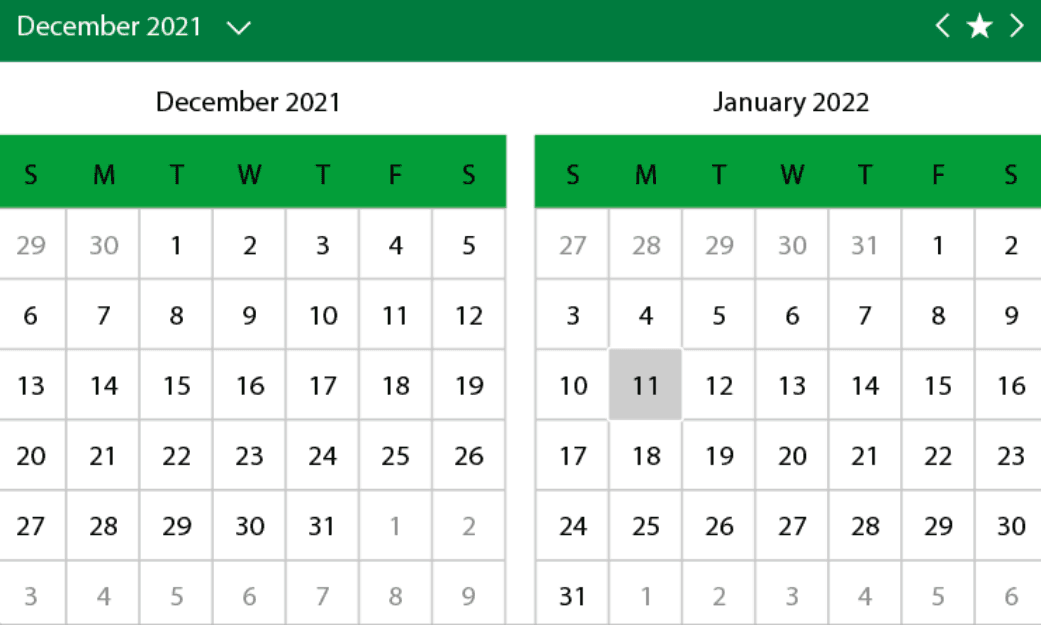
Native Blazor Support
Designed specifically for Blazor, this calendar component runs seamlessly on both Blazor Server and WebAssembly applications, integrating naturally with C# and Razor syntax for web development.
Multi-Month Display
Enable display of multiple adjacent months in a single view. Arrange months horizontally or vertically to suit the application design and improve date visibility across extended periods.
Flexible Navigation Views
Switch effortlessly among month, year, and decade views. Users can quickly navigate to any date, facilitating fast date selection for scenarios like entering birthdates or scheduling events.
Customizable Day Slots
Use HTML templates to customize the content within day slots. This allows displaying events, appointments, or other interactive content within the calendar cells for richer user interaction.
Configurable Display Elements
Control visibility of navigation buttons, adjacent days, and header. Set cultural preferences such as the first day of the week, and customize icons for expand, collapse, today, next, and previous actions.
Styling and Theming Options
Customize default, disabled, selected, and adjacent day styles to align with the application’s appearance. Supports sleek, fluent designs with smooth animations and gesture navigation.
Date Selection Features
Enable single or multiple date selections through an intuitive user interface. Suitable for applications requiring precise date input from end users.
Integrated with Blazor Ecosystem
Part of the broader ComponentOne Blazor suite of UI controls, enabling consistent look and functionality across grids, charts, menus, and more for comprehensive web application development.
Product Compatibility
Review the details below to ensure this product is supported within your environment.
Component Type
- .NET
.NET Version
- .NET 10 LTS
- .NET 9 STS
- .NET 8 LTS
- .NET 6 LTS
.NET Platform
- .NET Blazor / WebAssembly
How to Buy
Available as part of ComponentOne Blazor Edition, and ComponentOne Studio Enterprise.

- Included19+ Blazor Components
- Not included120+ WinForms Controls
- Not included100+ WPF Controls
- Not included30+ WinUI & .NET MAUI Controls
- Not included40+ ASP.NET MVC & Core Controls
- Not included40+ ASP.NET WebForms Controls
- Not includedData Services/Web API
- Not included80+ JavaScript Controls
- Enterprise Controls
- Not includedFinancialChart
- Not includedFlexSheet
- Not includedFlexPivot/OLAP
- Not includedFlexReport Designer
- Not includedReportViewer
- Additional Features
- Not includedIntelliSpell
- Not included2200+ Icons/Images

- Included19+ Blazor Components
- Included120+ WinForms Controls
- Included100+ WPF Controls
- Included30+ WinUI & .NET MAUI Controls
- Included40+ ASP.NET MVC & Core Controls
- Included40+ ASP.NET WebForms Controls
- IncludedData Services/Web API
- Included80+ JavaScript Controls
- Enterprise Controls
- IncludedFinancialChart
- IncludedFlexSheet
- IncludedFlexPivot/OLAP
- IncludedFlexReport Designer
- IncludedReportViewer
- Additional Features
- IncludedIntelliSpell
- Included2200+ Icons/Images
About MESCIUS
MESCIUS, formerly known as GrapeCity, is a leading developer-focused brand established in Japan, with a history spanning over 30 years. It is recognized for its extensive suite of software components, including reporting frameworks, spreadsheet libraries, and Japanese market-oriented input controls. Popular products such as ActiveReports, SPREAD, InputMan, and ComponentOne support both .NET and JavaScript ecosystems and are widely used in business-critical applications. MESCIUS offers distinctive advantages such as proven reliability, comprehensive Japanese localization, and strong technical support, making it a trusted choice for IT professionals and software developers building complex and localized systems.

As official and authorized distributors since 1996, ComponentSource supplies you with legitimate licenses directly from MESCIUS.