ComponentOne ASP.NET Core Barcode
Generate and render barcodes in ASP.NET Core web applications.
- Supports major 1D and 2D barcode formats.
- Enables barcode recognition directly from images and streams.
- Ensure data accuracy and integrity through built-in checksum validation.

Prices from:
| Available in | |
|---|---|
| ComponentOne Studio ASP.NET MVC | Loading |
| ComponentOne Studio Enterprise | Loading |
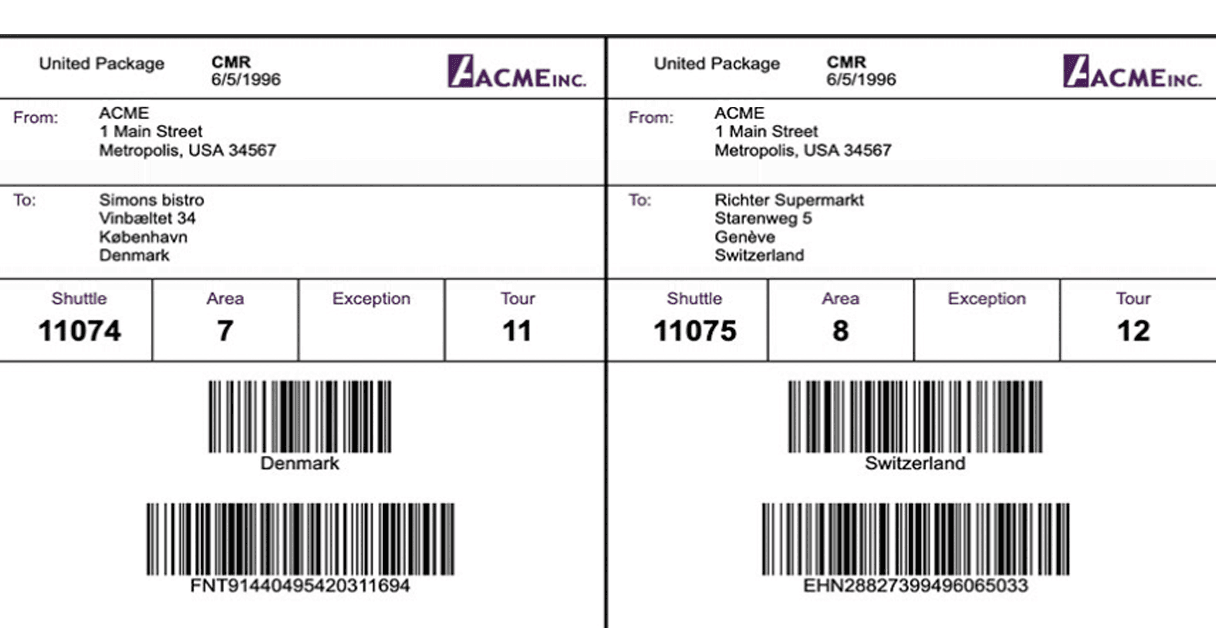
Multiple Barcode Symbologies
Supports generation of 26 different barcode types such as QR code, UPC, PDF417, and others, enabling diverse scanning and data encoding needs within one unified component.
Automatic Symbology Compliance and Validation
Automatically applies barcode-specific rules such as quiet zones, encoding constraints, and required control characters to ensure generated barcodes meet industry standards and scan reliably.
Image Format Options
Barcode images can be output in popular formats including PNG, JPEG, BMP, GIF, and TIFF, supporting usage in reports, PDFs, forms, and more.
Comprehensive Customization
Developers can customize barcode appearance by adjusting foreground and background colors, caption text positions, font styles, and more through component properties or API parameters.
Advanced PDF417 Control Features
PDF417 barcode control supports properties to set columns, rows, error correction level, auto width adjustment, and compact mode, offering flexible symbol configuration.
Integration with Reporting and Data Systems
Designed for seamless embedding of barcodes in web pages, reports, databases, ID cards, and other documents facilitating efficient data exchange and tracking.
ASP.NET Core–Native and Cross-Platform Support
Built for ASP.NET Core and .NET, the barcode library runs consistently across Windows, Linux, and macOS, making it suitable for cloud hosting, containers, and cross-platform deployments.
REST API for Barcode Generation
Provides a RESTful barcode service that generates barcode images on demand using HTTP GET requests, suitable for integration with various client applications.
Product Compatibility
Review the details below to ensure this product is supported within your environment.
Component Type
- .NET
.NET Version
- .NET 10 LTS
- .NET 9 STS
- .NET 8 LTS
- .NET 6 LTS
.NET Platform
- ASP.NET Core Assembly
IDE Support
- Visual Studio
How to Buy
Available as part of ComponentOne ASP.NET MVC Edition, and ComponentOne Studio Enterprise.

- Included40+ ASP.NET MVC & Core Controls
- Not included40+ ASP.NET WebForms Controls
- Not included120+ WinForms Controls
- Not included100+ WPF Controls
- Not included30+ WinUI & .NET MAUI Controls
- Not included19+ Blazor Components
- Not includedData Services/Web API
- Not included80+ JavaScript Controls
- Enterprise Controls
- Not includedFinancialChart
- Not includedFlexSheet
- Not includedFlexPivot/OLAP
- Not includedFlexReport Designer
- Not includedReportViewer
- Additional Features
- Not includedIntelliSpell
- Not included2200+ Icons/Images

- Included40+ ASP.NET MVC & Core Controls
- Included40+ ASP.NET WebForms Controls
- Included120+ WinForms Controls
- Included100+ WPF Controls
- Included30+ WinUI & .NET MAUI Controls
- Included19+ Blazor Components
- IncludedData Services/Web API
- Included80+ JavaScript Controls
- Enterprise Controls
- IncludedFinancialChart
- IncludedFlexSheet
- IncludedFlexPivot/OLAP
- IncludedFlexReport Designer
- IncludedReportViewer
- Additional Features
- IncludedIntelliSpell
- Included2200+ Icons/Images
About MESCIUS
MESCIUS, formerly known as GrapeCity, is a leading developer-focused brand established in Japan, with a history spanning over 30 years. It is recognized for its extensive suite of software components, including reporting frameworks, spreadsheet libraries, and Japanese market-oriented input controls. Popular products such as ActiveReports, SPREAD, InputMan, and ComponentOne support both .NET and JavaScript ecosystems and are widely used in business-critical applications. MESCIUS offers distinctive advantages such as proven reliability, comprehensive Japanese localization, and strong technical support, making it a trusted choice for IT professionals and software developers building complex and localized systems.

As official and authorized distributors since 1996, ComponentSource supplies you with legitimate licenses directly from MESCIUS.