ComponentOne ASP.NET Core MultiRow Datagrid
Create compact, multi-row data grids for ASP.NET Core web apps.
- Wrap columns in stacked rows to reduce horizontal scrolling.
- Customize row layouts and collapse column headers.
- Includes grouping, filtering, paging, and export capabilities.

Prices from:
| Available in | |
|---|---|
| ComponentOne Studio Enterprise | Loading |
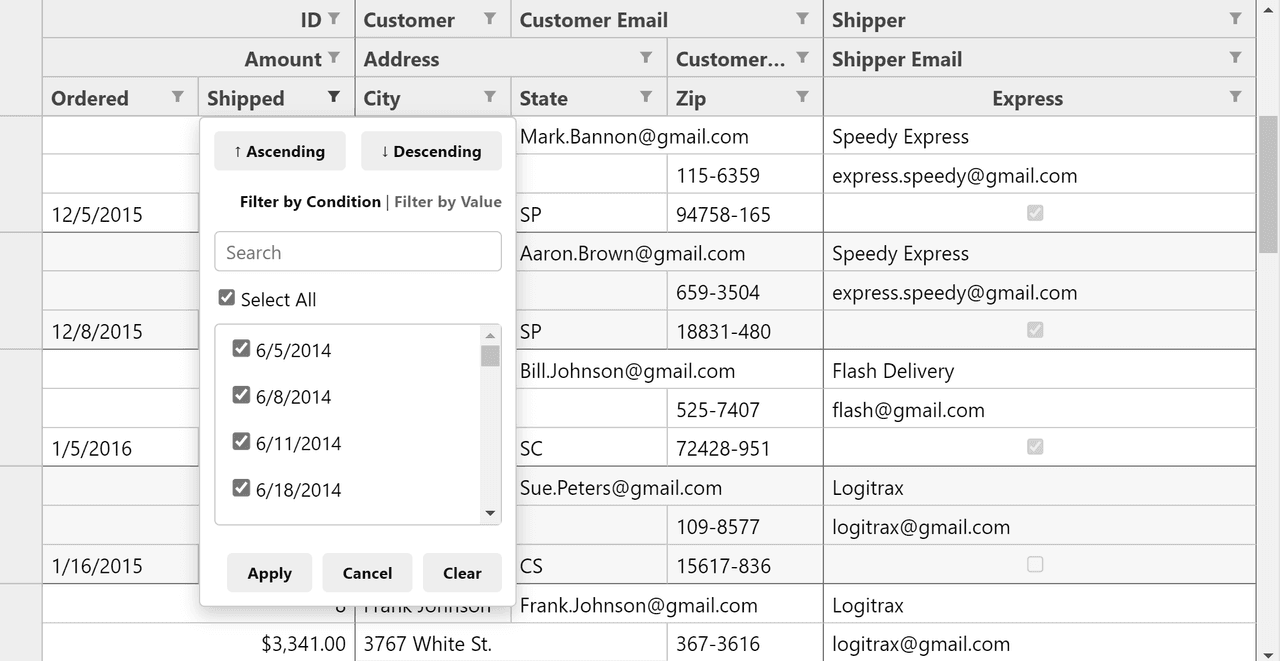
Customizable Row Layout
Define the layout of cells by specifying groups and column spans. The grid arranges cells in rows that wrap content similar to text paragraphs, optimizing space and readability.
Collapsible Column Headers
Users can collapse and expand headers to show group names only, reducing visual clutter and enabling a more compact display of data columns.
Multi-Row Grouping with Aggregates
Supports grouping by code or user interaction and displays multi-row group headers with aggregate values for summarized data insights.
Transposed Multi-Row View
Offers a transposed layout mode that swaps rows and columns, showing records horizontally, which is useful for datasets with few data items.
Sorting and Filtering
Includes built-in sorting with ascending and descending options by header clicks and Excel-like filtering features with dropdowns and exclusive value searches.
Row and Column Freezing
Provides Excel-style freezing to keep selected rows or columns visible while scrolling through the dataset for enhanced usability.
Paging and Virtual Scrolling
Supports configurable paging with navigation UI and virtual scrolling to efficiently handle large data sets, optionally performing operations server-side.
Custom Cells and Editors
Enables customized cell templates, conditional formatting, and various built-in editors such as for numbers, dates, checkboxes, and combo boxes.
Validation Support
Supports unobtrusive validation for common use cases including required fields, numeric ranges, and formatted data like email addresses.
Export to Excel and PDF
Allows exporting grid data to Excel (XLSX) and PDF formats preserving formatting such as fonts, colors, alignment, and dimensions for reporting purposes.
Product Compatibility
Review the details below to ensure this product is supported within your environment.
Component Type
- .NET
.NET Version
- .NET 10 LTS
- .NET 9 STS
- .NET 8 LTS
- .NET 6 LTS
.NET Platform
- ASP.NET Core Assembly
IDE Support
- Visual Studio
How to Buy
Available as part of ComponentOne Studio Enterprise.

- Included40+ ASP.NET MVC & Core Controls
- Included40+ ASP.NET WebForms Controls
- Included120+ WinForms Controls
- Included100+ WPF Controls
- Included30+ WinUI & .NET MAUI Controls
- Included19+ Blazor Components
- IncludedData Services/Web API
- Included80+ JavaScript Controls
- Enterprise Controls
- IncludedFinancialChart
- IncludedFlexSheet
- IncludedFlexPivot/OLAP
- IncludedFlexReport Designer
- IncludedReportViewer
- Additional Features
- IncludedIntelliSpell
- Included2200+ Icons/Images
About MESCIUS
MESCIUS, formerly known as GrapeCity, is a leading developer-focused brand established in Japan, with a history spanning over 30 years. It is recognized for its extensive suite of software components, including reporting frameworks, spreadsheet libraries, and Japanese market-oriented input controls. Popular products such as ActiveReports, SPREAD, InputMan, and ComponentOne support both .NET and JavaScript ecosystems and are widely used in business-critical applications. MESCIUS offers distinctive advantages such as proven reliability, comprehensive Japanese localization, and strong technical support, making it a trusted choice for IT professionals and software developers building complex and localized systems.

As official and authorized distributors since 1996, ComponentSource supplies you with legitimate licenses directly from MESCIUS.