ComponentOne Data Services TextParser
Parse and extract text from semi-structured text and markup formats.
- Supports extraction from plain text, HTML, and CSV files.
- Offers flexible extraction using regex and XML templates.
- Outputs parsed data in JSON for easy integration.

Prices from:
| Available in | |
|---|---|
| ComponentOne Studio Data Services Edition | Loading |
| ComponentOne Studio WinForms Data Services Edition | Loading |
| ComponentOne Studio Enterprise | Loading |
Multi-Format Text Extraction
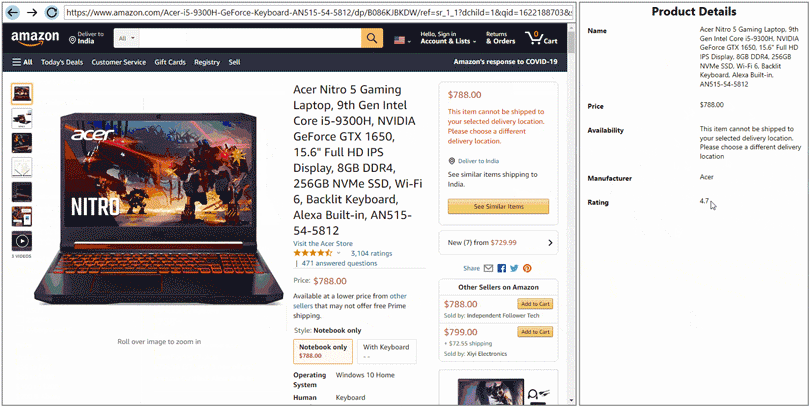
Extract text from plain text documents, HTML files, and CSV data with specialized extractors suited to each format, ensuring accurate parsing regardless of file type.
Starts-After-Continues-Until Extractor
Extracts text between two specified regular expression patterns to isolate relevant content within a document by providing start and end markers.
Template-Based Extraction
Leverages user-defined XML templates to declaratively define and parse complex and nested data structures within plain text, returning extracted data as JSON.
HTML Extractor
Specialized for parsing HTML markup, this extractor handles complex HTML documents, capturing data even with unexpected characters embedded in the markup.
Expression-Based Matching
Utilizes regular expressions to identify text patterns or phrases and extract data following or within matched expressions, supporting script-based rules for advanced parsing needs.
JSON Output of Extracted Data
Parsed results are output in JSON format, enabling seamless integration with other systems or analytic workflows that consume structured data.
Automated Data Extraction Integration
Integrate text parsing into automated processing pipelines to handle repetitive extraction tasks efficiently. TextParser enables structured data retrieval from semi-structured sources, allowing developers to incorporate parsing logic into custom applications, services, or background processes without manual intervention.
.NET Standard 2.0 Support
Compatible with all .NET Standard 2.0 frameworks, making it suitable for desktop, web, and mobile applications across various platforms.
Product Compatibility
Review the details below to ensure this product is supported within your environment.
Component Type
- .NET
.NET Version
- .NET 8 LTS
- .NET 6 LTS
- .NET 4.8 or earlier
.NET Platform
- .NET Assembly
- .NET Class
How to Buy
Available as part of ComponentOne Data Services Edition, ComponentOne WinForms Data Services Edition, and ComponentOne Studio Enterprise.

- IncludedData Services/Web API
- Not included120+ WinForms Controls
- Not included100+ WPF Controls
- Not included30+ WinUI & .NET MAUI Controls
- Not included40+ ASP.NET MVC & Core Controls
- Not included40+ ASP.NET WebForms Controls
- Not included19+ Blazor Components
- Not included80+ JavaScript Controls
- Enterprise Controls
- Not includedFinancialChart
- Not includedFlexSheet
- Not includedFlexPivot/OLAP
- Not includedFlexReport Designer
- Not includedReportViewer
- Additional Features
- Not includedIntelliSpell
- Not included2200+ Icons/Images

- IncludedData Services/Web API
- Included120+ WinForms Controls
- Not included100+ WPF Controls
- Not included30+ WinUI & .NET MAUI Controls
- Not included40+ ASP.NET MVC & Core Controls
- Not included40+ ASP.NET WebForms Controls
- Not included19+ Blazor Components
- Not included80+ JavaScript Controls
- Enterprise Controls
- Not includedFinancialChart
- Not includedFlexSheet
- Not includedFlexPivot/OLAP
- Not includedFlexReport Designer
- Not includedReportViewer
- Additional Features
- Not includedIntelliSpell
- Not included2200+ Icons/Images

- IncludedData Services/Web API
- Included120+ WinForms Controls
- Included100+ WPF Controls
- Included30+ WinUI & .NET MAUI Controls
- Included40+ ASP.NET MVC & Core Controls
- Included40+ ASP.NET WebForms Controls
- Included19+ Blazor Components
- Included80+ JavaScript Controls
- Enterprise Controls
- IncludedFinancialChart
- IncludedFlexSheet
- IncludedFlexPivot/OLAP
- IncludedFlexReport Designer
- IncludedReportViewer
- Additional Features
- IncludedIntelliSpell
- Included2200+ Icons/Images
About MESCIUS
MESCIUS, formerly known as GrapeCity, is a leading developer-focused brand established in Japan, with a history spanning over 30 years. It is recognized for its extensive suite of software components, including reporting frameworks, spreadsheet libraries, and Japanese market-oriented input controls. Popular products such as ActiveReports, SPREAD, InputMan, and ComponentOne support both .NET and JavaScript ecosystems and are widely used in business-critical applications. MESCIUS offers distinctive advantages such as proven reliability, comprehensive Japanese localization, and strong technical support, making it a trusted choice for IT professionals and software developers building complex and localized systems.

As official and authorized distributors since 1996, ComponentSource supplies you with legitimate licenses directly from MESCIUS.