ComponentOne .NET MAUI FlexGrid
Display, edit, and analyze tabular data in .NET MAUI apps.
- Supports Windows, Mac, iOS, and Android platforms with one codebase.
- High-performance grid with adaptive layouts and live data updates.
- Features include grouping, sorting, filtering, editing, and tree structures.

Prices from:
| Available in | |
|---|---|
| ComponentOne WinUI and MAUI Edition | Loading |
| ComponentOne Studio Enterprise | Loading |
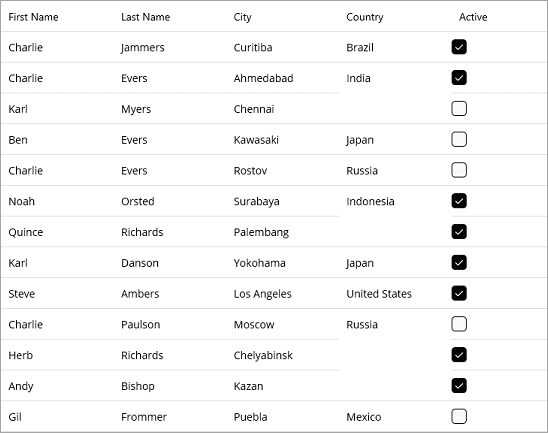
Cross-Platform Support
FlexGrid runs natively on Windows (WinUI), macOS, iOS, and Android devices, enabling consistent data presentations across all major operating systems with one shared C# codebase.
Adaptive Column Sizing
Columns automatically resize to fit device screen sizes, providing responsive layouts. Users can also adjust column widths at runtime for tailored views.
Advanced Data Interaction
Supports cell, row, range, and checkbox selections with touch-friendly features to enable rich user interactions such as drill-down details and inline editing.
Hierarchical TreeGrid Mode
Implements collapsible hierarchical data views similar to a tree structure, supporting parent-child relationships with expand/collapse toggles.
Data Editing and Export
Allows adding, editing, and deleting rows with inline editing and popup editors optimized for mobile data entry. Data can be exported to CSV, TXT, or HTML formats.
Sorting, Filtering, and Grouping
Users can sort by multiple columns, filter data dynamically with a built-in filter row or search box, and group data with customizable aggregated headers.
Performance Optimization
Handles large data sets efficiently with features like on-demand data loading (virtual mode), paging controls, and live data updates for real-time dashboards.
Customizable Appearance
Offers extensive styling options including conditional formatting, cell merging, and freezing rows or columns to improve data readability and user experience.
Developer-Friendly API
Built with a familiar and easy-to-use API reflecting a long-standing .NET datagrid heritage, reducing the learning curve for developers transitioning to MAUI.
Product Compatibility
Review the details below to ensure this product is supported within your environment.
Component Type
- .NET
.NET Version
- .NET 10 LTS
- .NET 9 STS
- .NET 8 LTS
- .NET 7 STS
- .NET 6 LTS
.NET Platform
- .NET MAUI
IDE Support
- Visual Studio
How to Buy
Available as part of ComponentOne WinUI & MAUI Edition, or ComponentOne Studio Enterprise.

- Included30+ WinUI & .NET MAUI Controls
- Not included120+ WinForms Controls
- Not included100+ WPF Controls
- Not included40+ ASP.NET MVC & Core Controls
- Not included40+ ASP.NET WebForms Controls
- Not included19+ Blazor Components
- Not includedData Services/Web API
- Not included80+ JavaScript Controls
- Enterprise Controls
- Not includedFinancialChart
- Not includedFlexSheet
- Not includedFlexPivot/OLAP
- Not includedFlexReport Designer
- Not includedReportViewer
- Additional Features
- Not includedIntelliSpell
- Not included2200+ Icons/Images

- Included30+ WinUI & .NET MAUI Controls
- Included120+ WinForms Controls
- Included100+ WPF Controls
- Included40+ ASP.NET MVC & Core Controls
- Included40+ ASP.NET WebForms Controls
- Included19+ Blazor Components
- IncludedData Services/Web API
- Included80+ JavaScript Controls
- Enterprise Controls
- IncludedFinancialChart
- IncludedFlexSheet
- IncludedFlexPivot/OLAP
- IncludedFlexReport Designer
- IncludedReportViewer
- Additional Features
- IncludedIntelliSpell
- Included2200+ Icons/Images
About MESCIUS
MESCIUS, formerly known as GrapeCity, is a leading developer-focused brand established in Japan, with a history spanning over 30 years. It is recognized for its extensive suite of software components, including reporting frameworks, spreadsheet libraries, and Japanese market-oriented input controls. Popular products such as ActiveReports, SPREAD, InputMan, and ComponentOne support both .NET and JavaScript ecosystems and are widely used in business-critical applications. MESCIUS offers distinctive advantages such as proven reliability, comprehensive Japanese localization, and strong technical support, making it a trusted choice for IT professionals and software developers building complex and localized systems.

As official and authorized distributors since 1996, ComponentSource supplies you with legitimate licenses directly from MESCIUS.