ComponentOne ASP.NET MVC Gauges
Dynamic gauges for ASP.NET MVC to visualize key data effectively.
- Includes linear, radial, and bullet graph gauge types.
- Supports rich customization of shapes, colors, and ranges.
- Optimized for dashboards with scalable, pixel-perfect rendering.

Prices from:
| Available in | |
|---|---|
| ComponentOne Studio ASP.NET MVC | Loading |
| ComponentOne Studio Enterprise | Loading |
Linear Gauge
Displays values along a straight scale using a pointer, ideal for measuring data like temperature or length. It supports vertical or horizontal alignment and can act as an input control for user interaction.
Radial Gauge
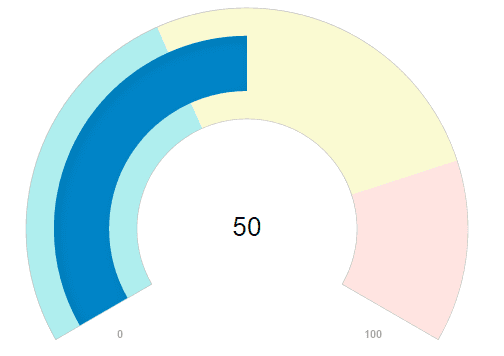
Presents values on a circular scale with a curved pointer. The scale’s start and sweep angles can be customized to create various radial shapes, suitable for data such as speed or volume.
Bullet Graph
A specialized linear gauge variant designed for dashboards, showing a primary value against target and qualitative ranges. It instantly indicates performance status, like sales targets or progress measures.
Customizable Display Values
Gauges can show numeric values as text, including current, minimum, and maximum, configurable through simple properties to enhance data clarity.
Configurable Ranges
Support multiple customizable color-coded ranges that visually segment the gauge to highlight zones of interest, with the gauge pointer adapting its color based on the current value's range.
Pointer and Needle Options
Provide options for both filled bar pointers and customizable needles with variable shapes and sizes to suit different visual preferences and use cases.
Themes and Styling
The appearance is controlled via CSS, with several professionally designed themes available to ensure a consistent and appealing look across applications.
Vector-Based Graphics
Scalable vector rendering guarantees pixel-perfect visualization that resizes proportionally on any screen size or resolution, enhancing UI responsiveness and quality.
Interactive Input Capabilities
Gauges can be configured to allow user interaction via keyboard, mouse, or touch, including features like mouse wheel value adjustment and keyboard navigation.
Comprehensive Event Handling
Includes events for value changes, focus, input validation, and rendering to support dynamic application logic and user feedback integration.
Product Compatibility
Review the details below to ensure this product is supported within your environment.
Component Type
- .NET
.NET Version
- .NET 4.8 or earlier
.NET Platform
- ASP.NET MVC
IDE Support
- Visual Studio
How to Buy
Available as part of ComponentOne ASP.NET MVC Edition, and ComponentOne Studio Enterprise.

- Included40+ ASP.NET MVC & Core Controls
- Not included40+ ASP.NET WebForms Controls
- Not included120+ WinForms Controls
- Not included100+ WPF Controls
- Not included30+ WinUI & .NET MAUI Controls
- Not included19+ Blazor Components
- Not includedData Services/Web API
- Not included80+ JavaScript Controls
- Enterprise Controls
- Not includedFinancialChart
- Not includedFlexSheet
- Not includedFlexPivot/OLAP
- Not includedFlexReport Designer
- Not includedReportViewer
- Additional Features
- Not includedIntelliSpell
- Not included2200+ Icons/Images

- Included40+ ASP.NET MVC & Core Controls
- Included40+ ASP.NET WebForms Controls
- Included120+ WinForms Controls
- Included100+ WPF Controls
- Included30+ WinUI & .NET MAUI Controls
- Included19+ Blazor Components
- IncludedData Services/Web API
- Included80+ JavaScript Controls
- Enterprise Controls
- IncludedFinancialChart
- IncludedFlexSheet
- IncludedFlexPivot/OLAP
- IncludedFlexReport Designer
- IncludedReportViewer
- Additional Features
- IncludedIntelliSpell
- Included2200+ Icons/Images
About MESCIUS
MESCIUS, formerly known as GrapeCity, is a leading developer-focused brand established in Japan, with a history spanning over 30 years. It is recognized for its extensive suite of software components, including reporting frameworks, spreadsheet libraries, and Japanese market-oriented input controls. Popular products such as ActiveReports, SPREAD, InputMan, and ComponentOne support both .NET and JavaScript ecosystems and are widely used in business-critical applications. MESCIUS offers distinctive advantages such as proven reliability, comprehensive Japanese localization, and strong technical support, making it a trusted choice for IT professionals and software developers building complex and localized systems.

As official and authorized distributors since 1996, ComponentSource supplies you with legitimate licenses directly from MESCIUS.