ComponentOne ASP.NET MVC UI Notification Controls
Display popups, popovers, and dialogs in MVC applications.
- Show contextual popovers anchored to interface elements.
- Display modal or centered dialog windows.
- Render arbitrary content inside interactive popup panels.

Prices from:
| Available in | |
|---|---|
| ComponentOne Studio ASP.NET MVC | Loading |
| ComponentOne Studio Enterprise | Loading |
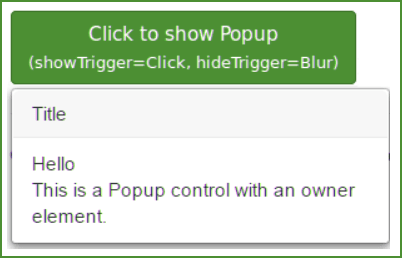
Arbitrary Content Rendering In Popups
Display custom HTML, forms, messages, or dynamic data inside popup containers. Integrate interactive elements such as input fields and buttons, allowing developers to present rich content without navigating away from the current view.
Popover Display Relative To Owner Elements
Attach popovers to specific owner elements within the page layout. Control visibility through the associated element and position the popover relative to it, enabling contextual help, inline editing, or targeted information display.
Centered Dialog Presentation
Render dialog windows without owner elements that appear toward the center of the screen. Use this approach for confirmations, alerts, or data entry scenarios that require focused user attention.
Flexible Visibility Control
Manage when popups, popovers, or dialogs appear and close through server side configuration and client side logic. Trigger display based on user interaction, validation outcomes, or application events.
Modal And Non Modal Behavior
Configure components to operate as modal overlays that block background interaction or as non modal elements that allow continued use of the underlying interface, depending on application requirements.
Event Driven Interaction Handling
Respond to open, close, and action events with custom scripts. Execute business logic when users confirm actions, submit forms within dialogs, or dismiss popovers, integrating popup behavior into broader workflows.
Server Side Configuration With MVC Integration
Define popup behavior, content, and positioning using ASP.NET MVC helpers and Razor syntax. Bind configuration settings to models and controllers, maintaining consistency with established MVC design patterns.
Responsive Layout Adaptation
Ensure popup and dialog components adapt to different screen sizes and resolutions. Maintain usability across desktop and mobile environments by adjusting positioning and dimensions according to available viewport space.
Customizable Styling And Appearance
Apply CSS styling and configuration options to align popup components with application branding. Control visual elements such as size, borders, and transitions to maintain a consistent user interface design.
Product Compatibility
Review the details below to ensure this product is supported within your environment.
Component Type
- .NET
.NET Version
- .NET 4.8 or earlier
.NET Platform
- ASP.NET MVC
IDE Support
- Visual Studio
How to Buy
Available as part of ComponentOne ASP.NET MVC Edition, and ComponentOne Studio Enterprise.

- Included40+ ASP.NET MVC & Core Controls
- Not included40+ ASP.NET WebForms Controls
- Not included120+ WinForms Controls
- Not included100+ WPF Controls
- Not included30+ WinUI & .NET MAUI Controls
- Not included19+ Blazor Components
- Not includedData Services/Web API
- Not included80+ JavaScript Controls
- Enterprise Controls
- Not includedFinancialChart
- Not includedFlexSheet
- Not includedFlexPivot/OLAP
- Not includedFlexReport Designer
- Not includedReportViewer
- Additional Features
- Not includedIntelliSpell
- Not included2200+ Icons/Images

- Included40+ ASP.NET MVC & Core Controls
- Included40+ ASP.NET WebForms Controls
- Included120+ WinForms Controls
- Included100+ WPF Controls
- Included30+ WinUI & .NET MAUI Controls
- Included19+ Blazor Components
- IncludedData Services/Web API
- Included80+ JavaScript Controls
- Enterprise Controls
- IncludedFinancialChart
- IncludedFlexSheet
- IncludedFlexPivot/OLAP
- IncludedFlexReport Designer
- IncludedReportViewer
- Additional Features
- IncludedIntelliSpell
- Included2200+ Icons/Images
About MESCIUS
MESCIUS, formerly known as GrapeCity, is a leading developer-focused brand established in Japan, with a history spanning over 30 years. It is recognized for its extensive suite of software components, including reporting frameworks, spreadsheet libraries, and Japanese market-oriented input controls. Popular products such as ActiveReports, SPREAD, InputMan, and ComponentOne support both .NET and JavaScript ecosystems and are widely used in business-critical applications. MESCIUS offers distinctive advantages such as proven reliability, comprehensive Japanese localization, and strong technical support, making it a trusted choice for IT professionals and software developers building complex and localized systems.

As official and authorized distributors since 1996, ComponentSource supplies you with legitimate licenses directly from MESCIUS.