ComponentOne UWP Zip
Manage zip files efficiently within UWP applications with extensive features.
- Create, open, and modify zip files in UWP applications.
- Handle zip entries with asynchronous and batch operations.
- Configure compression, encoding, and file overwriting options.

Prices from:
| Available in | |
|---|---|
| ComponentOne WinUI and MAUI Edition | Loading |
| ComponentOne Studio Enterprise | Loading |
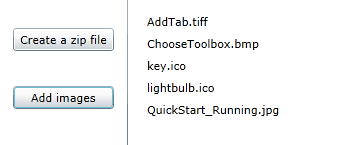
Create and Open ZIP Files
The component enables creation of new ZIP archives or opening of existing ones from streams or StorageFiles, supporting both synchronous and asynchronous methods.
Manage Zip Entries
It provides a collection interface to access ZIP entries by name, allowing developers to add, remove, or retrieve entries efficiently. Both single and range entry operations are supported.
Asynchronous File and Folder Addition
Developers can add individual files or entire folders asynchronously into the ZIP archive, improving app responsiveness and user experience during large file operations.
Compression and Encoding Control
Users can configure the compression level for entries and specify UTF8 encoding for file names and comments.
Password Protection
The component supports password assignment to ZIP archives, enabling encryption and secure handling of compressed data when needed.
File Overwrite Settings
Options are available to control overwriting of hidden, read-only, and system files during extraction.
Stream-Based Entry Access and Extraction
Entries within ZIP files can be read or written using streams, facilitating extraction to memory variables or writing to archives in a controlled manner.
Batch Operations Support
Batch mode features allow multiple operations on ZIP files to be grouped and finalized together.
Integrated Event Handling for Progress Reporting
The component exposes progress events during reading and writing operations, enabling developers to implement responsive feedback within user interfaces.
Product Compatibility
Review the details below to ensure this product is supported within your environment.
Component Type
- Windows UWP Control
IDE Support
- Visual Studio
How to Buy
UWP is no longer supported by MESCIUS however you can get the controls as part of ComponentOne WinUI & MAUI Edition, or ComponentOne Studio Enterprise.

- Included30+ WinUI & .NET MAUI Controls
- Not included120+ WinForms Controls
- Not included100+ WPF Controls
- Not included40+ ASP.NET MVC & Core Controls
- Not included40+ ASP.NET WebForms Controls
- Not included19+ Blazor Components
- Not includedData Services/Web API
- Not included80+ JavaScript Controls
- Enterprise Controls
- Not includedFinancialChart
- Not includedFlexSheet
- Not includedFlexPivot/OLAP
- Not includedFlexReport Designer
- Not includedReportViewer
- Additional Features
- Not includedIntelliSpell
- Not included2200+ Icons/Images

- Included30+ WinUI & .NET MAUI Controls
- Included120+ WinForms Controls
- Included100+ WPF Controls
- Included40+ ASP.NET MVC & Core Controls
- Included40+ ASP.NET WebForms Controls
- Included19+ Blazor Components
- IncludedData Services/Web API
- Included80+ JavaScript Controls
- Enterprise Controls
- IncludedFinancialChart
- IncludedFlexSheet
- IncludedFlexPivot/OLAP
- IncludedFlexReport Designer
- IncludedReportViewer
- Additional Features
- IncludedIntelliSpell
- Included2200+ Icons/Images
About MESCIUS
MESCIUS, formerly known as GrapeCity, is a leading developer-focused brand established in Japan, with a history spanning over 30 years. It is recognized for its extensive suite of software components, including reporting frameworks, spreadsheet libraries, and Japanese market-oriented input controls. Popular products such as ActiveReports, SPREAD, InputMan, and ComponentOne support both .NET and JavaScript ecosystems and are widely used in business-critical applications. MESCIUS offers distinctive advantages such as proven reliability, comprehensive Japanese localization, and strong technical support, making it a trusted choice for IT professionals and software developers building complex and localized systems.

As official and authorized distributors since 1996, ComponentSource supplies you with legitimate licenses directly from MESCIUS.