ComponentOne ASP.NET Web Forms Excel
Create and export Excel files seamlessly in ASP.NET Web Forms.
- Create, open and modify Excel files from your .NET code.
- Supports reading, modifying, and saving XLS and XLSX formats.
- Allows advanced Excel features like formulas, comments, and images.

Prices from:
| Available in | |
|---|---|
| ComponentOne Studio ASP.NET MVC | Loading |
| ComponentOne Studio Enterprise | Loading |
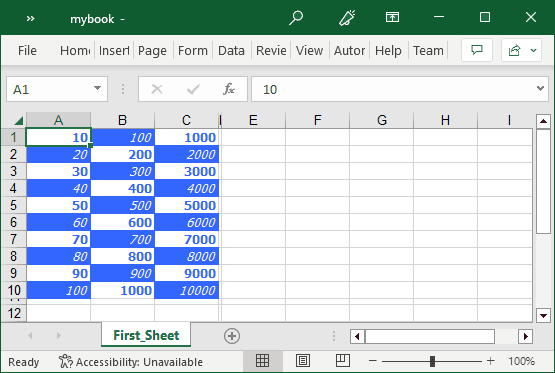
Excel Export from Grid Controls
Export data displayed in ComponentOne GridView controls to Excel files with built-in support for XLS and XLSX formats, enhancing data portability and user reporting capabilities within your web applications.
Programmatically Edit Excel Workbooks
Create new or open existing Excel workbooks directly within your ASP.NET Web Forms application. Insert or update data, format cells, and manage worksheets through intuitive API calls in C# or VB.NET.
Comprehensive Excel File Support
Read and write Microsoft Excel files in XLS and XLSX formats, including macro-enabled XLSM files. The library handles various Excel versions without relying on Excel being installed on the server or clients.
Cell Formatting and Styling
Customize the appearance of individual cells, rows, and columns by applying fonts, colors, number formats, date formats, and more, ensuring your spreadsheets match your application’s visual standards.
Cell Formulas and Calculations
Define and manage Excel formulas programmatically, allowing dynamic computation of values within cells. The control supports full binary formula parsing for accurate Excel functionality.
Graphics and Comments Integration
Insert images into cells or worksheet headers and footers, and manage cell comments (notes) to provide users with additional context, annotations or hyperlinks within their spreadsheets.
Efficient Export to Excel with Event Handling
Leverage event-driven methods to export GridView data quickly, supporting custom options for styling and data transformation during export, optimizing users’ interaction with Excel content.
Product Compatibility
Review the details below to ensure this product is supported within your environment.
Component Type
- .NET
.NET Version
- .NET 4.8 or earlier
.NET Platform
- .NET Class
- ASP.NET
- ASP.NET AJAX
IDE Support
- Visual Studio
How to Buy
Available as part of ComponentOne ASP.NET Web Forms Edition, and ComponentOne Studio Enterprise.

- Included40+ ASP.NET WebForms Controls
- Not included40+ ASP.NET MVC & Core Controls
- Not included120+ WinForms Controls
- Not included100+ WPF Controls
- Not included30+ WinUI & .NET MAUI Controls
- Not included19+ Blazor Components
- Not includedData Services/Web API
- Not included80+ JavaScript Controls
- Enterprise Controls
- Not includedFinancialChart
- Not includedFlexSheet
- Not includedFlexPivot/OLAP
- Not includedFlexReport Designer
- Not includedReportViewer
- Additional Features
- Not includedIntelliSpell
- Not included2200+ Icons/Images

- Included40+ ASP.NET WebForms Controls
- Included40+ ASP.NET MVC & Core Controls
- Included120+ WinForms Controls
- Included100+ WPF Controls
- Included30+ WinUI & .NET MAUI Controls
- Included19+ Blazor Components
- IncludedData Services/Web API
- Included80+ JavaScript Controls
- Enterprise Controls
- IncludedFinancialChart
- IncludedFlexSheet
- IncludedFlexPivot/OLAP
- IncludedFlexReport Designer
- IncludedReportViewer
- Additional Features
- IncludedIntelliSpell
- Included2200+ Icons/Images
About MESCIUS
MESCIUS, formerly known as GrapeCity, is a leading developer-focused brand established in Japan, with a history spanning over 30 years. It is recognized for its extensive suite of software components, including reporting frameworks, spreadsheet libraries, and Japanese market-oriented input controls. Popular products such as ActiveReports, SPREAD, InputMan, and ComponentOne support both .NET and JavaScript ecosystems and are widely used in business-critical applications. MESCIUS offers distinctive advantages such as proven reliability, comprehensive Japanese localization, and strong technical support, making it a trusted choice for IT professionals and software developers building complex and localized systems.

As official and authorized distributors since 1996, ComponentSource supplies you with legitimate licenses directly from MESCIUS.