ComponentOne ASP.NET Web Forms Gauges
Dynamic, customizable gauges for ASP.NET Web Forms applications.
- Includes ProgressBar, RadialGauge, LinearGauge, and BulletGraph controls.
- Supports various visual styles, animations, and customizable ranges.
- Enables real-time data visualization with scalable vector graphics.

Prices from:
| Available in | |
|---|---|
| ComponentOne Studio ASP.NET MVC | Loading |
| ComponentOne Studio Enterprise | Loading |
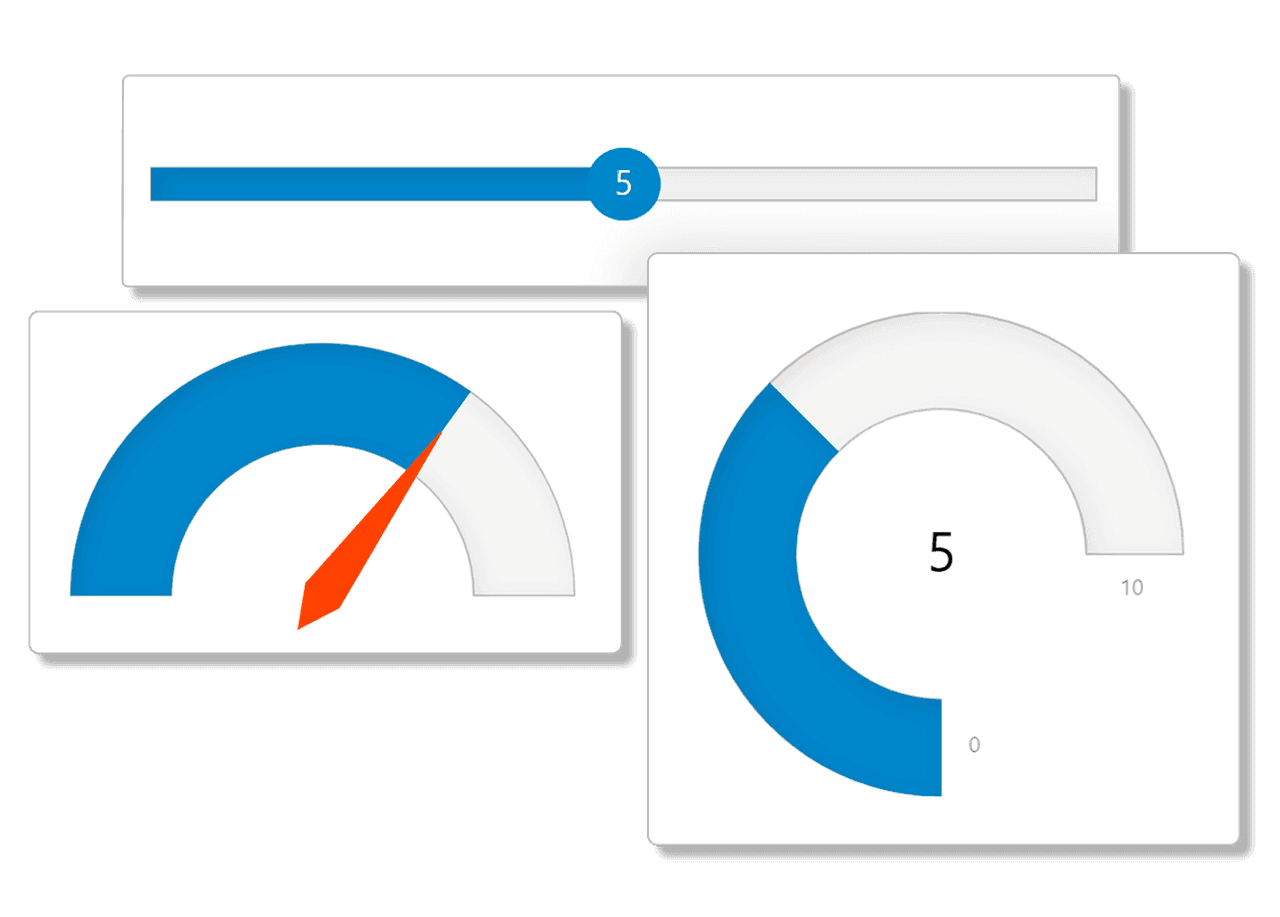
ProgressBar Control
Displays progress visually with graphical indicators that can be static or dynamic. Offers five built-in styles, customizable labels, tooltips, and dozens of animations to reflect operation status clearly to end-users.
RadialGauge Control
Displays values using a circular or semi-circular layout designed for dashboard-style metric visualization. The control arranges scale elements around a radial arc, making it well suited for representing KPIs, performance indicators, or threshold-based measurements in a compact, dial-style format.
LinearGauge Control
Features a linear scale that can be oriented horizontally or vertically and displays values with pointers or bars. Supports ticks, labels, and functions both as an indicator and as an input control similar to range sliders.
BulletGraph Control
Designed specifically for dashboards, this linear gauge displays a key measure along with comparative measures and qualitative ranges to quickly communicate performance status.
Customizable Visual Elements
Each gauge allows customization of colors, fills, shapes, and styles through properties and CSS themes, ensuring consistent and attractive visual integration within applications.
Value Display Options
Gauges can display numeric values as text, including min, max, and current values, improving data readability and user interaction on dashboards and reports.
Range Highlighting
Supports multiple customizable ranges on gauges to highlight zones of interest, automatically adjusting pointer colors based on the active range for enhanced data comprehension.
Needle and Pointer Customization
Radial gauges support needle-based pointers with customizable shapes and sizes, enabling precise visual representation of current values within the gauge scale.
Scalable Vector Graphics
All gauges utilize vector-based graphics that ensure pixel-perfect rendering and proportional resizing across different display sizes and resolutions.
Extensive API and Documentation
Complete client-side and server-side APIs support integration and control of gauge behavior, accompanied by comprehensive online documentation, samples, and task-based help guides.
Product Compatibility
Review the details below to ensure this product is supported within your environment.
Component Type
- .NET
.NET Version
- .NET 4.8 or earlier
.NET Platform
- .NET Class
- ASP.NET
- ASP.NET AJAX
IDE Support
- Visual Studio
How to Buy
Available as part of ComponentOne ASP.NET Web Forms Edition, and ComponentOne Studio Enterprise.

- Included40+ ASP.NET WebForms Controls
- Not included40+ ASP.NET MVC & Core Controls
- Not included120+ WinForms Controls
- Not included100+ WPF Controls
- Not included30+ WinUI & .NET MAUI Controls
- Not included19+ Blazor Components
- Not includedData Services/Web API
- Not included80+ JavaScript Controls
- Enterprise Controls
- Not includedFinancialChart
- Not includedFlexSheet
- Not includedFlexPivot/OLAP
- Not includedFlexReport Designer
- Not includedReportViewer
- Additional Features
- Not includedIntelliSpell
- Not included2200+ Icons/Images

- Included40+ ASP.NET WebForms Controls
- Included40+ ASP.NET MVC & Core Controls
- Included120+ WinForms Controls
- Included100+ WPF Controls
- Included30+ WinUI & .NET MAUI Controls
- Included19+ Blazor Components
- IncludedData Services/Web API
- Included80+ JavaScript Controls
- Enterprise Controls
- IncludedFinancialChart
- IncludedFlexSheet
- IncludedFlexPivot/OLAP
- IncludedFlexReport Designer
- IncludedReportViewer
- Additional Features
- IncludedIntelliSpell
- Included2200+ Icons/Images
About MESCIUS
MESCIUS, formerly known as GrapeCity, is a leading developer-focused brand established in Japan, with a history spanning over 30 years. It is recognized for its extensive suite of software components, including reporting frameworks, spreadsheet libraries, and Japanese market-oriented input controls. Popular products such as ActiveReports, SPREAD, InputMan, and ComponentOne support both .NET and JavaScript ecosystems and are widely used in business-critical applications. MESCIUS offers distinctive advantages such as proven reliability, comprehensive Japanese localization, and strong technical support, making it a trusted choice for IT professionals and software developers building complex and localized systems.

As official and authorized distributors since 1996, ComponentSource supplies you with legitimate licenses directly from MESCIUS.