ComponentOne WinUI Calendar
Customizable calendar component for WinUI desktop applications.
- Supports smooth animated navigation for months and years.
- Offers customizable XAML templates for rich UI customization.
- Includes touch-friendly, gesture-based date selection and range display.

Prices from:
| Available in | |
|---|---|
| ComponentOne WinUI and MAUI Edition | Loading |
| ComponentOne Studio Enterprise | Loading |
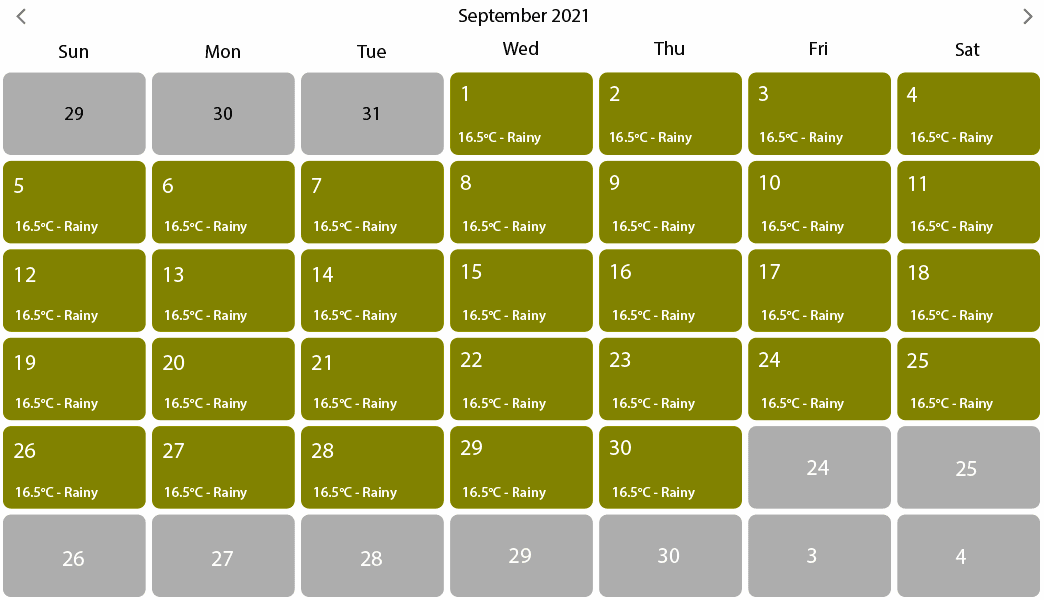
Smooth Animated Date Navigation
Users navigate between month, year, and decade views with built-in swiping gestures and mouse input, featuring horizontal or vertical sliding animations for intuitive date selection.
Customizable XAML Templates
Developers can fully customize the calendar's day slots, day of week headers, and adjacent days using flexible XAML templates that support data binding and interactive elements like appointments or notes.
Multiple Date Selection and Range Restriction
Support for selecting single or multiple dates and restricting selectable dates using minimum and maximum date properties to control user input effectively.
Touch-First Interaction Design
The calendar enables fluid touch navigation and selection, allowing date range picking with swiping gestures optimized for modern desktop touchscreens.
Extensive Styling Options
Control appearance with properties for headers, navigation icons, day styles, and views. Style elements via fonts, colors, borders, and custom templates to match application themes.
Customizable Navigation Buttons and Icons
Navigation elements such as previous and next buttons can be themed using DataTemplate properties, allowing the use of custom icons or images for UI cohesion.
Adaptive First Day of the Week and Calendar Types
Set the first day of the week to suit local culture and choose between calendar types like Gregorian or Japanese for regional relevance and user context.
Header Visibility and Hover Effect Control
Optionally display or hide the calendar header and enable mouse-over highlighting modes with customizable hover colors to improve usability and focus.
Product Compatibility
Review the details below to ensure this product is supported within your environment.
Component Type
- Windows WinUI Control
How to Buy
Available as part of ComponentOne WinUI & MAUI Edition, or ComponentOne Studio Enterprise.

- Included30+ WinUI & .NET MAUI Controls
- Not included120+ WinForms Controls
- Not included100+ WPF Controls
- Not included40+ ASP.NET MVC & Core Controls
- Not included40+ ASP.NET WebForms Controls
- Not included19+ Blazor Components
- Not includedData Services/Web API
- Not included80+ JavaScript Controls
- Enterprise Controls
- Not includedFinancialChart
- Not includedFlexSheet
- Not includedFlexPivot/OLAP
- Not includedFlexReport Designer
- Not includedReportViewer
- Additional Features
- Not includedIntelliSpell
- Not included2200+ Icons/Images

- Included30+ WinUI & .NET MAUI Controls
- Included120+ WinForms Controls
- Included100+ WPF Controls
- Included40+ ASP.NET MVC & Core Controls
- Included40+ ASP.NET WebForms Controls
- Included19+ Blazor Components
- IncludedData Services/Web API
- Included80+ JavaScript Controls
- Enterprise Controls
- IncludedFinancialChart
- IncludedFlexSheet
- IncludedFlexPivot/OLAP
- IncludedFlexReport Designer
- IncludedReportViewer
- Additional Features
- IncludedIntelliSpell
- Included2200+ Icons/Images
About MESCIUS
MESCIUS, formerly known as GrapeCity, is a leading developer-focused brand established in Japan, with a history spanning over 30 years. It is recognized for its extensive suite of software components, including reporting frameworks, spreadsheet libraries, and Japanese market-oriented input controls. Popular products such as ActiveReports, SPREAD, InputMan, and ComponentOne support both .NET and JavaScript ecosystems and are widely used in business-critical applications. MESCIUS offers distinctive advantages such as proven reliability, comprehensive Japanese localization, and strong technical support, making it a trusted choice for IT professionals and software developers building complex and localized systems.

As official and authorized distributors since 1996, ComponentSource supplies you with legitimate licenses directly from MESCIUS.