ComponentOne WinUI FlexGrid
Flexible customizable grid control for WinUI desktop applications.
- Offers rich in-cell editing with multiple editor types for varied data.
- Supports advanced grouping with collapsible outlines and aggregate functions.
- Enables extensive visual customization including styles and themes.

Prices from:
| Available in | |
|---|---|
| ComponentOne WinUI and MAUI Edition | Loading |
| ComponentOne Studio Enterprise | Loading |
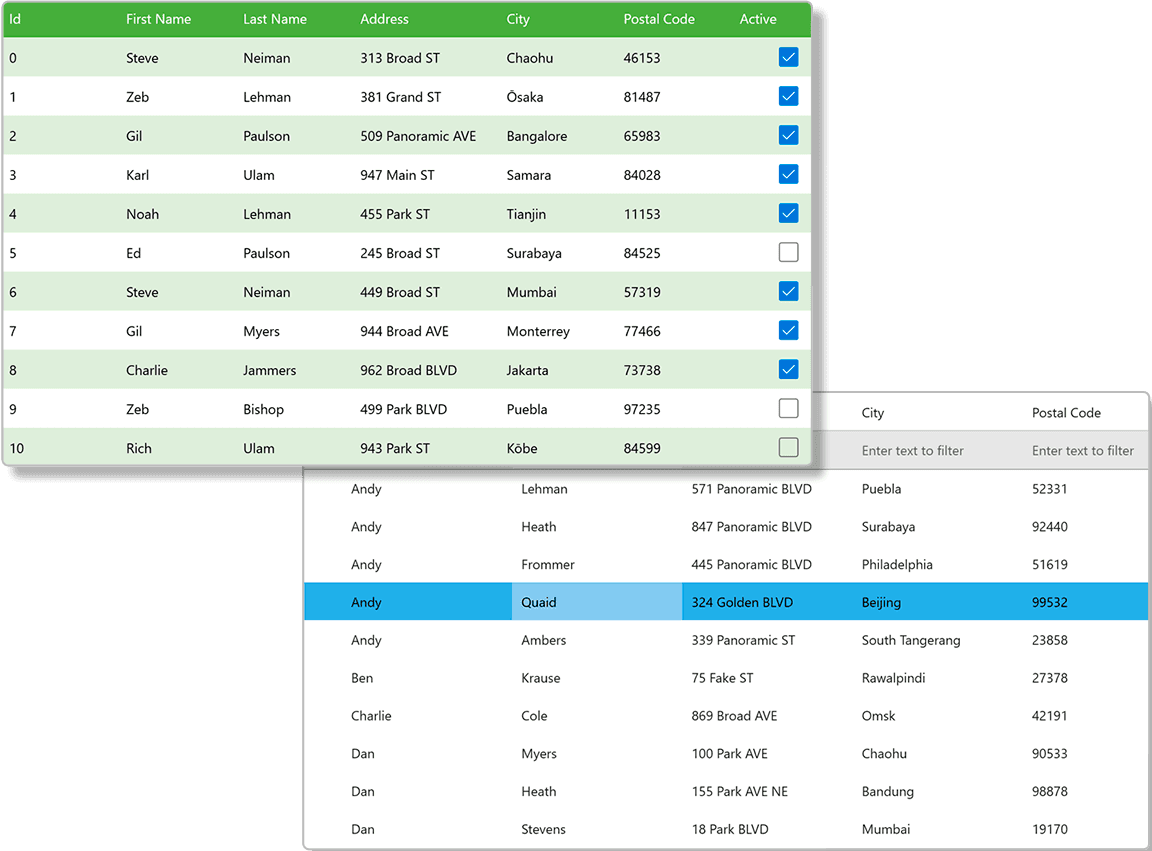
In-Cell Editing
FlexGrid includes built-in editors tailored to data types like text, numeric, date, and boolean, enabling efficient editing directly within cells. Editors adjust automatically based on the column's data type for intuitive user interaction.
Data Grouping and Outline Bar
It supports grouping of rows through the IDataCollection interface, allowing data to be organized by specified fields. Users can collapse or expand groups, with an optional outline button bar for managing multiple groups simultaneously.
Aggregate Functions
FlexGrid supports a variety of aggregate functions such as sum, average, count, min, max, and more. These aggregates can be displayed per group to provide summarized insights, with support for custom aggregate calculations.
Visual Customization
The component allows extensive customization of the grid's appearance, including alternate row colors for readability, styles for headers, footers, and group rows, plus customizable fonts and brushes for different grid elements.
Flexible Layout and Sizing
Developers can control default widths and heights of rows and columns, as well as set minimum and maximum sizes. The grid supports frozen rows and columns to keep key data visible during scrolling.
Selection and Interaction
FlexGrid offers multiple selection modes for cells, rows, or columns, along with customizable selection styles and support for keyboard navigation, enabling smooth user interaction.
Sorting and Filtering
Users can sort data by tapping or clicking column headers and filter datasets via built-in filter indicators in column headers, providing dynamic data views.
Performance and Animation
The grid supports animation during navigation and updates, enhancing the user experience without compromising performance in data-heavy applications.
Developer-Friendly APIs
With properties like ItemsSource and DataCollection, and support for XAML markup, FlexGrid integrates seamlessly into WinUI applications, offering flexibility in data binding and control customization.
Accessibility and Automation
The component includes support for automation peers and accessibility options, ensuring applications built with FlexGrid are usable across diverse user needs.
Product Compatibility
Review the details below to ensure this product is supported within your environment.
Component Type
- Windows WinUI Control
How to Buy
Available as part of ComponentOne WinUI & MAUI Edition, or ComponentOne Studio Enterprise.

- Included30+ WinUI & .NET MAUI Controls
- Not included120+ WinForms Controls
- Not included100+ WPF Controls
- Not included40+ ASP.NET MVC & Core Controls
- Not included40+ ASP.NET WebForms Controls
- Not included19+ Blazor Components
- Not includedData Services/Web API
- Not included80+ JavaScript Controls
- Enterprise Controls
- Not includedFinancialChart
- Not includedFlexSheet
- Not includedFlexPivot/OLAP
- Not includedFlexReport Designer
- Not includedReportViewer
- Additional Features
- Not includedIntelliSpell
- Not included2200+ Icons/Images

- Included30+ WinUI & .NET MAUI Controls
- Included120+ WinForms Controls
- Included100+ WPF Controls
- Included40+ ASP.NET MVC & Core Controls
- Included40+ ASP.NET WebForms Controls
- Included19+ Blazor Components
- IncludedData Services/Web API
- Included80+ JavaScript Controls
- Enterprise Controls
- IncludedFinancialChart
- IncludedFlexSheet
- IncludedFlexPivot/OLAP
- IncludedFlexReport Designer
- IncludedReportViewer
- Additional Features
- IncludedIntelliSpell
- Included2200+ Icons/Images
About MESCIUS
MESCIUS, formerly known as GrapeCity, is a leading developer-focused brand established in Japan, with a history spanning over 30 years. It is recognized for its extensive suite of software components, including reporting frameworks, spreadsheet libraries, and Japanese market-oriented input controls. Popular products such as ActiveReports, SPREAD, InputMan, and ComponentOne support both .NET and JavaScript ecosystems and are widely used in business-critical applications. MESCIUS offers distinctive advantages such as proven reliability, comprehensive Japanese localization, and strong technical support, making it a trusted choice for IT professionals and software developers building complex and localized systems.

As official and authorized distributors since 1996, ComponentSource supplies you with legitimate licenses directly from MESCIUS.