ComponentOne WinUI UI Layout and Design Controls
Native WinUI controls for modern Windows desktop application layouts.
- Provides advanced layout and calendar controls for WinUI3 applications.
- Supports high-performance data grids with rich customization options.
- Integrates seamlessly with the latest Windows development platform for desktop apps.

Prices from:
| Available in | |
|---|---|
| ComponentOne WinUI and MAUI Edition | Loading |
| ComponentOne Studio Enterprise | Loading |
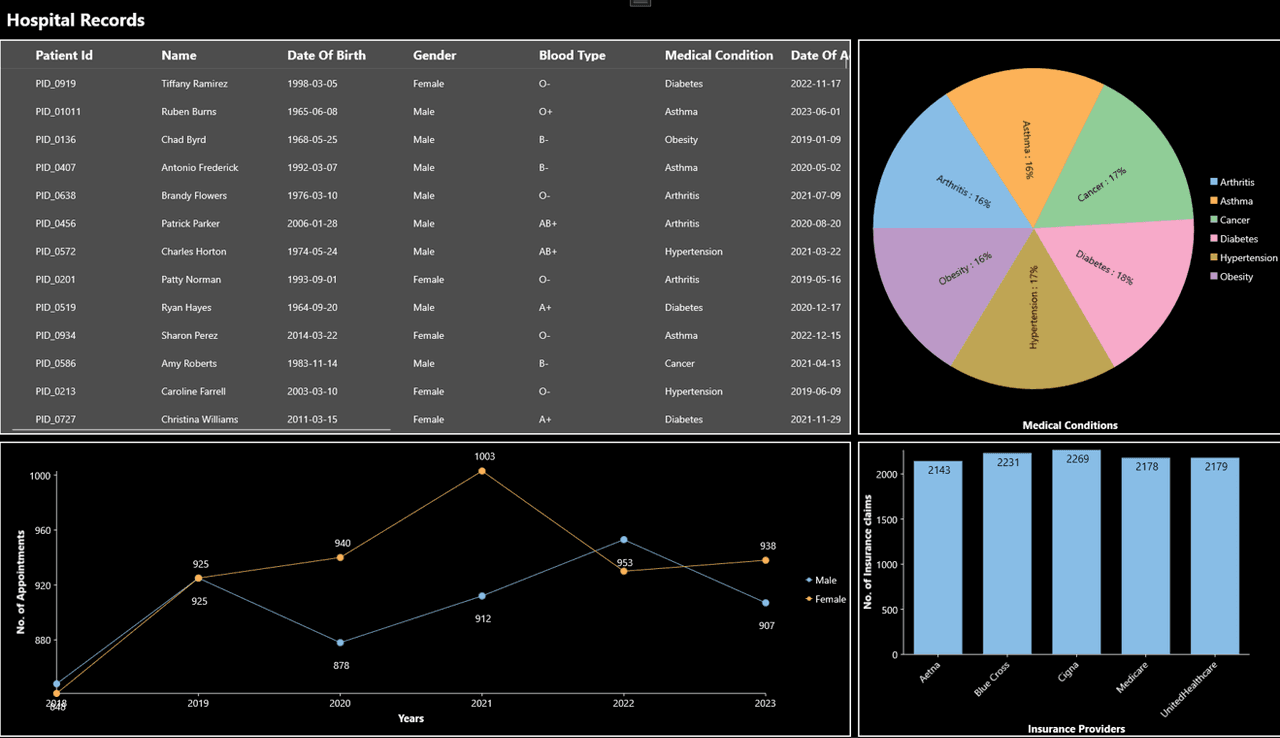
Collapsible Pane Layout
Accordion displays content as a stacked list of sections that users can expand or collapse as needed. This layout helps organize dense interfaces into smaller, focused regions while keeping related content accessible within the same view.
Expandable Navigation Lists
Presents groups of items in an expandable navigation structure suited to menus, sidebars, and category panels. Developers can use it to reveal nested content progressively instead of showing every option at once.
Single Or Multiple Expanded Items
Supports interfaces where one pane remains open at a time or where several panes can stay expanded together. This makes it suitable for guided workflows, grouped settings pages, and browsing scenarios with parallel sections.
Directional Expansion And Fill Behavior
Expands panes upward, downward, left, or right, depending on the layout requirement. It also supports fill behavior so expanded content can occupy the available area, which helps adapt the component to different screen arrangements.
Data Binding With Item Templates
Inherits from ItemsControl, which allows binding to collections of data objects. Developers can pair bound data with templates to define how each item appears, making the component practical for dynamic and data-driven interfaces.
Drill-Down Content Presentation
Works well for drill-down interfaces where users expand an item to reveal more detail. This pattern helps present summaries first and expose deeper information on demand without moving users away from the current screen.
Custom Headers And Icons
Lets developers customize pane headers and content with text, icons, and other UI elements. Icon position and direction can also be adjusted, giving teams control over both the visual hierarchy and interaction cues.
Animated Expand And Collapse
Includes animated transitions when panes open and close, helping users track interface changes more clearly. This behavior is useful in navigation panels and content browsers where visual continuity improves orientation during interaction.
Product Compatibility
Review the details below to ensure this product is supported within your environment.
Component Type
- Windows WinUI Control
How to Buy
Available as part of ComponentOne WinUI & MAUI Edition, or ComponentOne Studio Enterprise.

- Included30+ WinUI & .NET MAUI Controls
- Not included120+ WinForms Controls
- Not included100+ WPF Controls
- Not included40+ ASP.NET MVC & Core Controls
- Not included40+ ASP.NET WebForms Controls
- Not included19+ Blazor Components
- Not includedData Services/Web API
- Not included80+ JavaScript Controls
- Enterprise Controls
- Not includedFinancialChart
- Not includedFlexSheet
- Not includedFlexPivot/OLAP
- Not includedFlexReport Designer
- Not includedReportViewer
- Additional Features
- Not includedIntelliSpell
- Not included2200+ Icons/Images

- Included30+ WinUI & .NET MAUI Controls
- Included120+ WinForms Controls
- Included100+ WPF Controls
- Included40+ ASP.NET MVC & Core Controls
- Included40+ ASP.NET WebForms Controls
- Included19+ Blazor Components
- IncludedData Services/Web API
- Included80+ JavaScript Controls
- Enterprise Controls
- IncludedFinancialChart
- IncludedFlexSheet
- IncludedFlexPivot/OLAP
- IncludedFlexReport Designer
- IncludedReportViewer
- Additional Features
- IncludedIntelliSpell
- Included2200+ Icons/Images
About MESCIUS
MESCIUS, formerly known as GrapeCity, is a leading developer-focused brand established in Japan, with a history spanning over 30 years. It is recognized for its extensive suite of software components, including reporting frameworks, spreadsheet libraries, and Japanese market-oriented input controls. Popular products such as ActiveReports, SPREAD, InputMan, and ComponentOne support both .NET and JavaScript ecosystems and are widely used in business-critical applications. MESCIUS offers distinctive advantages such as proven reliability, comprehensive Japanese localization, and strong technical support, making it a trusted choice for IT professionals and software developers building complex and localized systems.

As official and authorized distributors since 1996, ComponentSource supplies you with legitimate licenses directly from MESCIUS.