ComponentOne Xamarin Data Editors
Build consistent Xamarin.Forms data entry with validation and pickers.
- Add suggestion-driven text entry and editable pick lists.
- Capture properly formatted values with masked, validated input.
- Create custom drop-down experiences with reusable editor building blocks.

Prices from:
| Available in | |
|---|---|
| ComponentOne WinUI and MAUI Edition | Loading |
| ComponentOne Studio Enterprise | Loading |
Suggestion-Based Text Entry
Provide an editable input that automatically shows suggestions as users type. AutoComplete dynamically filters a predefined list and displays matches in a drop-down, helping users find valid values quickly while keeping the interaction familiar in mobile forms.
Configurable Matching And Timing
Tune how suggestions appear during typing. AutoComplete supports an input delay measured in milliseconds, plus visual highlighting of matching text inside the suggestion list, so you can balance responsiveness with data source performance and improve scanability of results.
Formatted Input With Masks
Capture properly formatted values by applying mask symbols to an entry field. MaskedEntry guides users into the expected format and skips invalid entries as they type, helping prevent malformed input for common patterns such as dates or phone numbers.
Built-In Validation Behavior
Reduce downstream parsing and cleanup by preventing invalid characters and values at the point of entry. MaskedEntry is designed to block invalid input (including certain separators) and keep the cursor moving through the mask pattern, producing consistently shaped strings for storage or processing.
Editable Pick Lists
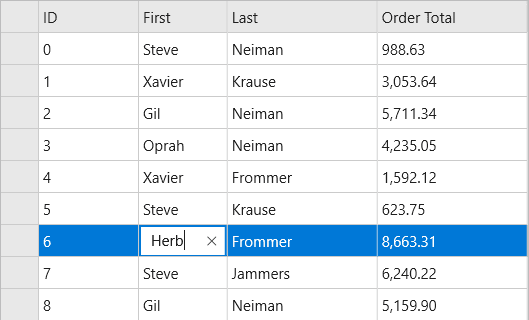
Combine a text box and a drop-down list for selecting from known values while still allowing typing. ComboBox supports selection from a list and can be configured to allow edits in the header text box, which is useful for lookup fields and optional free-form entry.
Auto Completion In Selection Fields
Offer completion behavior inside a selection control when users type into the input area. ComboBox includes automatic completion to surface relevant items while the user enters text, helping users converge on an existing value without having to scroll long lists.
Boolean Data Input
Represent true or false values with a cross-platform checkbox interaction. CheckBox provides Boolean input that users can toggle by tapping, and exposes an IsChecked property for reading or setting state from your view model or code-behind.
Product Compatibility
Review the details below to ensure this product is supported within your environment.
Component Type
- .NET
.NET Version
- .NET 5 / .NET Core 3.1
.NET Platform
- Xamarin Extension
IDE Support
- Visual Studio
How to Buy
Xamarin is no longer supported by MESCIUS however you can get the controls as part of ComponentOne WinUI & MAUI Edition, or ComponentOne Studio Enterprise.

- Included30+ WinUI & .NET MAUI Controls
- Not included120+ WinForms Controls
- Not included100+ WPF Controls
- Not included40+ ASP.NET MVC & Core Controls
- Not included40+ ASP.NET WebForms Controls
- Not included19+ Blazor Components
- Not includedData Services/Web API
- Not included80+ JavaScript Controls
- Enterprise Controls
- Not includedFinancialChart
- Not includedFlexSheet
- Not includedFlexPivot/OLAP
- Not includedFlexReport Designer
- Not includedReportViewer
- Additional Features
- Not includedIntelliSpell
- Not included2200+ Icons/Images

- Included30+ WinUI & .NET MAUI Controls
- Included120+ WinForms Controls
- Included100+ WPF Controls
- Included40+ ASP.NET MVC & Core Controls
- Included40+ ASP.NET WebForms Controls
- Included19+ Blazor Components
- IncludedData Services/Web API
- Included80+ JavaScript Controls
- Enterprise Controls
- IncludedFinancialChart
- IncludedFlexSheet
- IncludedFlexPivot/OLAP
- IncludedFlexReport Designer
- IncludedReportViewer
- Additional Features
- IncludedIntelliSpell
- Included2200+ Icons/Images
About MESCIUS
MESCIUS, formerly known as GrapeCity, is a leading developer-focused brand established in Japan, with a history spanning over 30 years. It is recognized for its extensive suite of software components, including reporting frameworks, spreadsheet libraries, and Japanese market-oriented input controls. Popular products such as ActiveReports, SPREAD, InputMan, and ComponentOne support both .NET and JavaScript ecosystems and are widely used in business-critical applications. MESCIUS offers distinctive advantages such as proven reliability, comprehensive Japanese localization, and strong technical support, making it a trusted choice for IT professionals and software developers building complex and localized systems.

As official and authorized distributors since 1996, ComponentSource supplies you with legitimate licenses directly from MESCIUS.