Devart MCP Server Universal
Connect AI assistants to business data through one self-hosted server.
- Connect multiple databases and cloud services through one self-hosted server.
- Reuse existing data source configurations or define custom driver connections.
- Query connected sources and return structured results to compatible assistants.
Prices from:
| Available individually | Our Price |
|---|---|
| Devart MCP Server Universal | Loading |
Self-Hosted Deployment
Run the server in your own environment and manage access to the deployment through your organization’s infrastructure. The server sits between compatible assistants and configured data sources, handling requests and returning results to the requesting client.
Multi-Source Connectivity
Manage named connections to PostgreSQL, Salesforce, NetSuite, and other supported sources in one Devart MCP Server Universal deployment. Each connection has its own settings.
Support for Devart and Third-Party Drivers
Use Open Database Connectivity (ODBC) drivers from Devart or other providers. This lets you connect to internal applications, legacy databases, and specialized systems where an appropriate driver is available for the data source you want to query.
Graphical Connection Management
Set up source connections in the graphical connection manager. Reuse an existing data source name (DSN) or configure a custom ODBC connection. Test the connection before using it from an assistant to confirm that the server can reach the source.
Integration with AI Assistants
Connect compatible clients such as Claude, Cursor, Codex, and Visual Studio Code through the Model Context Protocol. Use the connection manager to register each source connection with supported clients such as Codex and Visual Studio Code.
Database Schema Exploration
Use a connected assistant to explore database schemas and understand how a source organizes its data. Developers and data engineers can use that context to build queries, investigate data issues, or get familiar with an existing database.
Natural-Language Queries
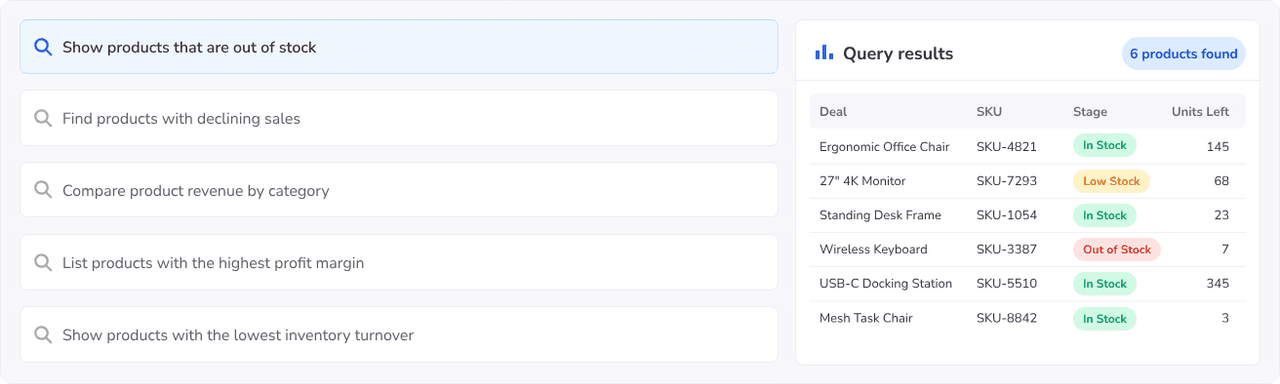
Ask a connected assistant a question in plain language. The request is translated into SQL and executed through the configured ODBC driver. For example, Devart’s Salesforce driver translates supported SQL queries into SOQL.
Structured Query Results
Return results from the connected source to the requesting assistant in a consistent, structured format. The assistant can use those results to answer questions about business records, support a reporting task, or help a developer investigate unexpected data.
Product Compatibility
Review the details below to ensure this product is supported within your environment.
Operating System
- Windows Desktop
- Windows Server
Windows Desktop Version
- Windows 11
- Windows 10
Windows Server Version
- Windows Server 2025
- Windows Server 2022
- Windows Server 2019
- Windows Server 2016
About Devart
Devart, founded in 1997 and headquartered in Prague, Czech Republic, develops database connectivity solutions, developer tools, and data management software for a wide range of development platforms. Its product portfolio includes ADO.NET providers, Delphi data access components, ORM tools, database administration software, and connectivity solutions for cloud and enterprise databases. The company supports technologies including SQL Server, Oracle, MySQL, PostgreSQL, SQLite, and Salesforce across .NET, Delphi, Python, Excel, and other environments. With a focus on performance, integration, and compatibility, its products help developers build, connect, and manage data-driven applications and business systems.

As official and authorized distributors since 2005, ComponentSource supplies you with legitimate licenses directly from Devart.