Infragistics Ignite UI for Angular UI Input Controls
Enhance Angular inputs with customizable UI components.
- Supports input enhancements like labels, icons, prefixes, and suffixes.
- Integrates with template-driven and reactive Angular forms.
- Provides customizable styling and validation features.

Prices from:
| Available in | |
|---|---|
| Infragistics Ignite UI for Angular | Loading |
| Infragistics Ignite UI | Loading |
| Infragistics Professional | Loading |
| Infragistics Ultimate | Loading |
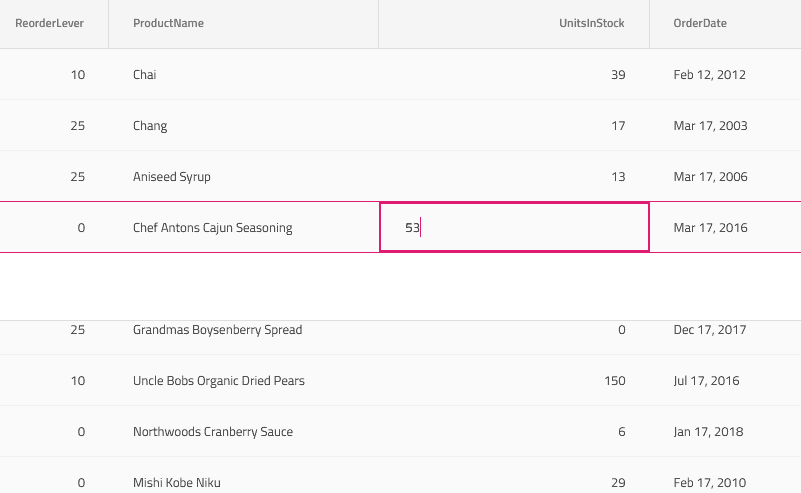
Input Group Component
Wraps input elements to add customizable prefixes, suffixes, labels, icons, and hints to improve UI clarity and user interaction.
Label and Input Directives
Decorate single-line or multi-line input elements with styling and behavior enhancements compliant with Material Design specifications.
Form Validation Support
Supports both template-driven and reactive forms validation, enabling required fields, minlength, email format checking, and displaying helper hints based on validation state.
Custom and Cross-Field Validators
Allows developers to implement custom validation logic and cross-field validation inside Angular reactive forms to enforce complex input rules.
Styling and Theming
Offers multiple built-in themes including material, fluent, bootstrap, and indigo-design, with the ability to customize appearance using the Ignite UI theming engine and CSS variables.
Standalone and Modular Imports
Enables importing the Input Group component and directives either as a full module or standalone components for flexible integration into Angular applications.
Input Types and Styling Variants
Supports multiple input group styles such as line, border, box, and search to fit various UI design needs, with global or component-level type setting.
Integration with Angular Forms
Designed for smooth integration with Angular's template-driven and reactive form mechanisms, providing typed form support and state inspection capabilities.
Accessibility and Usability Enhancements
Includes features like floating labels, focus management, and text selection behavior to improve user accessibility and form interaction.
Product Compatibility
Review the details below to ensure this product is supported within your environment.
Component Type
- JavaScript
JavaScript Platform
- Angular
- Vanilla JavaScript
About Infragistics
Infragistics, founded in 1989 and headquartered in Cranbury, New Jersey, has established itself as a global force in UI/UX development, serving software professionals in over 100 countries. It is widely recognized for its comprehensive libraries and frameworks supporting web, desktop, and mobile platforms, including solutions tailored for .NET, Angular, React, and other leading technologies. With offices spanning Europe, Asia, and South America, Infragistics delivers components that enable efficient application development and rich user experiences. Its commitment to innovation and customer satisfaction positions it as a trusted partner for developers and organizations worldwide seeking quality and flexibility in their digital projects.

As official and authorized distributors since 1996, ComponentSource supplies you with legitimate licenses directly from Infragistics.