Infragistics Ignite UI for Angular UI Notification Controls
Provides customizable Angular components for notification messages.
- Display toast messages, banners, and in-app alerts.
- Includes Snackbar components supporting action buttons and flexible display timings.
- Supports configurable positioning and theming for both Toast and Snackbar controls.

Prices from:
| Available in | |
|---|---|
| Infragistics Ignite UI for Angular | Loading |
| Infragistics Ignite UI | Loading |
| Infragistics Professional | Loading |
| Infragistics Ultimate | Loading |
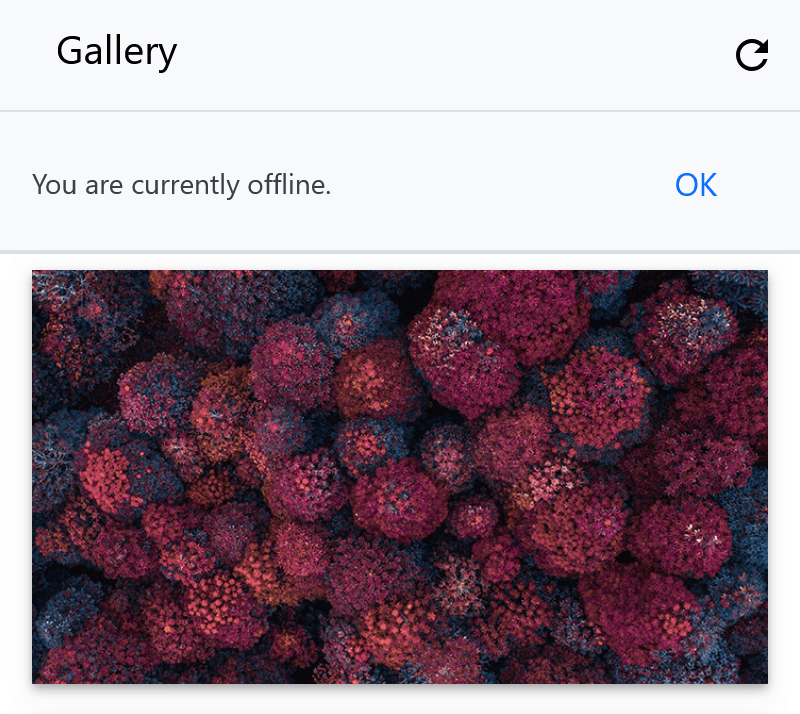
Toast Notifications
Display informational and warning messages that appear temporarily and automatically hide after a set duration. Toasts are non-interactive and cannot be dismissed manually by users.
Snackbar Messages
Provide feedback about operations with single-line messages. Snackbars appear above other elements, can include action buttons, and allow user interaction such as closing the message.
Auto-hide Control
Configure the duration both Toast and Snackbar components remain visible using the displayTime property. Enable or disable automatic hiding behavior with the autoHide setting.
Multiple Positioning Options
Set the display location of notifications at the bottom, middle, or top of the viewport. PositionSettings allow for vertical and horizontal alignment adjustments to suit the application layout.
Content Customization
Support content projection and dynamic message updates by passing text or templates to notifications. Snackbars can include buttons or loading animations for richer user experiences.
Programmatic Control
Trigger opening, closing, toggling, and repositioning of notifications through exposed component methods such as open(), close(), and toggle(). Handle lifecycle events like opening and closing via event emitters.
Accessibility Features
Include ARIA roles and live region settings to ensure notifications are accessible by assistive technologies, with default roles like alert and aria-live set to polite.
Styling and Theming
Leverage SCSS mixins and theme functions to style background, text, border radius, and button colors. Use palette and color utilities for consistent theming aligned with overall application styles.
Product Compatibility
Review the details below to ensure this product is supported within your environment.
Component Type
- JavaScript
JavaScript Platform
- Angular
- Vanilla JavaScript
About Infragistics
Infragistics, founded in 1989 and headquartered in Cranbury, New Jersey, has established itself as a global force in UI/UX development, serving software professionals in over 100 countries. It is widely recognized for its comprehensive libraries and frameworks supporting web, desktop, and mobile platforms, including solutions tailored for .NET, Angular, React, and other leading technologies. With offices spanning Europe, Asia, and South America, Infragistics delivers components that enable efficient application development and rich user experiences. Its commitment to innovation and customer satisfaction positions it as a trusted partner for developers and organizations worldwide seeking quality and flexibility in their digital projects.

As official and authorized distributors since 1996, ComponentSource supplies you with legitimate licenses directly from Infragistics.