Infragistics Ignite UI for Angular UI Selection Controls
Enhance user interaction with versatile Angular selection controls.
- Supports interactive selection and highlighting in charts and grids.
- Provides multiple selection modes for single or multi-item selection.
- Includes customizable visual feedback like outlines, color fills, and brightness.

Prices from:
| Available in | |
|---|---|
| Infragistics Ignite UI for Angular | Loading |
| Infragistics Ignite UI | Loading |
| Infragistics Professional | Loading |
| Infragistics Ultimate | Loading |
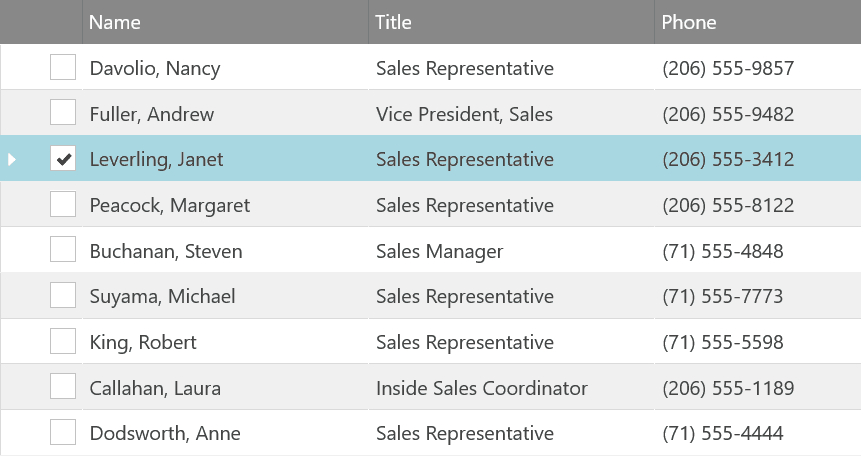
Chart Data Selection
Enables users to interactively select and highlight single or multiple series in charts with configurable selection modes like brighten, fade, outline, and color fill. Supports complex selection behaviors such as per-series or per-data-item selection for meaningful data interaction.
Row Selection in Grids
Offers three row selection modes—none, single, and multiple—with a dedicated row selector column. Supports user interactions via clicks and keyboard, with event hooks like rowSelectionChanging to respond or cancel selection changes.
Single and Multiple Row Selection Behavior
Single selection allows selecting only one row at a time, while multiple selection supports selecting multiple rows with keyboard modifiers like shift and ctrl for range and toggle selections, maintaining selection through sorting and filtering.
Programmatic Selection Control
APIs allow selecting, deselecting, and querying rows in grids programmatically. Developers can manipulate selection state using row IDs, select all or clear selection, and handle complex remote virtualization scenarios.
Angular Select Component
A customizable select form component that offers single-value selection from a predefined list with advanced features such as templating, virtualized dropdowns, grouping items, and accessible keyboard navigation.
Custom Visual Feedback for Selections
Supports visual cues like color fills, outlines, grayscale, fading, and focus effects to indicate selection or highlight states in charts and grids, improving user understanding of selected data.
Event-driven Interaction Handling
Exposes detailed selection events providing previous and new selection states, added and removed items, and supports cancelling changes to let developers implement conditional selection logic.
Templating and Styling Customization
Allows customizing row selectors, headers, footers, and toggle buttons through Angular templates and styling via Sass theming functions to tailor the appearance and behavior to application design needs.
Product Compatibility
Review the details below to ensure this product is supported within your environment.
Component Type
- JavaScript
JavaScript Platform
- Angular
- Vanilla JavaScript
About Infragistics
Infragistics, founded in 1989 and headquartered in Cranbury, New Jersey, has established itself as a global force in UI/UX development, serving software professionals in over 100 countries. It is widely recognized for its comprehensive libraries and frameworks supporting web, desktop, and mobile platforms, including solutions tailored for .NET, Angular, React, and other leading technologies. With offices spanning Europe, Asia, and South America, Infragistics delivers components that enable efficient application development and rich user experiences. Its commitment to innovation and customer satisfaction positions it as a trusted partner for developers and organizations worldwide seeking quality and flexibility in their digital projects.

As official and authorized distributors since 1996, ComponentSource supplies you with legitimate licenses directly from Infragistics.