Infragistics Ignite UI for Blazor UI Notification Controls
Create customizable, responsive notifications with Ignite UI components.
- Includes Snackbar, Toast, and Banner notification components.
- Configurable display time, styling, and user interaction.
- Supports action buttons and event handling for dynamic messaging.

Prices from:
| Available in | |
|---|---|
| Infragistics Ignite UI | Loading |
| Infragistics Professional | Loading |
| Infragistics Ultimate | Loading |
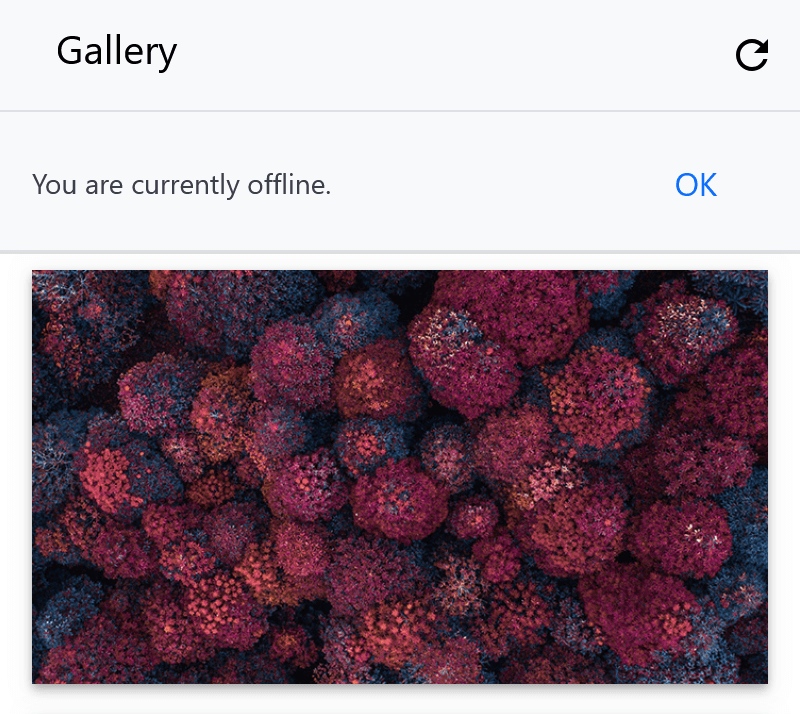
Toast Notifications
Provides lightweight pop-up messages to inform users about system status, changes, or warnings. Toasts can be positioned on the screen, feature animation effects, and have configurable display durations or remain visible until programmatically dismissed.
Snackbar Component
Displays brief messages at the bottom of the screen with optional action buttons. It supports configurable visibility duration, persistent display with keep-open settings, and custom styling via CSS parts for a flexible notification design.
Banner Messages
Offers a prominent, less intrusive option to display messages that require user attention or actions without blocking application interaction. Banners support templating of content, including icons and custom action buttons, and emit events to handle opening and closing behavior.
Customizable Display Timing
Each notification component lets you define the display time in milliseconds, balancing between visibility and unobtrusiveness, with options to keep notifications open indefinitely until dismissed by the application logic.
User Interaction and Events
Components can show action buttons, emit events when opened or closing, and allow event cancellation, giving developers control over user engagement and notification lifecycle behavior.
Styling and Theming
All notification controls expose CSS parts and selectors enabling comprehensive styling customization to match branding and design guidelines seamlessly within Blazor applications.
Easy Integration and Setup
Includes straightforward registration with the Blazor application and requires adding CSS files for styling, facilitating rapid adoption and consistent UI appearance across projects.
Rich API Support
Provides programmatic methods like Show, Hide, and Toggle, plus properties like DisplayTime, KeepOpen, and ActionText, delivering fine-grained control over notification display and behavior.
Product Compatibility
Review the details below to ensure this product is supported within your environment.
Component Type
- .NET
.NET Version
- .NET 10 LTS
- .NET 9 STS
- .NET 8 LTS
.NET Platform
- .NET Blazor / WebAssembly
IDE Support
- Visual Studio
About Infragistics
Infragistics, founded in 1989 and headquartered in Cranbury, New Jersey, has established itself as a global force in UI/UX development, serving software professionals in over 100 countries. It is widely recognized for its comprehensive libraries and frameworks supporting web, desktop, and mobile platforms, including solutions tailored for .NET, Angular, React, and other leading technologies. With offices spanning Europe, Asia, and South America, Infragistics delivers components that enable efficient application development and rich user experiences. Its commitment to innovation and customer satisfaction positions it as a trusted partner for developers and organizations worldwide seeking quality and flexibility in their digital projects.

As official and authorized distributors since 1996, ComponentSource supplies you with legitimate licenses directly from Infragistics.