Infragistics Ignite UI for Blazor UI Selection Controls
Flexible row selection controls for interactive Blazor grids.
- Supports none, single, and multiple row selection modes.
- Offers programmatic selection and deselection via API.
- Customizable row and header selector templates for UI control.

Prices from:
| Available in | |
|---|---|
| Infragistics Ignite UI | Loading |
| Infragistics Professional | Loading |
| Infragistics Ultimate | Loading |
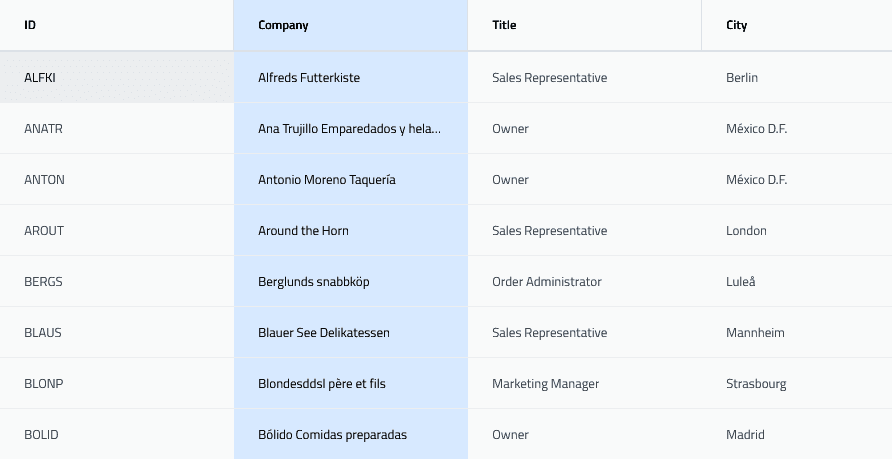
Selection Modes
Configure grids with None, Single, or Multiple selection modes to control row selection behavior and user interaction capabilities.
Programmatic Row Selection
Use API methods to select or deselect specific rows by their keys, with options to preserve or clear previous selections.
Row Selection Events
Capture selection changes with events that provide details on previous and new selections, added and removed rows, and allow cancellation of selection changes.
Select All and Deselect All Functions
Easily select or deselect all rows in the grid, with functionality that respects or ignores filtering, ensuring precise selection control.
Customizable Row Selector Templates
Define custom templates for row selectors to tailor the visual representation and interaction, including access to row state and index data.
Customizable Header Selector Templates
Create custom header selector templates displaying current selection counts, enabling a tailored header checkbox experience.
Keyboard and Click Interaction
Supports selecting rows via mouse clicks, keyboard space key presses, and range selection using shift and control keys for improved accessibility.
Selection Persistence
Maintains row selection state through operations like scrolling, paging, sorting, and filtering for consistent user experience.
Product Compatibility
Review the details below to ensure this product is supported within your environment.
Component Type
- .NET
.NET Version
- .NET 10 LTS
- .NET 9 STS
- .NET 8 LTS
.NET Platform
- .NET Blazor / WebAssembly
IDE Support
- Visual Studio
About Infragistics
Infragistics, founded in 1989 and headquartered in Cranbury, New Jersey, has established itself as a global force in UI/UX development, serving software professionals in over 100 countries. It is widely recognized for its comprehensive libraries and frameworks supporting web, desktop, and mobile platforms, including solutions tailored for .NET, Angular, React, and other leading technologies. With offices spanning Europe, Asia, and South America, Infragistics delivers components that enable efficient application development and rich user experiences. Its commitment to innovation and customer satisfaction positions it as a trusted partner for developers and organizations worldwide seeking quality and flexibility in their digital projects.

As official and authorized distributors since 1996, ComponentSource supplies you with legitimate licenses directly from Infragistics.