Infragistics Ignite UI for React Excel Library
Excel spreadsheet functionality for React applications made simple.
- Work with Excel spreadsheets using familiar Excel objects and structures.
- Supports creation, editing, import, and export of XLS and XLSX files.
- Includes formula evaluation and extensive workbook and worksheet management.

Prices from:
| Available in | |
|---|---|
| Infragistics Ignite UI for React | Loading |
| Infragistics Ignite UI | Loading |
| Infragistics Professional | Loading |
| Infragistics Ultimate | Loading |
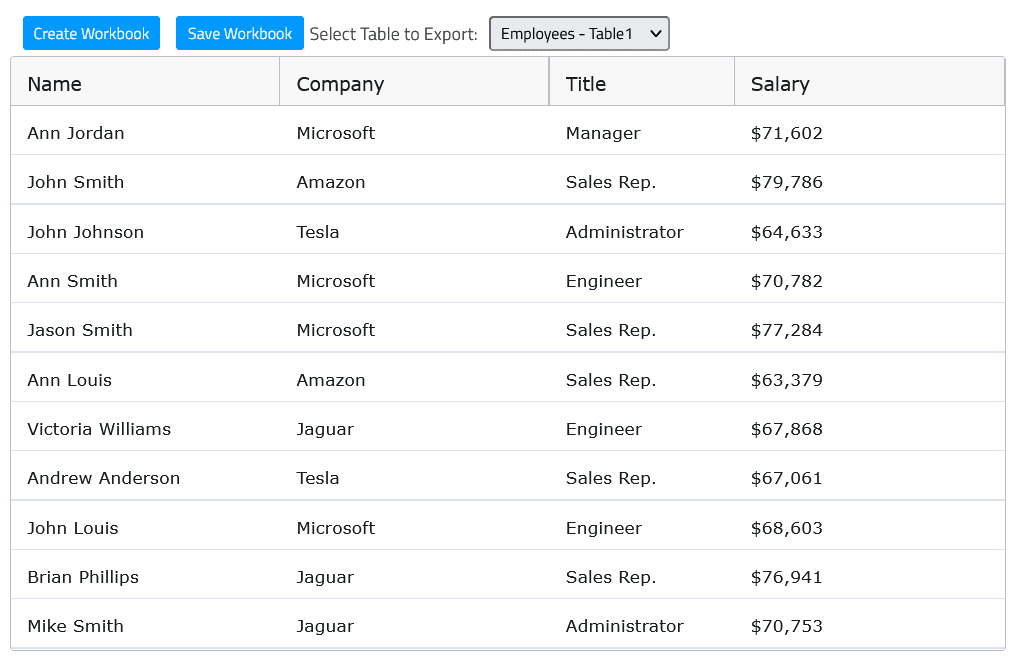
Excel Object Model Integration
It exposes familiar Excel concepts such as Workbook, Worksheet, Cell, and Formula, allowing developers to manage spreadsheet data intuitively within their React applications.
Load and Save Excel Files
The library supports loading and saving workbooks in multiple formats including Excel 97-2003 (.xls) and Excel 2007+ (.xlsx), enabling seamless data exchange with Microsoft Excel files.
Formula Evaluation Support
Provides extensive formula function modules for calculations like SUM, AVERAGE, MIN, MAX, allowing real-time formula parsing and evaluation in spreadsheets managed in React.
Modular Architecture
Offers separate modules for core functionality, formula functions, and file formats. Developers can include only needed modules to optimize bundle sizes and application performance.
Workbook Styling and Properties
Enables customization of workbook appearance including fonts and styles, and supports setting document properties such as Author, Title, and Company metadata within Excel files.
Workbook Protection Features
Supports workbook protection to restrict structural changes such as adding, renaming, or deleting worksheets, enhancing security for spreadsheet content management.
Compatibility Across Excel Versions
Compatible with all major Microsoft Excel versions starting from Excel 97 through Excel 2016, ensuring broad file format support for legacy and modern files.
Integration with React Spreadsheet Component
Seamlessly integrates with Infragistics React Spreadsheet components to enable rich data visualization and interactive editing within React apps alongside Excel file handling.
Product Compatibility
Review the details below to ensure this product is supported within your environment.
Component Type
- JavaScript
JavaScript Platform
- React
- Vanilla JavaScript
About Infragistics
Infragistics, founded in 1989 and headquartered in Cranbury, New Jersey, has established itself as a global force in UI/UX development, serving software professionals in over 100 countries. It is widely recognized for its comprehensive libraries and frameworks supporting web, desktop, and mobile platforms, including solutions tailored for .NET, Angular, React, and other leading technologies. With offices spanning Europe, Asia, and South America, Infragistics delivers components that enable efficient application development and rich user experiences. Its commitment to innovation and customer satisfaction positions it as a trusted partner for developers and organizations worldwide seeking quality and flexibility in their digital projects.

As official and authorized distributors since 1996, ComponentSource supplies you with legitimate licenses directly from Infragistics.