Infragistics Ignite UI for Web Components Calendar
Flexible web component for date display and selection.
- Supports single, multiple, and range date selection modes.
- Offers views for days, months, and years with keyboard navigation.
- Includes customization for localization, disabled, and special dates.

Prices from:
| Available in | |
|---|---|
| Infragistics Ignite UI | Loading |
| Infragistics Professional | Loading |
| Infragistics Ultimate | Loading |
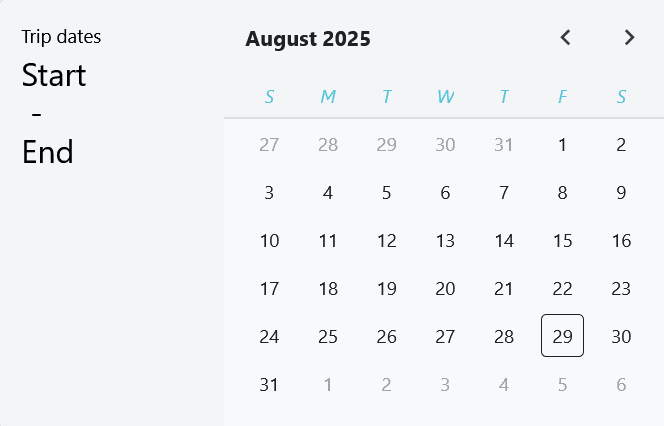
Multiple Date Selection Modes
Provides single, multiple, or range selection modes to suit different user interactions and application needs, configurable via component properties.
Active Views and Navigation
Enables switching between day, month, and year views with the ability to focus and select dates using keyboard controls, enhancing accessibility and navigation.
Date Range Restrictions
Allows setting minimum and maximum navigable dates to limit user selection within valid or defined date ranges, improving data integrity.
Header Configuration
Includes a customizable header that displays selected date information, with options to hide it or change its orientation to vertical or horizontal layouts.
Localization and Formatting
Supports localization settings for different languages and cultures, with configurable week start day and date format options for months and weekdays.
Disabled and Special Dates
Enables specifying dates or date ranges that are unselectable or highlighted as special, aiding in marking holidays, maintenance days, or important events.
Week Number Display
Optionally displays week numbers alongside calendar dates, supporting organizational or regional week tracking requirements.
Multiple Month Views and Layout
Supports displaying multiple months concurrently with configurable horizontal or vertical orientation, providing enhanced date context.
Styling and Theming
Exposes CSS parts for nearly all internal elements, allowing detailed visual customization of the calendar's appearance to match application themes.
Event Handling
Emits events such as change notifications when the selected dates update, facilitating responsive and interactive user experiences.
Product Compatibility
Review the details below to ensure this product is supported within your environment.
Component Type
- JavaScript
JavaScript Platform
- Vanilla JavaScript
- Web Component
About Infragistics
Infragistics, founded in 1989 and headquartered in Cranbury, New Jersey, has established itself as a global force in UI/UX development, serving software professionals in over 100 countries. It is widely recognized for its comprehensive libraries and frameworks supporting web, desktop, and mobile platforms, including solutions tailored for .NET, Angular, React, and other leading technologies. With offices spanning Europe, Asia, and South America, Infragistics delivers components that enable efficient application development and rich user experiences. Its commitment to innovation and customer satisfaction positions it as a trusted partner for developers and organizations worldwide seeking quality and flexibility in their digital projects.

As official and authorized distributors since 1996, ComponentSource supplies you with legitimate licenses directly from Infragistics.