Infragistics Ignite UI for Web Components Data Grid
High-performance web components grid with extensive data features.
- Enables quick data binding and display with minimal coding.
- Supports large datasets through virtualization and live streaming.
- Includes comprehensive features like filtering, grouping, and sorting.

Prices from:
| Available in | |
|---|---|
| Infragistics Ignite UI | Loading |
| Infragistics Professional | Loading |
| Infragistics Ultimate | Loading |
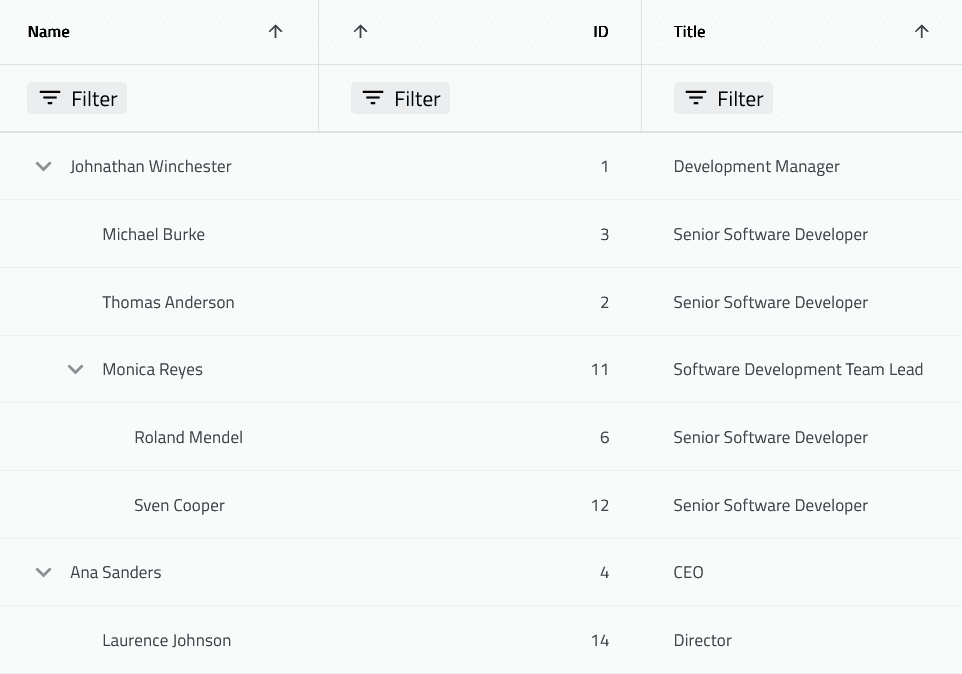
Data Binding and Display
Allows easy binding to local or remote data sources and auto-generates columns or lets developers define columns explicitly. Supports complex nested data structures and flat data, enabling flexible data presentation options.
Virtualized Rows and Columns
Optimized to handle unlimited data rows and columns through virtualization, ensuring high performance even with millions of records, making it suitable for datasets of any size.
Interactive Data Manipulation
Supports filtering with Excel-style options tailored to data types, sorting in single, multi, or tri-state modes, and user-driven column moving, pinning, and resizing to customize grid layouts interactively.
Row and Column Grouping
Enables Outlook-style grouping of rows for hierarchical data visualization. Users can group data based on criteria, facilitating better organization and analysis of data within the grid.
Inline Editing Capabilities
Provides cell, row, and batch editing with customizable cell and edit templates. Includes Excel-like keyboard navigation for efficient data entry and update workflows.
Summaries and Aggregations
Offers column summaries in footer or group headers with aggregation functions including count, sum, min, max, and average, enhancing data insights directly within the grid.
Selection Modes and Keyboard Navigation
Supports single and multiple cell or row selection modes with mouse and touch inputs. Includes rich keyboard navigation patterns for accessibility and user convenience.
Styling and Theming
Allows customization through CSS properties and predefined themes, supporting light and dark modes, and styling adjustments for headers, cells, and grid elements to match application design.
Export and Data Visualization
Includes capabilities to export grid data to Excel with support for embedded charts, enabling integration of visual data representation in exported files.
Browser Compatibility and Support
Compatible with all modern browsers including Chrome, Edge, Firefox, Safari, and Internet Explorer 11 via polyfills. Backed by comprehensive documentation and technical support from Infragistics.
Product Compatibility
Review the details below to ensure this product is supported within your environment.
Component Type
- JavaScript
JavaScript Platform
- Vanilla JavaScript
- Web Component
About Infragistics
Infragistics, founded in 1989 and headquartered in Cranbury, New Jersey, has established itself as a global force in UI/UX development, serving software professionals in over 100 countries. It is widely recognized for its comprehensive libraries and frameworks supporting web, desktop, and mobile platforms, including solutions tailored for .NET, Angular, React, and other leading technologies. With offices spanning Europe, Asia, and South America, Infragistics delivers components that enable efficient application development and rich user experiences. Its commitment to innovation and customer satisfaction positions it as a trusted partner for developers and organizations worldwide seeking quality and flexibility in their digital projects.

As official and authorized distributors since 1996, ComponentSource supplies you with legitimate licenses directly from Infragistics.