Infragistics Ignite UI for Web Components Excel Library
Manipulate Excel spreadsheets directly in your web projects.
- Create and manage Excel workbooks and worksheets programmatically.
- Import and export data between web applications and Excel files.
- Customize document properties, styles, formulas, and workbook protection.

Prices from:
| Available in | |
|---|---|
| Infragistics Ignite UI | Loading |
| Infragistics Professional | Loading |
| Infragistics Ultimate | Loading |
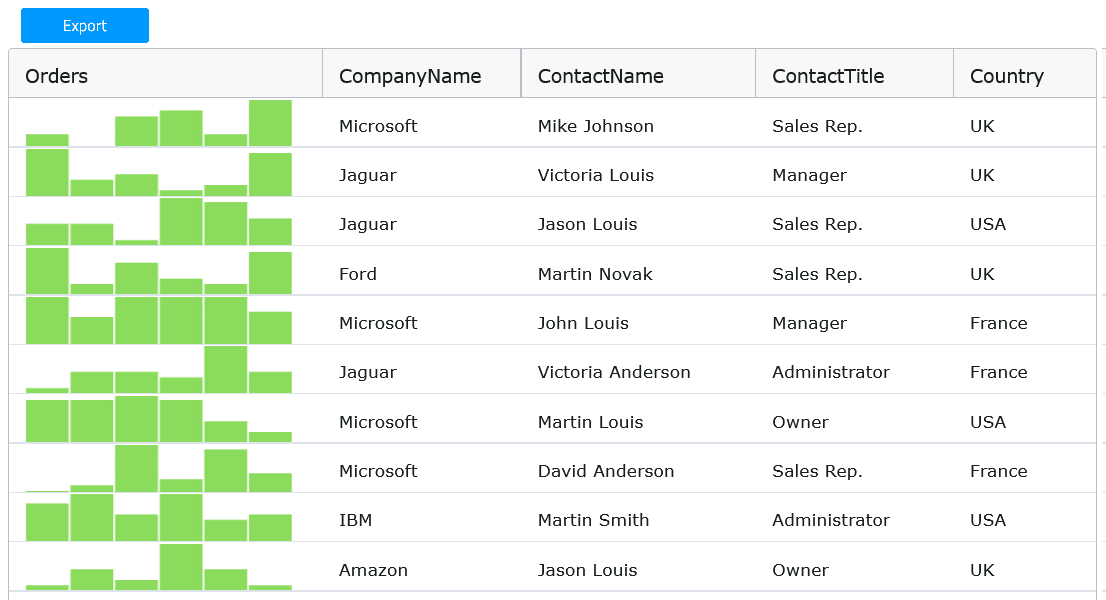
Workbook and Worksheet Management
Create multiple worksheets within a workbook, manage their properties, and modify structure programmatically, enabling complex spreadsheet scenarios in web applications.
Data Import and Export
Load Excel workbooks from file sources and export modified workbooks back to formats supported by Microsoft Excel including XLS and XLSX.
Cell and Formula Support
Work with individual cells, define and evaluate formulas using a wide range of built-in Excel functions for dynamic data processing.
Style Customization
Adjust workbook styles such as fonts and cell formatting at the workbook, row, column, or cell level to tailor the appearance of spreadsheets.
Document Property Management
Set and retrieve standard Excel document properties like author, title, subject, and keywords to organize and annotate spreadsheet files.
Workbook Protection Features
Apply protection settings to prevent structural changes such as adding, renaming, or deleting worksheets, with programmatic methods to protect and unprotect workbooks.
Modular Architecture
Load only needed modules to optimize bundle size, including core infrastructure, formula functions, and format-specific load/save modules for XLS and XLSX files.
Product Compatibility
Review the details below to ensure this product is supported within your environment.
Component Type
- JavaScript
JavaScript Platform
- Vanilla JavaScript
- Web Component
About Infragistics
Infragistics, founded in 1989 and headquartered in Cranbury, New Jersey, has established itself as a global force in UI/UX development, serving software professionals in over 100 countries. It is widely recognized for its comprehensive libraries and frameworks supporting web, desktop, and mobile platforms, including solutions tailored for .NET, Angular, React, and other leading technologies. With offices spanning Europe, Asia, and South America, Infragistics delivers components that enable efficient application development and rich user experiences. Its commitment to innovation and customer satisfaction positions it as a trusted partner for developers and organizations worldwide seeking quality and flexibility in their digital projects.

As official and authorized distributors since 1996, ComponentSource supplies you with legitimate licenses directly from Infragistics.