Infragistics Ignite UI for Web Components UI Input Controls
Build responsive web forms with customizable UI input components.
- Includes Input, ComboBox, and Select components for flexible data input.
- Supports complex data binding, filtering, grouping, and validation.
- Offers full styling control via CSS parts for seamless integration.

Prices from:
| Available in | |
|---|---|
| Infragistics Ignite UI | Loading |
| Infragistics Professional | Loading |
| Infragistics Ultimate | Loading |
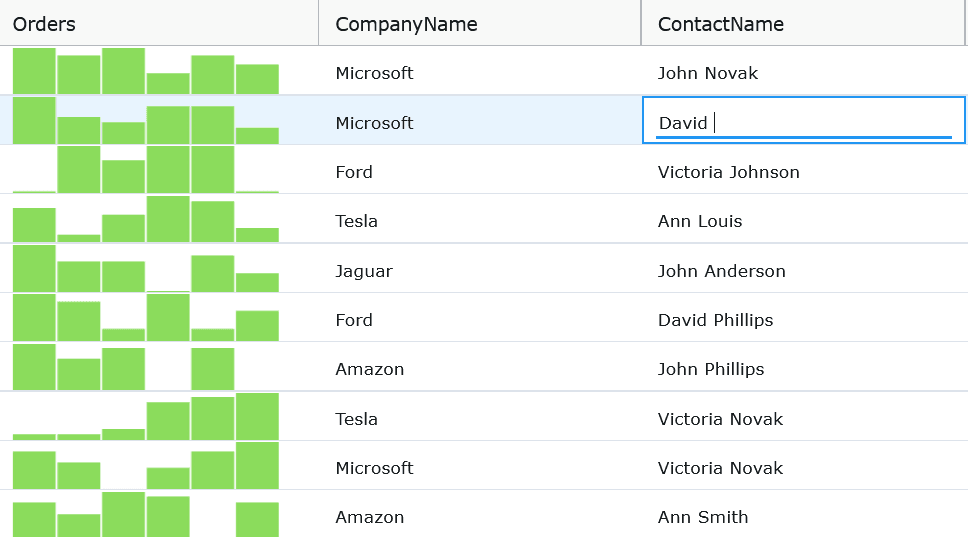
Input Component
Enables users to enter data via customizable input fields with support for prefixes, suffixes, and helper text. It supports attributes like required, disabled, and readonly alongside flexible sizing and styling through exposed CSS parts.
ComboBox Component
Presents a lightweight editor for selecting, filtering, and grouping large datasets efficiently. It offers complex data binding, case-sensitive filtering, multiple selection modes, and customizable templates for items, headers, and footers with full keyboard navigation support.
Select Component
Allows single selection from a dropdown list with support for quick navigation, grouping, and custom item content. It exposes properties for labels, placeholders, and validation with accessible keyboard controls and the ability to preselect or disable items.
Data Binding and Selection
ComboBox and Select components enable binding to complex data objects, using configurable value and display keys for selection management. Selection APIs allow programmatic selection and deselection by value keys or object references.
Validation Support
Input, ComboBox, and Select components share validation capabilities common in form controls, including required fields and disabled states. They expose methods for checking and reporting validity consistent with native input APIs.
Keyboard Navigation
All components provide intuitive keyboard interactions to improve accessibility. This includes opening and closing dropdowns, navigating lists with arrow keys, selecting items with Enter or Space, and quick search by typing.
Styling and Theming
Each component exposes numerous CSS parts, allowing granular customization of internal elements such as inputs, labels, prefixes, suffixes, icons, and list items. This promotes seamless theme integration and visual consistency.
Integration and Setup
Components are imported and registered from the Ignite UI for Web Components package and styled using provided themes. They are designed for easy integration in web projects using TypeScript and support modern development workflows.
Product Compatibility
Review the details below to ensure this product is supported within your environment.
Component Type
- JavaScript
JavaScript Platform
- Vanilla JavaScript
- Web Component
About Infragistics
Infragistics, founded in 1989 and headquartered in Cranbury, New Jersey, has established itself as a global force in UI/UX development, serving software professionals in over 100 countries. It is widely recognized for its comprehensive libraries and frameworks supporting web, desktop, and mobile platforms, including solutions tailored for .NET, Angular, React, and other leading technologies. With offices spanning Europe, Asia, and South America, Infragistics delivers components that enable efficient application development and rich user experiences. Its commitment to innovation and customer satisfaction positions it as a trusted partner for developers and organizations worldwide seeking quality and flexibility in their digital projects.

As official and authorized distributors since 1996, ComponentSource supplies you with legitimate licenses directly from Infragistics.