Infragistics Ignite UI for Web Components UI Layout and Design Controls
Manage dynamic application layouts with customizable dockable panes.
- Provides pane-based layout management with customizable docking options.
- Enables runtime pane interactions including pinning, resizing, and floating.
- Supports complex, nested layouts with split, tab group, and document host panes.

Prices from:
| Available in | |
|---|---|
| Infragistics Ignite UI | Loading |
| Infragistics Professional | Loading |
| Infragistics Ultimate | Loading |
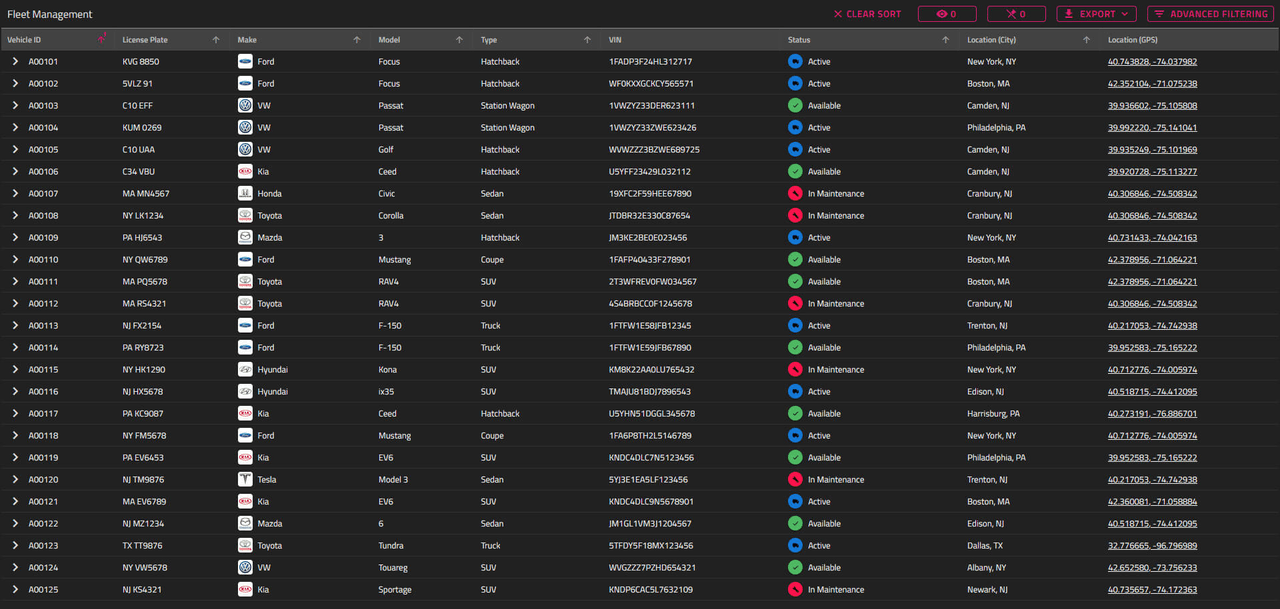
Pane-Based Layout Management
Supports various pane types including content panes, split panes, tab group panes, and document hosts to create sophisticated and flexible UI layouts.
Runtime Customization
End-users can interactively pin, unpin, resize, close, move, maximize, and dock panes during application runtime for a personalized experience.
Floating Panes
Allows panes to float as movable windows above other layout elements, with configurable positioning, sizing, and resize behaviors.
Docking Indicators
Provides visual docking guides for root docking, pane docking, document host docking, and splitter docking while dragging panes for intuitive layout manipulation.
Layout Persistence
Enables saving and restoring layouts by serializing the internal layout configuration, facilitating consistent user or session experiences.
Extensive Keyboard Navigation
Includes comprehensive keyboard shortcuts for docking, navigating between panes, managing the pane navigator, and closing active panes, enhancing accessibility.
Customization via Slots and CSS Parts
Offers customization of buttons, icons, and styling through named slots and CSS parts, allowing developers full control over the Dock Manager’s appearance.
Responsive and Accessible Design
Uses Shadow DOM for style encapsulation and supports localization and accessibility features to accommodate diverse user needs.
Flexible Layout Updates
Supports programmatic changes to the layout structure, including dynamic addition or removal of panes with automatic UI updates.
Product Compatibility
Review the details below to ensure this product is supported within your environment.
Component Type
- JavaScript
JavaScript Platform
- Vanilla JavaScript
- Web Component
About Infragistics
Infragistics, founded in 1989 and headquartered in Cranbury, New Jersey, has established itself as a global force in UI/UX development, serving software professionals in over 100 countries. It is widely recognized for its comprehensive libraries and frameworks supporting web, desktop, and mobile platforms, including solutions tailored for .NET, Angular, React, and other leading technologies. With offices spanning Europe, Asia, and South America, Infragistics delivers components that enable efficient application development and rich user experiences. Its commitment to innovation and customer satisfaction positions it as a trusted partner for developers and organizations worldwide seeking quality and flexibility in their digital projects.

As official and authorized distributors since 1996, ComponentSource supplies you with legitimate licenses directly from Infragistics.