Infragistics Ultimate UI for jQuery File Upload
Supports single and multiple file uploads with detailed progress visualization.
- Enables drag-and-drop and dialog file selection methods for uploads.
- Displays individual and overall progress bars for upload status.
- Includes server-side integration support with ASP.NET MVC handlers.

Prices from:
| Available in | |
|---|---|
| Infragistics Ignite UI for jQuery | Loading |
| Infragistics Professional | Loading |
| Infragistics Ultimate | Loading |
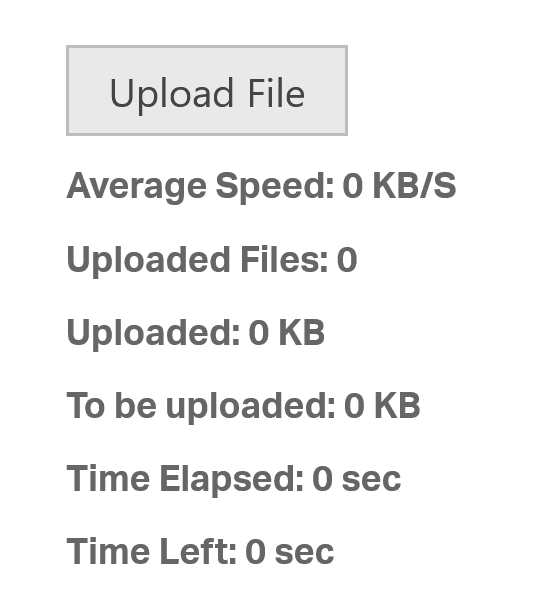
Multiple File Upload Support
Allows users to upload multiple files simultaneously using drag-and-drop or traditional dialog selection. Each file gets a distinct progress bar and status display, and upload limits can be configured for simultaneous processing.
Detailed Upload Progress Visualization
For every file upload, the control displays progress bars along with real-time information like average speed, elapsed time, estimated remaining time, total size, and uploaded size to keep users informed about their upload status.
Client-Side API and Customization
Offers a comprehensive jQuery API that developers can use to configure upload behaviors, UI appearance, and interaction patterns. The control supports styling to align with custom themes and user interface designs.
Server-Side Integration
Includes server-side components such as UploadProgressManager tailored for ASP.NET MVC that expose events for tracking upload stages including start, progress notifications, imminent completion, and completion, enabling robust backend control.
Automatic and Manual Upload Modes
Supports configuration for automatic upload initiation upon file selection or manual user-triggered uploads, giving developers flexibility in user experience design and control flow implementation.
Upload Cancellation and Status Management
Provides users the ability to cancel individual or all ongoing uploads with instant UI updates. Successful uploads replace cancellation controls with success indicators, enhancing feedback clarity.
File Type and Size Validation
Supports client-side and server-side validation rules that can restrict file types and enforce maximum file size limits, improving security and resource management during file transfers.
Integration with ASP.NET Framework
The control includes server-side HTTP handlers and configuration mechanisms to manage file storage paths, handle file data, and process upload requests efficiently within the ASP.NET infrastructure.
Product Compatibility
Review the details below to ensure this product is supported within your environment.
Component Type
- JavaScript
JavaScript Platform
- AngularJS
- jQuery
- Knockout.js
- Vanilla JavaScript
About Infragistics
Infragistics, founded in 1989 and headquartered in Cranbury, New Jersey, has established itself as a global force in UI/UX development, serving software professionals in over 100 countries. It is widely recognized for its comprehensive libraries and frameworks supporting web, desktop, and mobile platforms, including solutions tailored for .NET, Angular, React, and other leading technologies. With offices spanning Europe, Asia, and South America, Infragistics delivers components that enable efficient application development and rich user experiences. Its commitment to innovation and customer satisfaction positions it as a trusted partner for developers and organizations worldwide seeking quality and flexibility in their digital projects.

As official and authorized distributors since 1996, ComponentSource supplies you with legitimate licenses directly from Infragistics.