Infragistics Ultimate UI for WPF UI Input Controls
Create responsive and intuitive WPF input controls for business applications.
- Comprehensive library of WPF input controls for desktop apps.
- Supports data grids, charts, and Office-like interactions.
- Seamless data binding with rich visual configuration options.

Prices from:
| Available in | |
|---|---|
| Infragistics Ultimate UI for WPF | Loading |
| Infragistics Professional | Loading |
| Infragistics Ultimate | Loading |
Data Grid with Advanced Features
Offers hierarchical data display, Excel-inspired behaviors like sorting, grouping, filtering, and paging. It includes pinned rows, fixed headers, movable columns, and supports aggregation and cell merging for complex data presentation.
High-Performance WPF Charts
Includes over 60 chart types such as bar, line, pie, area, sparkline, and financial charts. Charts support features like crosshairs, annotations, tooltips, and visual configurators to enhance data visualization with minimal coding.
Visual Control Configurators
Provides WYSIWYG property editors that allow interactive customization and styling of controls directly in XAML, enabling data binding and theme application without writing code, thus speeding up UI design and learning of control APIs.
Rich Input Elements
Includes diverse input controls like combo boxes, color pickers, formula editors, multi-column combos, and rich text editors with spell checking and syntax highlighting, designed for creating dynamic and user-friendly forms.
Frameworks and Productivity Enhancements
Integrates supportive frameworks such as calculation managers, drag-and-drop, undo-redo functionality, and persistence frameworks that streamline complex data operations and maintain application state effectively.
Office-Style UI Components
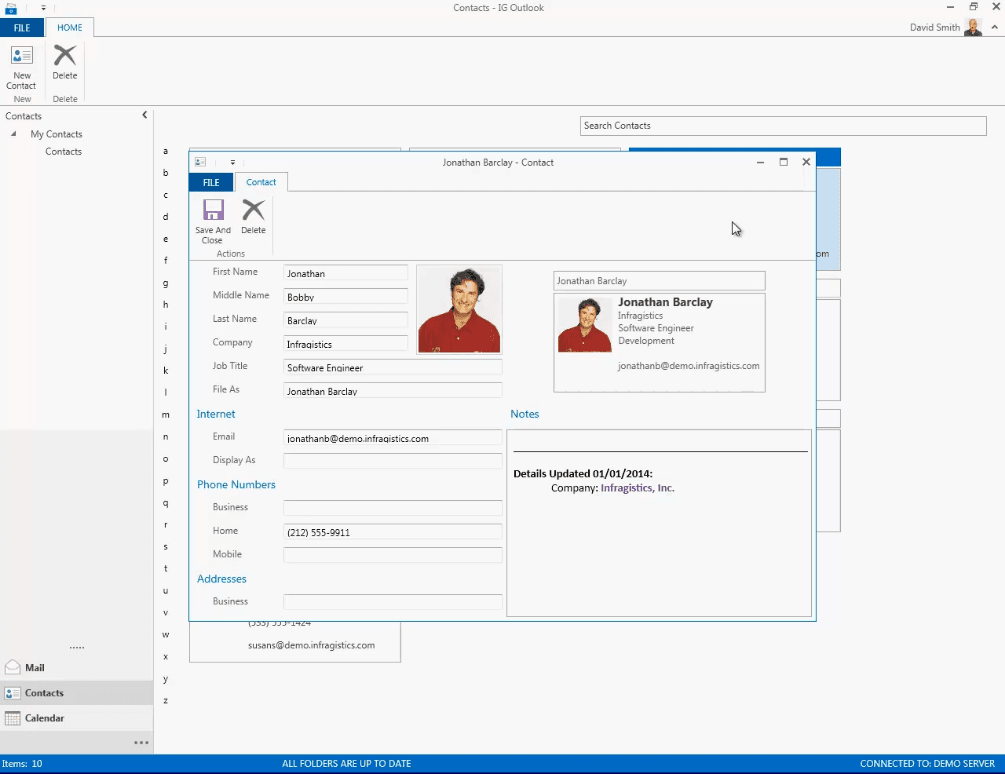
Implements familiar Microsoft Office-inspired controls including ribbons, schedules, and spreadsheets, allowing developers to create professional interfaces that users recognize and easily interact with.
Touch and Desktop Support
Controls are optimized for both desktop and touch devices, ensuring responsive performance and gestures compatibility across various Windows environments for versatile application deployment.
Extensive Theming and Styling
Offers resource washers and theme managers to apply consistent styling across the application, enabling developers to quickly tailor the UI look and feel to match branding and user preferences.
Product Compatibility
Review the details below to ensure this product is supported within your environment.
Component Type
- .NET
.NET Version
- .NET 10 LTS
- .NET 9 STS
- .NET 8 LTS
- .NET 4.8 or earlier
.NET Platform
- .NET Assembly
- .NET WPF
IDE Support
- Visual Studio
About Infragistics
Infragistics, founded in 1989 and headquartered in Cranbury, New Jersey, has established itself as a global force in UI/UX development, serving software professionals in over 100 countries. It is widely recognized for its comprehensive libraries and frameworks supporting web, desktop, and mobile platforms, including solutions tailored for .NET, Angular, React, and other leading technologies. With offices spanning Europe, Asia, and South America, Infragistics delivers components that enable efficient application development and rich user experiences. Its commitment to innovation and customer satisfaction positions it as a trusted partner for developers and organizations worldwide seeking quality and flexibility in their digital projects.

As official and authorized distributors since 1996, ComponentSource supplies you with legitimate licenses directly from Infragistics.