List Collection App for SharePoint Online
Combine SharePoint Online lists from multiple sites into one view.
- Aggregate and roll up lists or libraries from different SharePoint sites.
- Create customizable views with sorting, grouping, and filtering options.
- Manage list items directly and export data to CSV for analysis.
Prices from:
| Available individually | Our Price |
|---|---|
| List Collection App for SharePoint Online | Loading |
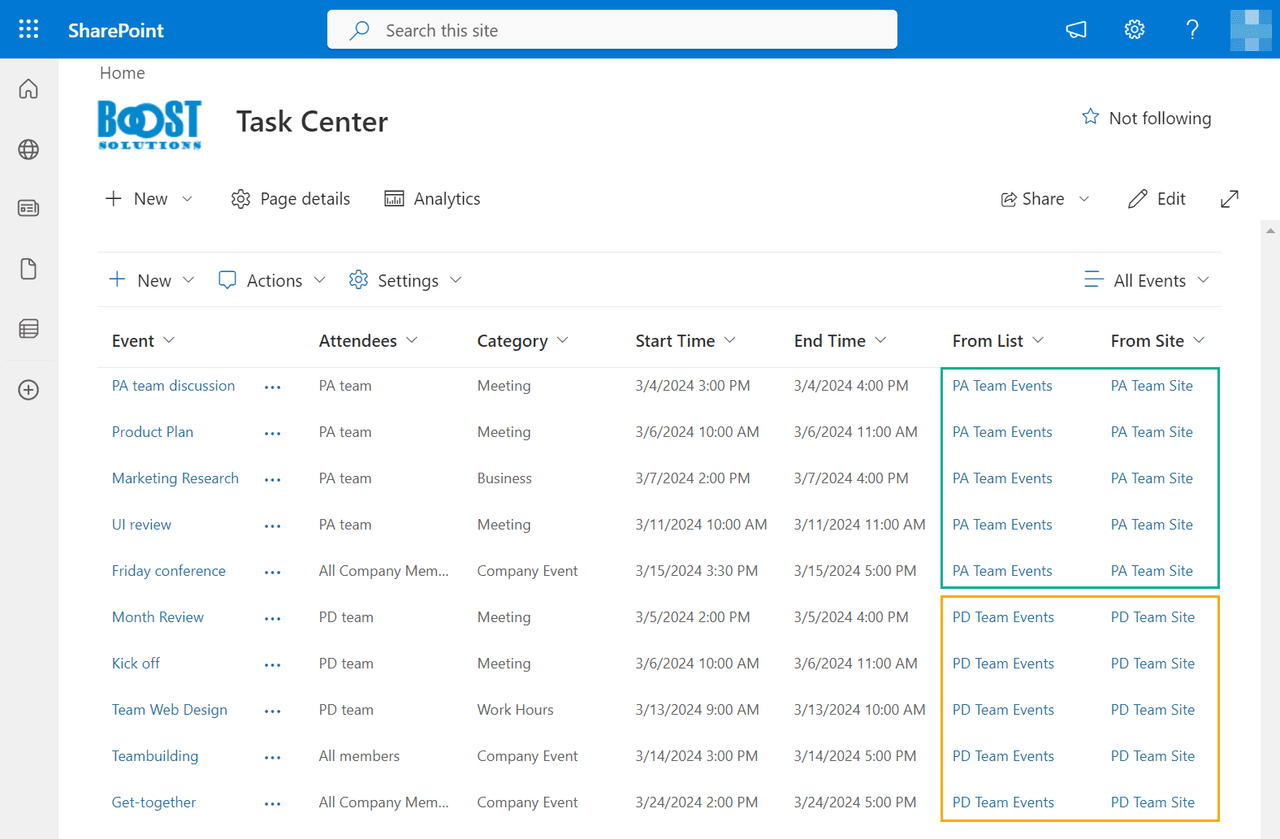
Aggregate Data Across SharePoint Sites
Collect and combine list items and document libraries from different SharePoint Online sites into a single consolidated view to simplify data management and overview.
Integration with Microsoft Teams
Allows the List Collection App to be used within the Microsoft Teams interface, enabling users to organize and manage SharePoint lists or libraries while maintaining a consistent workflow across Teams and the SharePoint portal.
Multiple Customizable Views
Create and switch between Standard, Calendar, and Gantt views within the app, with options for sorting, grouping, and filtering similar to native SharePoint list views.
Manage List Items Directly in the Web Part
Add, edit, and delete individual items within the app interface, with changes automatically updating the corresponding source lists.
Column Filtering and Sorting
Filter or sort list data dynamically by selecting column headers, helping quickly locate and organize relevant information.
Support for SharePoint Filter Web Parts
Connect SharePoint Choice and Text Filter web parts to the List Collection App to refine displayed data based on user-selected filter criteria.
Export Collected Data
Export displayed and sorted data to CSV files to support offline reporting, analysis, or sharing outside SharePoint environments.
User-Friendly View Creation and Management
Create or modify views using familiar SharePoint configuration options, including setting filters, grouping, sorting, and selecting columns to display.
Product Compatibility
Review the details below to ensure this product is supported within your environment.
Host Application
- SharePoint
About BoostSolutions
BoostSolutions, founded in 2007, develops software components and add-ons for Microsoft SharePoint environments. Its product portfolio focuses on extending SharePoint functionality through tools for data management, workflow customization, navigation, permissions, and collaboration. Serving customers in more than 90 countries, BoostSolutions provides configurable solutions for organizations seeking additional capabilities for SharePoint deployment and administration. The company focuses on creating tools designed to integrate with SharePoint environments across business and enterprise applications.
Learn more about BoostSolutionsExplore BoostSolutions products

As official and authorized distributors since 2009, ComponentSource supplies you with legitimate licenses directly from BoostSolutions.