SheetXL for Apps
Embed Excel-compatible spreadsheets that users and agents can edit.
- Import and export Excel workbooks with formulas and formatting.
- Build interactive models with named ranges, formulas, and recalculation.
- Analyze worksheet data with charts, pivot tables, and slicers.

Prices from:
| Available individually | Our Price |
|---|---|
| SheetXL for Apps | Loading |
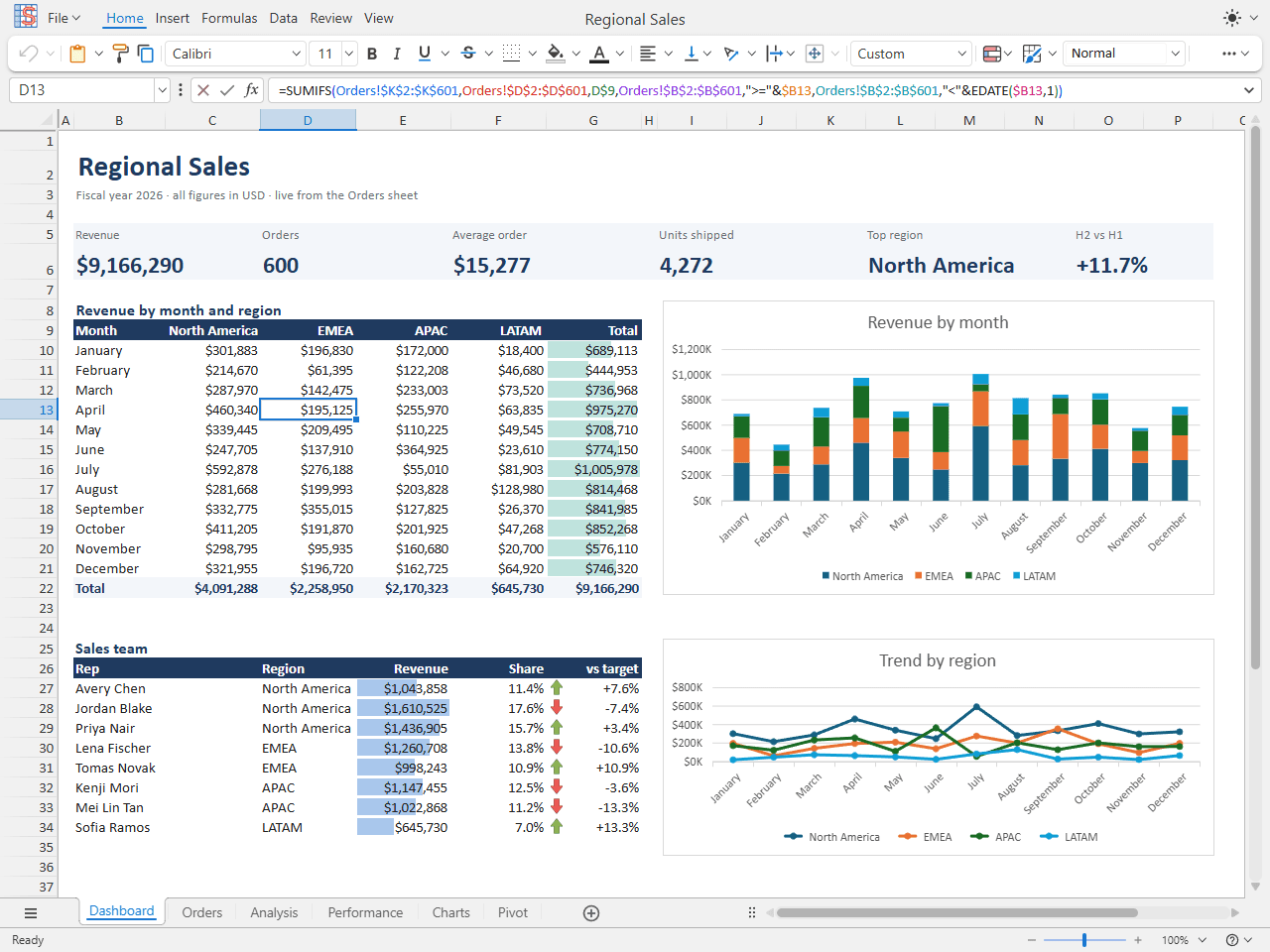
Embedded Spreadsheet Editing
Give users an editable workbook within your application. They can work across worksheets, copy and paste values or formulas, use autofill to extend a series, and freeze rows or columns to keep headings visible as they scroll.
Excel Workbook Import and Export
Open Excel workbooks in the application and export edited copies as .xlsx files. The import and export process preserves formulas, named ranges, formatting, charts, and pivot tables so users can continue working with the same workbook structure in Excel.
Formula Calculation and Named Ranges
Build calculations with Excel-compatible functions and use named ranges to reference inputs in formulas. The calculation engine updates dependent results when values change, so users can adjust assumptions and see the effect on a budget, forecast, or other worksheet model.
Data Validation and Conditional Formatting
Use data validation to specify which values users can enter in a cell or range. Apply conditional formatting rules to highlight values that meet defined criteria, such as amounts above a budget threshold or dates that have passed.
Tables, Pivot Tables, and Slicers
Organize worksheet records into tables that users can sort and filter. Create pivot tables to group and summarize the underlying data by category, then use slicers to narrow the view to the categories relevant to the analysis.
Charts and Sparklines
Visualize worksheet data with charts and add sparklines directly to cells. Users can chart totals or compare categories across a worksheet, then place a sparkline beside each row of figures to show how that series changes over time.
Agent Access and Undo
Connect agents to the workbook that users edit in the application. Agents can inspect and modify workbook data through the same spreadsheet engine, and users can use the workbook's undo controls to reverse changes an agent makes.
Scripting and Custom Functions
Automate workbook operations with scripts and add custom functions that users can call from cell formulas. The TypeScript application programming interface provides access to both the calculation engine and the spreadsheet grid, so application code can interact with workbook data.
Theming and Custom Cell Editors
Adapt the spreadsheet's appearance to the surrounding application with themes and cell styles. Use custom renderers to control how values appear and custom editors to control how users enter or update values for specific kinds of data.
Product Compatibility
Review the details below to ensure this product is supported within your environment.
Component Type
- JavaScript
JavaScript Platform
- React
- Vanilla JavaScript
About SheetXL
SheetXL is a software company based in New Jersey, USA. Founded in 2024, it develops Excel-compatible spreadsheet tools that help developers bring existing workbooks and spreadsheet workflows into their applications. Its offerings include an embeddable spreadsheet component for web applications, a headless library and command-line tools for server-side processing, and integrations that let AI agents work directly with spreadsheets. These tools let development teams add interactive workbook editing to their software, reuse existing Excel formulas and models, and automate calculations in their own infrastructure.

As official and authorized distributors since 2026, ComponentSource supplies you with legitimate licenses directly from SheetXL.