Skyvia Data Studio Connector
Connect business data to Google Data Studio without writing code.
- Connect supported cloud applications and databases to Google Data Studio.
- Select reporting objects and read data directly from connected sources.
- Bring sales, marketing, and operational data into a single dashboard.

Prices from:
| Available individually | Our Price |
|---|---|
| Skyvia Data Studio Connector | Loading |
Cloud Application and Database Connectivity
Connect Google Data Studio to supported sales and marketing applications, databases, and cloud platforms. Skyvia's connector library gives analysts access to sources beyond those available through Data Studio's native connectors, so they can report on data from the systems their teams already use.
No-Code Setup in Data Studio
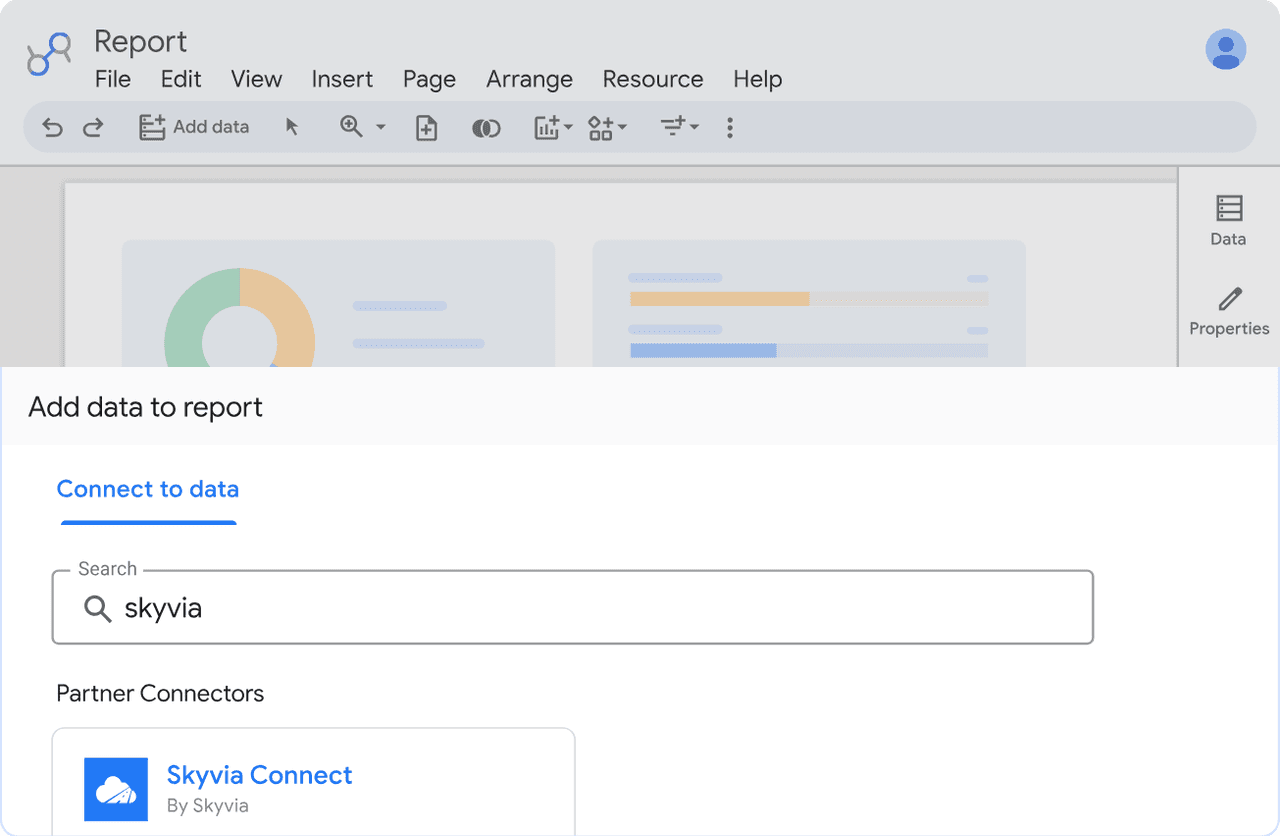
Find Skyvia in the Add Data menu when creating a report or configuring a data source. Authorize access to your Google and Skyvia accounts, then choose a source connection through the configuration screens without writing code or database queries.
Connection Management
Create a connection in Connection Manager or select one you already use in Skyvia. You can also edit an existing connection before selecting it for a report. Reusing a connection saves you from configuring the same source again.
Data Object Selection
Choose the source objects you want to make available to the report. For example, select leads and opportunities for a sales pipeline report, or campaign records for a marketing dashboard. The objects you can choose depend on the connected source.
Direct Source Access
Read reporting data directly from the connected application or database. You can build reports without first copying records into a separate data warehouse, which is useful when the source system already holds the records you need to analyze.
Multi-Source Reporting
Add separate sources to a single Data Studio report to review related metrics side by side. For example, a dashboard can show campaign activity from a marketing platform alongside leads and opportunities from a customer relationship management system.
Charts, Tables, and Scorecards
Use connected data in Data Studio's charts, tables, and scorecards. Plot changes over time, display headline metrics, or show detailed records in a table so readers can review both the overall trend and the underlying figures in one report.
Interactive Report Filters
Add Data Studio filters and date range controls so readers can explore the report. For example, let readers select a campaign using a campaign field or choose a reporting period for charts that use a valid date field.
Product Compatibility
Review the details below to ensure this product is supported within your environment.
Cloud Service Type
- Cloud App
About Skyvia
Skyvia develops cloud-based data integration and management solutions for businesses working with cloud applications, databases, and on-premises systems. The company focuses on tools for data integration, backup, synchronization, automation, and access, helping organizations connect and manage information across a wide range of platforms and services. With support for no-code workflows, SQL-based querying, and prebuilt connectors, Skyvia provides flexible options for technical and business users working with data migration, reporting, storage, and operational processes.

As official and authorized distributors since 2024, ComponentSource supplies you with legitimate licenses directly from Skyvia.