UEStudio
Code, review, and manage Git work in one editor.
- Combines text editing with Git repository and branch workflows.
- Supports code completion, Markdown preview, and version comparison.
- Helps teams review changes and resolve merge conflicts.

Prices from:
Loading...
| Available in | |
|---|---|
| UltraEdit Enterprise | Loading |
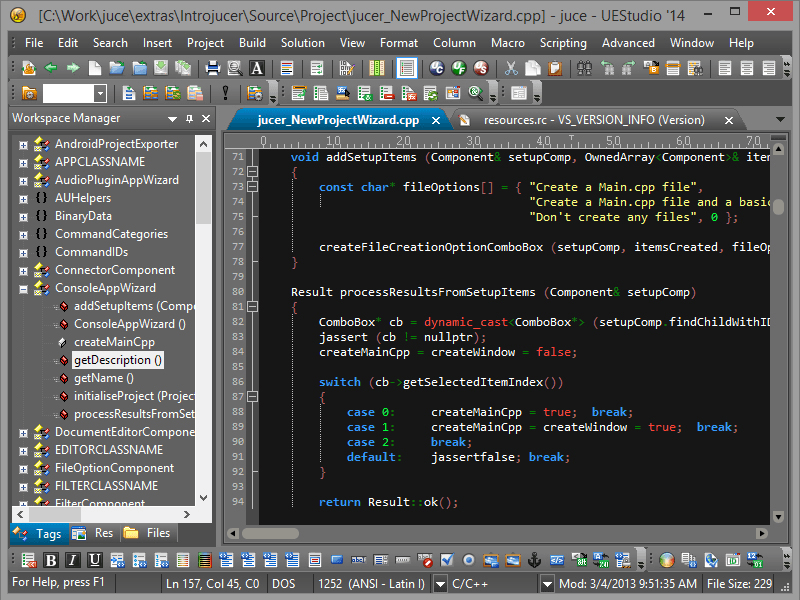
UEStudio is a development application built on UltraEdit for developers who want editing and Git workflows in the same environment. It brings together source editing, branch management, repository actions, Markdown preview, code completion, and comparison features so teams can write code, review changes, and manage versioned projects from one workspace.
Text And Source Editing
Builds on UltraEdit's editing foundation for working with source code, markup, configuration files, and other technical text. This gives developers a capable editor for everyday coding tasks alongside repository-aware features.
Code Completion And Context Hints
Parses projects and source files to provide automatic source code completion, function tips, class data members, function parameters, and smart templates. This helps developers write code more efficiently while staying in the same editing environment.
Markdown And HTML Preview
Supports live preview for Markdown and HTML so users can review formatting while editing repository content such as README files and documentation. This helps developers check presentation without opening a separate browser window.
Integrated Git Workflows
Provides native Git integration for common repository tasks directly inside the application. Users can clone, check, update, commit, and push or pull changes without switching to a separate Git client for routine source control work.
Branch Management
Includes a branch manager for creating, tracking, checking out, merging, pulling, pushing, and rebasing branches. This helps developers manage active branch workflows more directly and see how branches relate to the currently active branch.
Built-In Git Command Access
Makes common Git commands available from project and explorer context menus, while also providing a command line shell inside the application. This supports both menu-driven workflows and command-oriented repository management in one environment.
Merge Conflict Resolution
Works with UltraCompare to help users identify and resolve merge conflicts. Developers can review files with conflicts, inspect the competing changes, and complete merge tasks with a comparison-focused workflow tied to repository activity.
Git Change Review
Supports review of repository changes before commit by comparing working copies against repository versions. This gives users a practical way to inspect edits, validate modifications, and understand exactly what has changed in tracked files.
Version Comparison
Allows users to compare a file against previous versions, other branches, or uncommitted changes. This is useful for checking revisions over time, reviewing branch differences, and validating edits before integrating them into broader project work.
Native Diff And Merge Integration
Integrates with Git diff and merge workflows through UltraCompare, including use as a native difftool and mergetool. This supports developers who primarily work from the command line but still want visual comparison when needed.
Product Compatibility
Review the details below to ensure this product is supported within your environment.
Operating System
- Windows Desktop
Windows Desktop Version
- Windows 11
- Windows 10
- Windows 8.1
- Windows 8
- Windows 7
- Windows Vista
About UltraEdit
UltraEdit, established in 1994 and based in the United States, is recognized for its high-performance text and code editor trusted by software developers, database administrators, and IT professionals worldwide. Its product family includes UltraEdit for powerful text, code, and hex editing; UltraCompare for file and folder comparison; UEStudio, an enhanced development environment; UltraFinder for rapid file searching; and UltraFTP, a secure FTP client. UltraEdit stands out for handling extremely large files, multi-platform support, integrated AI capabilities, and flexible licensing. Choosing UltraEdit enables reliable editing and management of complex data on Windows, Mac, and Linux.

As official and authorized distributors since 2013, ComponentSource supplies you with legitimate licenses directly from UltraEdit.