Wijmo Angular Barcode
Angular barcode components for rendering common 1D and 2D formats.
- Render barcodes in Angular templates with dedicated UI components.
- Support common symbologies, including Code 128, EAN, UPC, and QR.
- Configure value, appearance, sizing, and error correction settings.

Prices from:
| Available in | |
|---|---|
| Wijmo | Loading |
| ComponentOne Studio Enterprise | Loading |
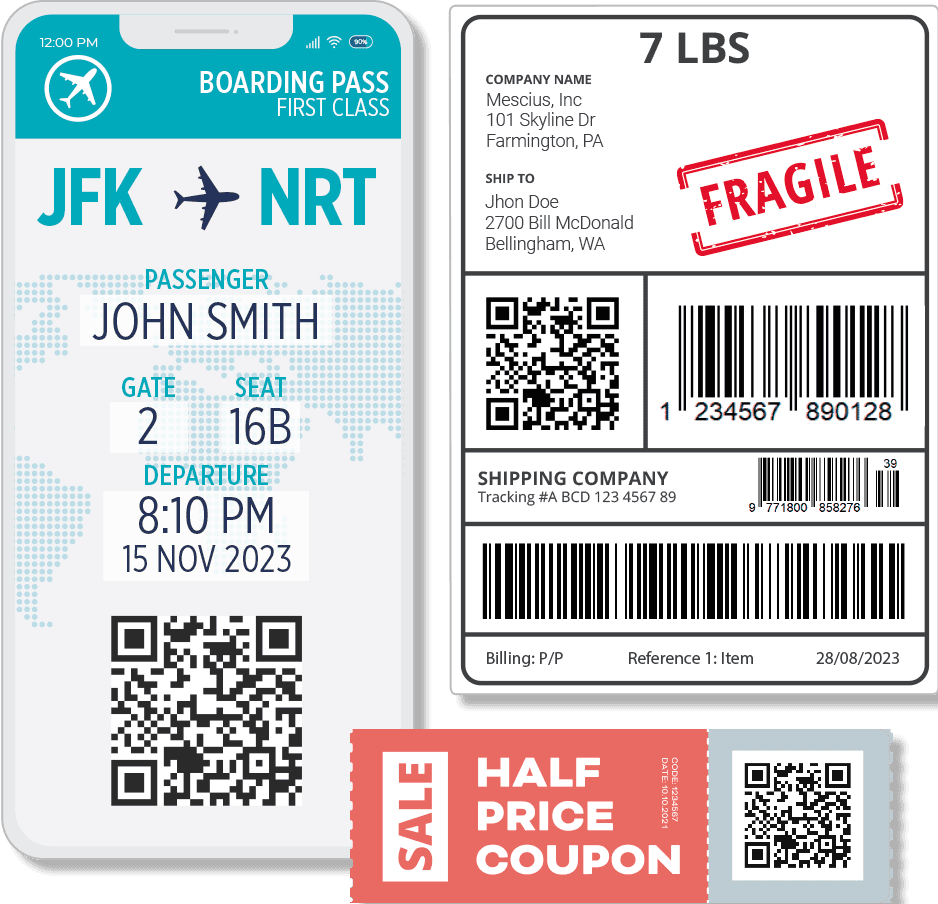
Common 1D Barcode Rendering
Generate popular linear barcodes for operational and retail scenarios. Supported common formats include Code 128, Code 39, Codabar, EAN-8, EAN-13, and UPC variants. This helps cover typical requirements for product labels, assets, and tracking identifiers.
QR Code Generation
Render QR codes in Angular applications using the dedicated QR component. Configure QR-specific settings, including model, character set, and error correction level, to match the needs of scanning environments such as mobile apps, kiosks, and printed materials
GS1 and Retail Formats
Support barcode formats used in supply chain and retail, including GS1-128 and UPC families.
Composite Barcode Options
Access additional composite barcode controls exposed through the Angular barcode composite module. For scenarios that need compact, information-dense symbols, components such as MicroPDF417 can be used to place more data into limited label space while still rendering in-browser
Property Driven Configuration
Control barcode values and rendering behavior through component properties. Configure the data payload, sizing, and visual presentation without manual canvas or SVG coding.
Declarative Markup Usage
Add barcodes with straightforward Angular markup using dedicated tags for specific symbologies, such as Code 128 and QR code components. This declarative approach makes it easy to place barcodes inside forms, grids, dialogs, and printable views
In Browser Rendering
Render barcodes client-side, directly in the browser, for responsive web applications. This approach fits interactive screens where barcode values change based on user input, selection, or application state, without requiring server-side image generation for each update
Symbology Focused Controls
Work with symbology-specific controls that expose options relevant to each barcode type. This helps developers configure the right settings for each format, such as QR parameters or Code 128 behavior, while keeping each component API aligned with its intended use
Product Compatibility
Review the details below to ensure this product is supported within your environment.
Component Type
- JavaScript
JavaScript Platform
- Angular
How to Buy
Available as part of Wijmo Enterprise, or ComponentOne Studio Enterprise.

- Included80+ JavaScript Controls
- Not included120+ WinForms Controls
- Not included100+ WPF Controls
- Not included30+ WinUI & .NET MAUI Controls
- Not included40+ ASP.NET MVC & Core Controls
- Not included40+ ASP.NET WebForms Controls
- Not included19+ Blazor Components
- Not includedData Services/Web API
- Enterprise Controls
- Not includedFinancialChart
- Not includedFlexSheet
- Not includedFlexPivot/OLAP
- Not includedFlexReport Designer
- Not includedReportViewer
- Additional Features
- Not includedIntelliSpell
- Not included2200+ Icons/Images

- Included80+ JavaScript Controls
- Included120+ WinForms Controls
- Included100+ WPF Controls
- Included30+ WinUI & .NET MAUI Controls
- Included40+ ASP.NET MVC & Core Controls
- Included40+ ASP.NET WebForms Controls
- Included19+ Blazor Components
- IncludedData Services/Web API
- Enterprise Controls
- IncludedFinancialChart
- IncludedFlexSheet
- IncludedFlexPivot/OLAP
- IncludedFlexReport Designer
- IncludedReportViewer
- Additional Features
- IncludedIntelliSpell
- Included2200+ Icons/Images
About MESCIUS
MESCIUS, formerly known as GrapeCity, is a leading developer-focused brand established in Japan, with a history spanning over 30 years. It is recognized for its extensive suite of software components, including reporting frameworks, spreadsheet libraries, and Japanese market-oriented input controls. Popular products such as ActiveReports, SPREAD, InputMan, and ComponentOne support both .NET and JavaScript ecosystems and are widely used in business-critical applications. MESCIUS offers distinctive advantages such as proven reliability, comprehensive Japanese localization, and strong technical support, making it a trusted choice for IT professionals and software developers building complex and localized systems.

As official and authorized distributors since 1996, ComponentSource supplies you with legitimate licenses directly from MESCIUS.