Wijmo Vue UI Controls
Comprehensive Vue UI component library built with TypeScript.
- Delivers Vue components for data presentation, input, and dashboards.
- Combines datagrids, charts, maps, OLAP, and specialized editors.
- Supports TypeScript, Nuxt.js, and dynamic interactive web applications.

Prices from:
| Available in | |
|---|---|
| Wijmo | Loading |
| ComponentOne Studio Enterprise | Loading |
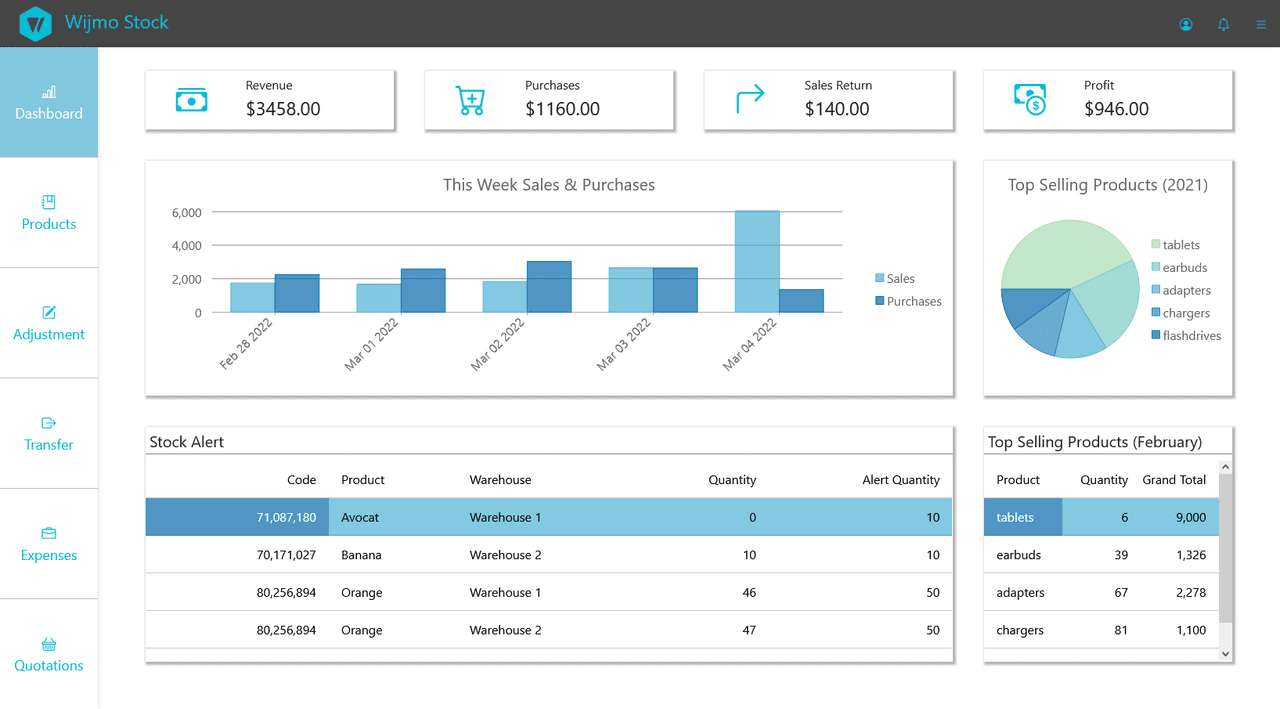
FlexGrid Data Grid
Provides an advanced data grid with built-in Excel-like features including sorting, grouping, and editing. Its extensibility model allows adding custom features, making it ideal for large datasets and enterprise applications.
FlexChart Data Visualization
Includes over 80 chart types such as line, radar, financial charts, and pie charts. Designed to deliver interactive and visually compelling graphical representations of data, with performance on par with Excel charts.
FlexMap Geospatial Components
Enables customizable mapping visualizations including bubble, scatter, and choropleth maps. Supports geodata plotting for region or location-based data, facilitating geographic dashboards and analytics.
OLAP PivotGrid
Provides a powerful pivot grid control for fast aggregation and processing of large datasets, supporting asynchronous data operations without server-side dependencies and allowing saved views.
Input Controls
Offers a suite of specialized input components tailored for different data types including auto-complete, date/time pickers, color pickers, masked inputs, dropdowns, and multi-select controls, designed for efficient data entry.
Modular and Lightweight Architecture
Each Wijmo Vue component is a separate module built with TypeScript and requires no external dependencies except ECMAScript 5, ensuring optimized performance and minimal application load.
Customization and Theming
Supports extensive customization through CSS variables, SASS styling, and configurable templates. Components adhere to ARIA accessibility standards, enhancing usability and compliance.
Touch and Responsive Design
Controls are designed with a touch-first approach and responsive layouts to provide smooth functionality across desktops, tablets, and mobile devices.
Product Compatibility
Review the details below to ensure this product is supported within your environment.
Component Type
- JavaScript
JavaScript Platform
- Vue.js
How to Buy
Available as part of Wijmo Enterprise, or ComponentOne Studio Enterprise.

- Included80+ JavaScript Controls
- Not included120+ WinForms Controls
- Not included100+ WPF Controls
- Not included30+ WinUI & .NET MAUI Controls
- Not included40+ ASP.NET MVC & Core Controls
- Not included40+ ASP.NET WebForms Controls
- Not included19+ Blazor Components
- Not includedData Services/Web API
- Enterprise Controls
- Not includedFinancialChart
- Not includedFlexSheet
- Not includedFlexPivot/OLAP
- Not includedFlexReport Designer
- Not includedReportViewer
- Additional Features
- Not includedIntelliSpell
- Not included2200+ Icons/Images

- Included80+ JavaScript Controls
- Included120+ WinForms Controls
- Included100+ WPF Controls
- Included30+ WinUI & .NET MAUI Controls
- Included40+ ASP.NET MVC & Core Controls
- Included40+ ASP.NET WebForms Controls
- Included19+ Blazor Components
- IncludedData Services/Web API
- Enterprise Controls
- IncludedFinancialChart
- IncludedFlexSheet
- IncludedFlexPivot/OLAP
- IncludedFlexReport Designer
- IncludedReportViewer
- Additional Features
- IncludedIntelliSpell
- Included2200+ Icons/Images
About MESCIUS
MESCIUS, formerly known as GrapeCity, is a leading developer-focused brand established in Japan, with a history spanning over 30 years. It is recognized for its extensive suite of software components, including reporting frameworks, spreadsheet libraries, and Japanese market-oriented input controls. Popular products such as ActiveReports, SPREAD, InputMan, and ComponentOne support both .NET and JavaScript ecosystems and are widely used in business-critical applications. MESCIUS offers distinctive advantages such as proven reliability, comprehensive Japanese localization, and strong technical support, making it a trusted choice for IT professionals and software developers building complex and localized systems.

As official and authorized distributors since 1996, ComponentSource supplies you with legitimate licenses directly from MESCIUS.