Wijmo Web Components UI Navigation Controls
Flexible, dependency-free UI navigation components for web apps.
- Create reusable navigation elements with custom HTML tags.
- Benefit from extensive APIs designed for flexibility and extensibility.
- Seamlessly integrate with Angular, React, Vue, and web frameworks.

Prices from:
| Available in | |
|---|---|
| Wijmo | Loading |
| ComponentOne Studio Enterprise | Loading |
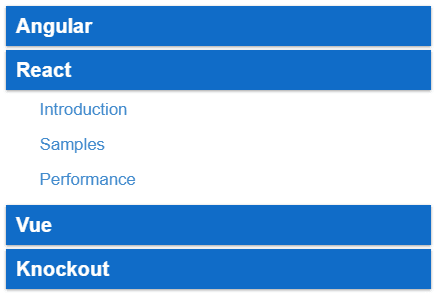
Custom Elements with Web Components
Leverage standardized Custom Elements API to define reusable navigation controls declaratively in markup, enhancing code clarity and reducing application size without sacrificing flexibility.
Shadow DOM Encapsulation
Utilize Shadow DOM to encapsulate component structure and styles, preventing conflicts and ensuring consistent behavior of navigation controls within complex web applications.
Flexible, Extensive API
Access a robust API designed for intuitive use and extensive extensibility, providing developers with granular control over navigation behavior, appearance, and event handling.
Framework-Agnostic Integration
Implement navigation components seamlessly across popular JavaScript frameworks including Angular, React, Vue, and standard Web Components, facilitating reuse and consistent user experience.
Declarative Markup Syntax
Define navigation UI elements using simple HTML tags with declarative attributes, allowing easy construction of complex navigation structures without imperative programming.
Performance-Optimized Components
Benefit from lightweight, dependency-free controls optimized for fast rendering and minimal resource consumption, suitable for enterprise-grade web applications.
Accessibility Support
Ensure your navigation interfaces comply with accessibility standards through built-in ARIA roles and keyboard navigation support, enhancing usability for all users.
Styling and Theming Flexibility
Customize appearance effortlessly using CSS variables and encapsulated styles within Shadow DOM, enabling tailored visual designs aligned with your application's theme.
Product Compatibility
Review the details below to ensure this product is supported within your environment.
Component Type
- JavaScript
JavaScript Platform
- Web Component
How to Buy
Available as part of Wijmo Enterprise, or ComponentOne Studio Enterprise.

- Included80+ JavaScript Controls
- Not included120+ WinForms Controls
- Not included100+ WPF Controls
- Not included30+ WinUI & .NET MAUI Controls
- Not included40+ ASP.NET MVC & Core Controls
- Not included40+ ASP.NET WebForms Controls
- Not included19+ Blazor Components
- Not includedData Services/Web API
- Enterprise Controls
- Not includedFinancialChart
- Not includedFlexSheet
- Not includedFlexPivot/OLAP
- Not includedFlexReport Designer
- Not includedReportViewer
- Additional Features
- Not includedIntelliSpell
- Not included2200+ Icons/Images

- Included80+ JavaScript Controls
- Included120+ WinForms Controls
- Included100+ WPF Controls
- Included30+ WinUI & .NET MAUI Controls
- Included40+ ASP.NET MVC & Core Controls
- Included40+ ASP.NET WebForms Controls
- Included19+ Blazor Components
- IncludedData Services/Web API
- Enterprise Controls
- IncludedFinancialChart
- IncludedFlexSheet
- IncludedFlexPivot/OLAP
- IncludedFlexReport Designer
- IncludedReportViewer
- Additional Features
- IncludedIntelliSpell
- Included2200+ Icons/Images
About MESCIUS
MESCIUS, formerly known as GrapeCity, is a leading developer-focused brand established in Japan, with a history spanning over 30 years. It is recognized for its extensive suite of software components, including reporting frameworks, spreadsheet libraries, and Japanese market-oriented input controls. Popular products such as ActiveReports, SPREAD, InputMan, and ComponentOne support both .NET and JavaScript ecosystems and are widely used in business-critical applications. MESCIUS offers distinctive advantages such as proven reliability, comprehensive Japanese localization, and strong technical support, making it a trusted choice for IT professionals and software developers building complex and localized systems.

As official and authorized distributors since 1996, ComponentSource supplies you with legitimate licenses directly from MESCIUS.