PowerBASIC Console Compiler for Windows - Summary

by PowerBASIC - Product Type: Application

Summary

PowerBASIC Console Compiler for Windows by PowerBASIC

Create 32-bit Windows applications with a text mode user interface. PowerBASIC Console Compiler creates highly efficient EXEs with Regular Expressions, multi-threading, a built-in assembler, a full macro facility, and much more. PowerBASIC Console Compiler is a native code compiler for 32-bit Windows, suitable for Internet CGI applications. The .EXEs PowerBASIC Console Compiler creates are single standalone executables which require no run-time libraries, no DLLs, no support files of any kind unless you choose that approach. Complete access to the Windows API is provided.

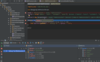
PowerBASIC Console Compiler is a state of the art, high performance compiler which allows you to develop virtually any type of application. PowerBASIC Console Compiler is a native code compiler for 32-bit Windows. It creates applications with a text mode user interface, perfect for Internet CGI applications or conversions from DOS. The machine code generated is among the most efficient in the industry, both in terms of size and speed. A complete IDE is included for program creation and debugging.

PowerBASIC Console Compiler professional level capabilities include Regular Expressions, multi-threading, a built-in Assembler, a full Macro facility, and much more. The machine code generated by PowerBASIC Console Compiler is small in size and and fast in execution speed. The .EXEs PowerBASIC Console Compiler creates are single standalone executables which require no run-time libraries, no DLLs, no support files of any kind unless you choose that approach. Source code is compiled at more than one million lines per minute, hundreds or thousands of times faster than many compilers. With a few changes to your DOS source code you can create programs with the PowerBASIC Console Compiler and gain access to virtually unlimited memory and the speed of 32-bit processing.

Main Features:

Macro facility, seldom seen in a high level language, is an integral part of PowerBASIC Console Compiler. A Macro invokes a text substitution engine allowing you to extend PowerBASIC Console Compiler. With PowerBASIC macros, you can design your own unique, personal language

PowerBASIC Console Compiler enables you to easily create fast and powerful Internet CGI applications. The PowerBASIC Automation Interface lets you tap the power of components and invoke libraries and applications via Client COM Services. Built-in support for TCP and UDP gives your application the means to communicate with servers on the Internet or local Intranets, send email messages with SMTP download web pages using HTTP oreven create your own TCP or UDP server for communication with other applications. High-speed Serial Communications built-ins let you access modems or other serial devices without struggling with obscure API calls or dial into remote computers with just a few lines of code

PowerBASIC Console Compiler makes it easy to produce multi-threaded applications. Your program can handle 2, 3, or 1000 tasks, all at the same time. Print a report while data entry continues ,watch for a hardware signal while calculating data services. It even offers THREADED variables for "Thread Local Storage", each THREAD gets its own unique copy of the variable -- automatically

Built-in professional level graphics support lets your program do virtually anything with text and graphics, without using the Windows API. A complete family of LPRINT functions gives you direct text access to line printers. Extended printing is easy with PowerBASIC's exclusive XPRINT suite of functions. Just like GRAPHIC for the screen, XPRINT offers it all on the printer. Print text -- any font, any size, any color. Bitmaps and images, lines and boxes, circles and polygons, virtually all the features of the GRAPHIC screen are there for printers. Retrieve the size of the printer page, printable area, margins, even the number of points per inch. Select landscape or portrait mode, even the print quality setting. The PRINTER$() function returns the name and port of every available printer

PowerBASIC Console Compiler includes a built-in assembler, ARRAY SORT / SCAN / INSERT / DELETE / ASSIGN, MAT functions, bit operations, register variables, and much more. Supported variable types include signed and unsigned integers to 64-bit. Single, double, and extended precision float. Two forms of currency. Dynamic strings, fixed strings, ASCIIZ strings. User-defined types and unions. Guids. Variants, pointers, and BIT and SIGNED BIT field variables in types and unions

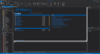
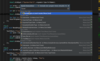
A solid IDE simplifies programming tasks. Its editor component provides source file templates, bookmarks, block indent/outdent and block comment/uncomment. A "Code Finder" module shows every sub, function and macro name, aliases, types, and line numbers. You can sort on any column, in either direction, and change the column order in a flash. Set debugging breakpoints even in include files. The array of debugging features is impressive. PROFILE gives an overview listing of every sub and function, how many times each was called, and the total time spent executing each. CALLSTK captures all stack frames above you. TRACE generates an execution log of each sub, function, label, and TRACE PRINT, as they're executed. The watch windows for variables and registers are moveable and resizable and all dialogs remember the last used size and location. The Help file contains complete documentation. Help files for add-ons are supported, and there's a direct link to the Win32 API help. Syntax highlighting with selectable colors, fonts, and keyword case, and printed listings in color

These are some of the new features included in Version 4. You can find the complete list of new features in the 'Evals and Downloads' Section:

#COMPILER defines the compiler for this program

#CONSOLE ON|OFF enables/disables auto-creation of a console

ARRAY ASSIGN assigns values to multiple elements of an array

BGR function translates an RGB value to BGR format

BITS function converts signed and unsigned values.

CONSOLE GET LOC retrieves the location of the console on the desktop

CONSOLE GET SCREEN retrieves the rows and columns on the screen

FILEATTR enumerates file numbers in use

GLOBAL may declare a list of variables of one type

GRAPHIC ARC draws an arc

GRAPHIC ATTACH selects a window or bitmap for drawing

GRAPHIC BITMAP END closes a graphic bitmap

GRAPHIC SET MIX changes the color mix mode

GRAPHIC WINDOW creates a new graphic window

INPUT reads a keyboard line to multiple variables

JOIN$ adds a binary option for enhanced data packing

MID$ may take a negative length value

NUL$ creates a string of nul characters

PARSE adds a binary option for enhanced data packing

PEEK acts as a dynamic pointer for any data type

PEEK$ acts as a dynamic pointer for strings

POKE acts as a dynamic pointer for any data type

PRINTER$ retrieves printer names and printer port names

RESET may accept multiple parameters

RIGHT$ may take a negative length value

SHELL offers a HANDLES option

STATIC may declare a list of variables of one type

XPRINT ATTACH selects a host-based (GDI) printer for XPRINT

XPRINT BOX draws a box with square or rounded corners

XPRINT COLOR sets the default colors

XPRINT COPY copies a bitmap to the host printer

XPRINT ELLIPSE draws an ellipse or circle

XPRINT FONT selects a font and style for XPRINT

XPRINT GET MIX retrieves the color mix mode

XPRINT GET ORIENTATION retrieves the paper orientation

PartNumbers: PC-516139-167977 516139-167977 PC-516139-167978 516139-167978 PC-516139-167979 516139-167979

PurchaseOptions: PowerBASIC Console Compiler for Windows V5.0 1 Developer License , PowerBASIC Console Compiler for Windows V5.0 1 Developer License Upgrade from PB/CC 4 , PowerBASIC Console Compiler for Windows V5.0 1 Developer License Upgrade from PB/CC 3.04 or earlier

Resources: Read the PowerBASIC Console Compiler for Windows Help File, Browse the PowerBASIC Console Compiler for Windows New Features in Version 4 Web pages, Browse the PowerBASIC Console Compiler for Windows Release History Web pages, Browse the PowerBASIC Console Compiler License Agreement Web pages, Download the PowerBASIC Console Compiler for Windows Examples on to your computer - Includes compiled executables

Operating System for Deployment: Windows XP, Windows ME, Windows 2000, Windows 98, Windows NT 4.0, Windows 95

Product Type: Application

Search Items: New Product July 05

Keywords: PowerBASIC Development Code Creation Editing Author power basic, powerbasics

Product Search

Enter search words:

Quick Links